Axial Gradient Node
- Category: Base Shape
- Edition: All editions
- Output type: Height / Mask
- Typical place in a graph: a helper, multiplied or combined with the main shape
Axial Gradient makes a straight ramp: 0 at the start point, rising evenly to 1 at the end point, and the same value all along its width. On its own it is a tilted plane. Combined with other shapes it tilts the land toward the sea, fades a mountain range out across the map, or blends textures from one side of the biome to the other. With Repeat on, it makes parallel sawtooth ridges.
When to use it
- Tilt a whole terrain, such as land sloping down to a coast: add it to the base shape, or multiply the shape by it.
- Fade something out across the map: mountains that get lower toward the south, snow that thins toward the east, a forest that ends at one edge.
- Make a rough ramp or causeway between two heights.
- With Repeat, make parallel ridges, dune lines or furrows, usually softened and warped afterwards.
- Not for: round shapes (use Radial Gradient or Shape); a ramp along a curved path (use Path or Ramp in Vista Pro).
Inputs
None.
Outputs
| Slot | Type | What it holds |
|---|---|---|
| Output | Mask | A ramp from 0 at Start Point to 1 at End Point, the same value along lines across it. Before the start it stays 0 and after the end it stays 1, unless Repeat is on. |
Properties
| Property | Default | Range | What it does |
|---|---|---|---|
| Start Point | 0, 0 | 0 to 1 across the biome, or meters | Where the ramp is 0. (0, 0) is the biome's lower left corner in the 2D viewport (lowest X and Z); (1, 1) is the upper right. You can drag the point in the 2D viewport. |
| End Point | 1, 1 | Same as Start Point | Where the ramp reaches 1. The distance between the points is the length of the ramp, so close points make a short, steep ramp. |
| World Position | Off | On, Off | On: both points are world positions in meters, so the ramp stays in place when the biome moves or resizes, and lines up across biomes. Off: they are 0 to 1 across this biome. |
| Repeat | Off | On, Off | Off: the ramp holds at 0 before the start and at 1 after the end. On: after each end it drops back to 0 and climbs again, making a row of sawtooth ridges with one steep and one gentle side. |
Common properties
| Property | What it does |
|---|---|
| Id | The node's unique name in this graph, shown for reference. You cannot edit it. Scripts and the AI workflow CLI use it to find the node. |
| Resolution | How detailed this node's result is, in texels across the biome. Axial Gradient has no input, so Relative To Main Input (default) and Relative To Graph both follow the biome's Canvas Resolution, times the multiplier below. Absolute sets an exact size. A gradient has no fine detail, so a low resolution is usually enough. Absolute is limited to 32 to 512 in Vista Personal and 32 to 4096 in Vista Indie and Pro. |
| Split Execution | Lets this node run over several frames so the editor stays responsive during long generations. It only works when Allow Split Execution is on in the graph settings. This node finishes in one step, so splitting only adds a short pause around it; leave it off. |
| Bypass | Skips the node. It has no input to pass through, so nothing comes out, and the nodes after it receive empty, flat ground. |
Examples
Each example shows the gradient in 2D (black is 0, red is 1) and used directly as the terrain height in 3D, on a 1024 × 1024 m biome with a terrain height of 400 m.
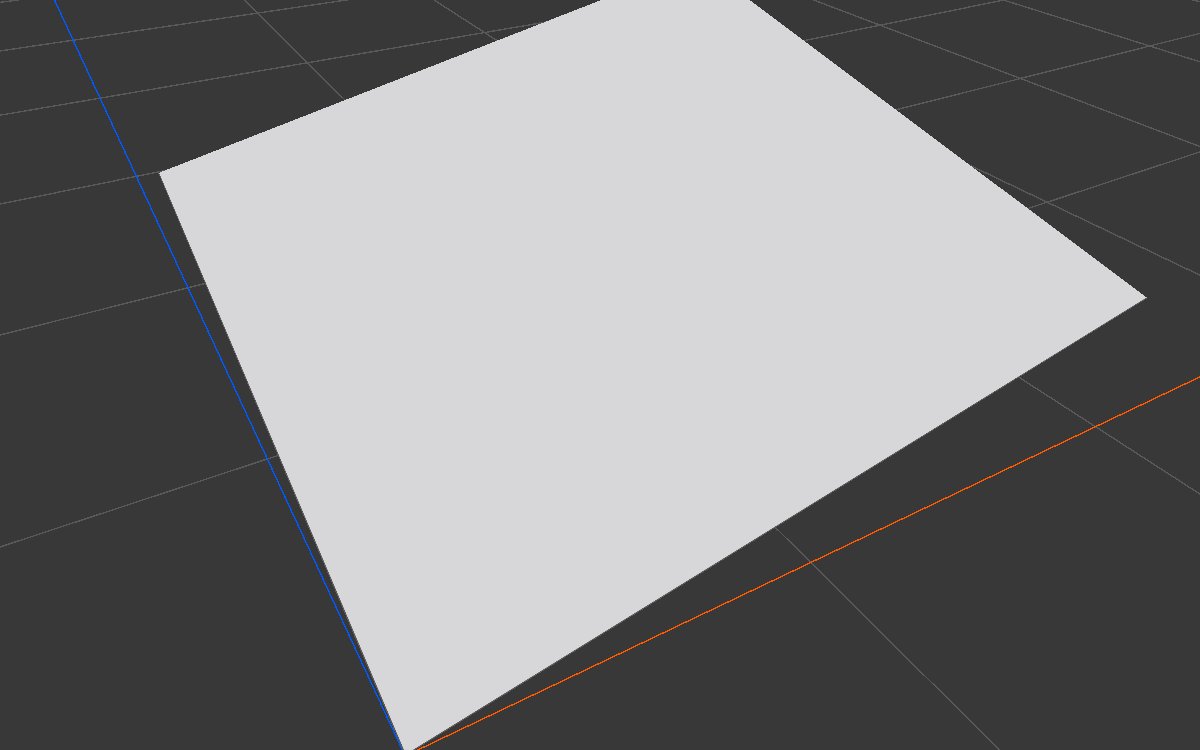
Default: corner to corner
| Property | Value |
|---|---|
| Start Point | 0, 0 |
| End Point | 1, 1 |

A diagonal ramp across the whole biome.
Across the biome
| Property | Value |
|---|---|
| Start Point | 0, 0.5 |
| End Point | 1, 0.5 |

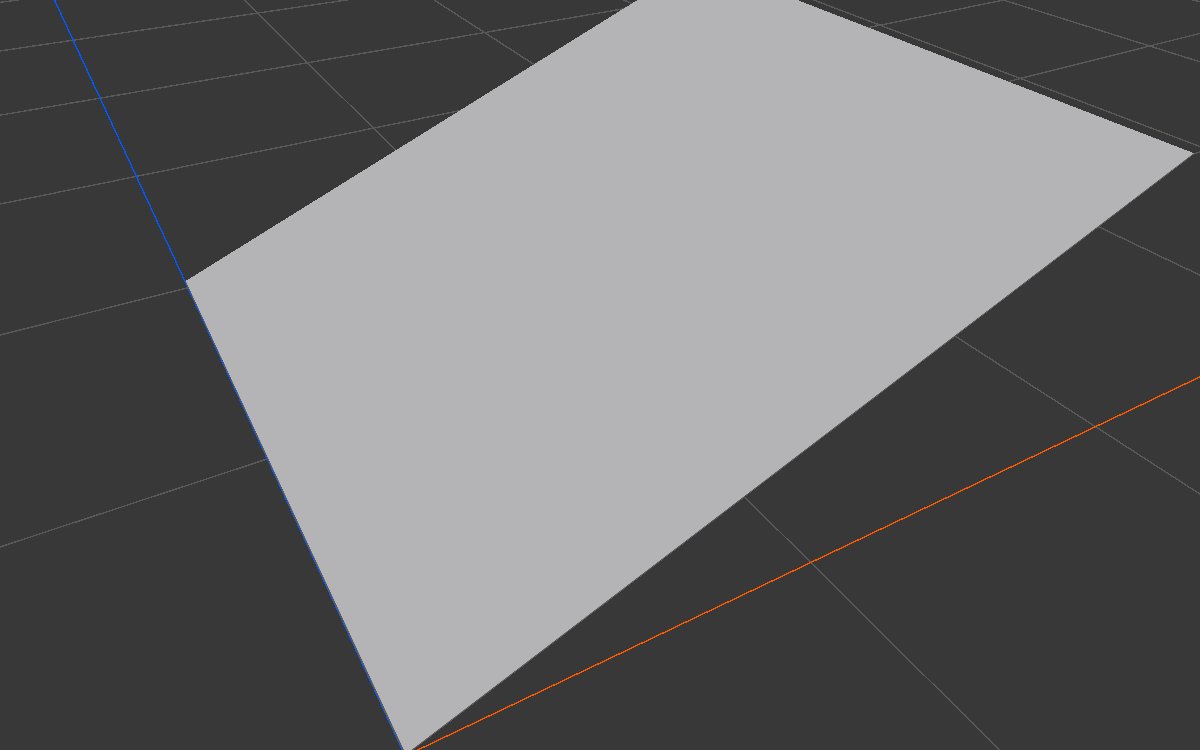
Only the direction from start to end matters for the tilt; the points do not have to be on the edges.
Repeat: parallel ridges
| Property | Value |
|---|---|
| Start Point | 0.4, 0.5 |
| End Point | 0.55, 0.5 |
| Repeat | On |

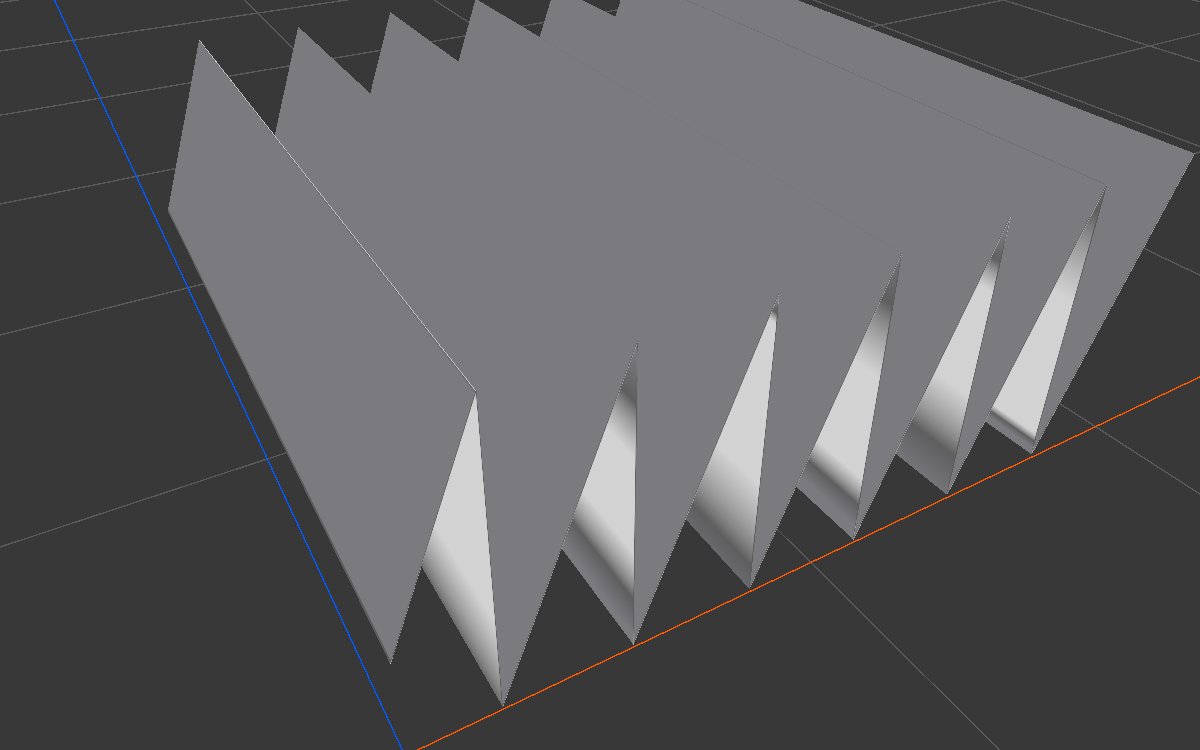
The ramp is 0.15 of the biome long (about 150 m) and repeats across the whole biome, so each ridge rises slowly and drops sharply. Lower the height with Levels, soften with Blur and bend with Directional Warp or Angular Warp for dune lines or furrows.
Recipes
- Land sloping to the sea: base shape × Axial Gradient (start at the coast, end inland) in Combine (Multiply), so the land drops toward one edge.
- Mountains fading out: mountains × Axial Gradient run through a Curve to make the fade start later and end softly.
- Texture blend across the map: Axial Gradient as the weight of one texture layer and the same gradient flipped (Math One Minus) for another.
Tip
Use World Position when several biomes should share one ramp, such as a continent sloping to one coast: the ramp lines up across all of them.
Note
The ramp is linear. To make it ease in or out, or to make a coastal shelf with a steep drop, pass it through Curve.
Performance
Very cheap: one quick step on the GPU.
Related nodes
- Radial Gradient: a round falloff from a center.
- Angular Gradient: a value that sweeps around a center.
- Curve, Levels: reshape the ramp.
For AI agents
- Type name:
AxialGradientNode. Output slot100(Mask). No inputs. - Properties:
startPoint,endPoint([x, z], 0 to 1 biome space, or world meters whenuseWorldPositionis true),useWorldPosition(bool),repeat(bool). - Value = projection of the texel onto start→end, divided by their distance; clamped to 0 to 1, or frac() when repeat.
- To capture this node in 2D, make it the active node first (any
vista_graphitor_node_seton it does); otherwise the 2D capture shows the previously active node.