Math Node
- Category: General
- Edition: All editions
- Output type: Height or mask
- Typical place in a graph: wherever numeric height or mask values need a short arithmetic transformation
Math applies up to four operations to every input value. Enabled operations run from top to bottom, so their order changes the result.
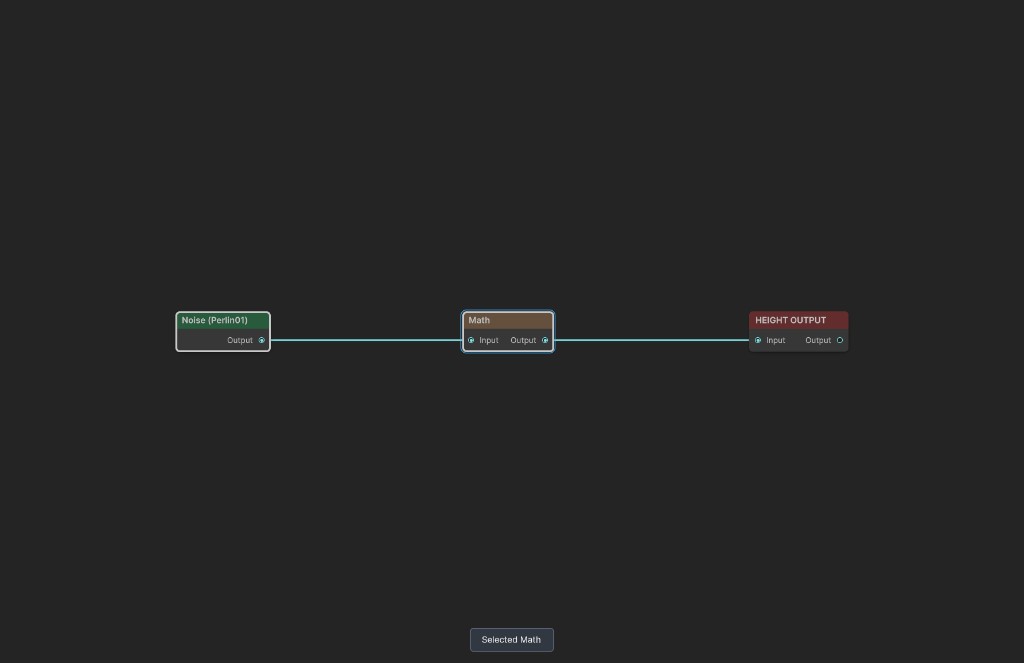
When to use it
- Raise or lower all values with Add.
- Scale or negate values with Multiply.
- Invert a mask with One Minus.
- Bend values with Pow or fold negative values with Abs.
- Generate repeating waves from values with Sin or Cos.
- Not for combining two different textures. Use Combine when both operands come from graph inputs.
Inputs
| Slot | Type | Required | What to connect |
|---|---|---|---|
| Input | Height or mask | No | Values processed by the operator sequence. An empty input uses zero. |
Outputs
| Slot | Type | What it holds |
|---|---|---|
| Output | Height or mask | The result after all enabled operators run in order. Values are not clamped to 0 to 1. |
Operator list
Math begins with one operator and supports at most four. Add Operator appends another operation. Use the menu on an operator header to remove it.
| Control | What it does |
|---|---|
| Enabled | Includes the operator in the sequence. A disabled operator passes the current value through unchanged. |
| Number | Operand used by Add, Multiply, and Pow. It is hidden for operations that do not need it. |
| Operator | Selects the calculation applied to the current value. |
| Operator | Formula | Typical use |
|---|---|---|
| Add | x + Number |
Offset height or mask values. Subtraction uses a negative Number. |
| Multiply | x × Number |
Scale contrast, reduce strength, or negate values. |
| Pow | x ^ Number |
Push middle values down with powers above 1 or lift them with powers between 0 and 1. |
| Abs | abs(x) |
Fold negative values above zero. |
| One Minus | 1 - x |
Invert an ordinary 0 to 1 mask. |
| Sin | sin(x × 2π) |
Create one sine cycle per whole input unit. |
| Cos | cos(x × 2π) |
Create one cosine cycle per whole input unit. |
Common properties
| Property | What it does |
|---|---|
| Id | The node's unique name in this graph. |
| Resolution | Follows Input by default. Absolute resolution is limited to 32 to 512 in Personal and 32 to 4096 in Indie and Pro. |
| Split Execution | Places the Math image pass in a separate graph step. |
| Bypass | Skips every operator and forwards Input unchanged. |
Operation order
Operations use the result of the preceding row. For example:
- Multiply by 1.8.
- Add -0.25.
This calculates (input × 1.8) - 0.25. Reversing the rows calculates (input - 0.25) × 1.8, which is different.
Math does not clamp its output. Negative values and values above 1 remain in the result until a later node or output handles them.
Examples
The sample uses 380 meter Perlin Noise as Input.
Original input


The source values range from about 0.03 to 0.58.
Multiply then Add


The sequence expands the range and moves it downward. The measured output reaches about -0.196 to 0.799, demonstrating that Math preserves values outside 0 to 1.
One Minus

Bright areas become dark and dark areas become bright. For an ordinary mask, One Minus is the direct inversion operation.
Recipes
- Invert a selection: use one enabled One Minus operator.
- Increase mask contrast around zero: Multiply by a value above 1, then use a later Clamp if values must remain in range.
- Subtract a constant: use Add with a negative Number.
- Negate values: use Multiply with -1.
- Create bands: multiply the input to set frequency, then apply Sin or Cos.
Tip
Keep each Math node focused on a short, readable transformation. Several named nodes can be easier to debug than four unrelated operations in one node.
Note
Disabled operators remain in the list but have no effect, which is useful for comparing a sequence without deleting settings.
Warning
Pow with a fractional exponent is undefined for negative inputs and can produce invalid values. Sin and Cos naturally produce negative values. Clamp or remap when downstream nodes require a 0 to 1 mask.
Performance
All enabled operations run in one image pass. Add, Multiply, Abs, and One Minus use the simpler shader path. A sequence containing Pow, Sin, or Cos uses the heavier path, even if another operation in the same node is simple.
Related nodes
- Combine: combines two graph textures.
- Clamp: limits Math results to a chosen range.
- Remap: converts one known numeric interval into another.
- Curve: reshapes values visually instead of through formulas.
For AI agents
- Type name and graph command type:
Math; runtime class:MathNode. - Input slot
0= Input, Mask. - Output slot
100= Output, Mask. - Maximum operation count = 4. Operations execute in list order.
- Operators: Add, Multiply, Pow, Abs, OneMinus, Sin, Cos.
- Add, Multiply, and Pow use
number; the other operators ignore it. - Use
vista_graphitor_math_set --operationswith the complete operation list. - Output is not saturated or clamped.
- Empty Input uses black. Bypass forwards Input.
- Sample graph:
Assets/_DocSamples/NodeGraphs/MathNode_Doc.asset.