Path Node
- Category: General
- Edition: Vista Pro with Vista Splines
- Output type: Mask
- Typical place in a graph: near the start of a branch that needs a road, trail, river, or other spline guided region
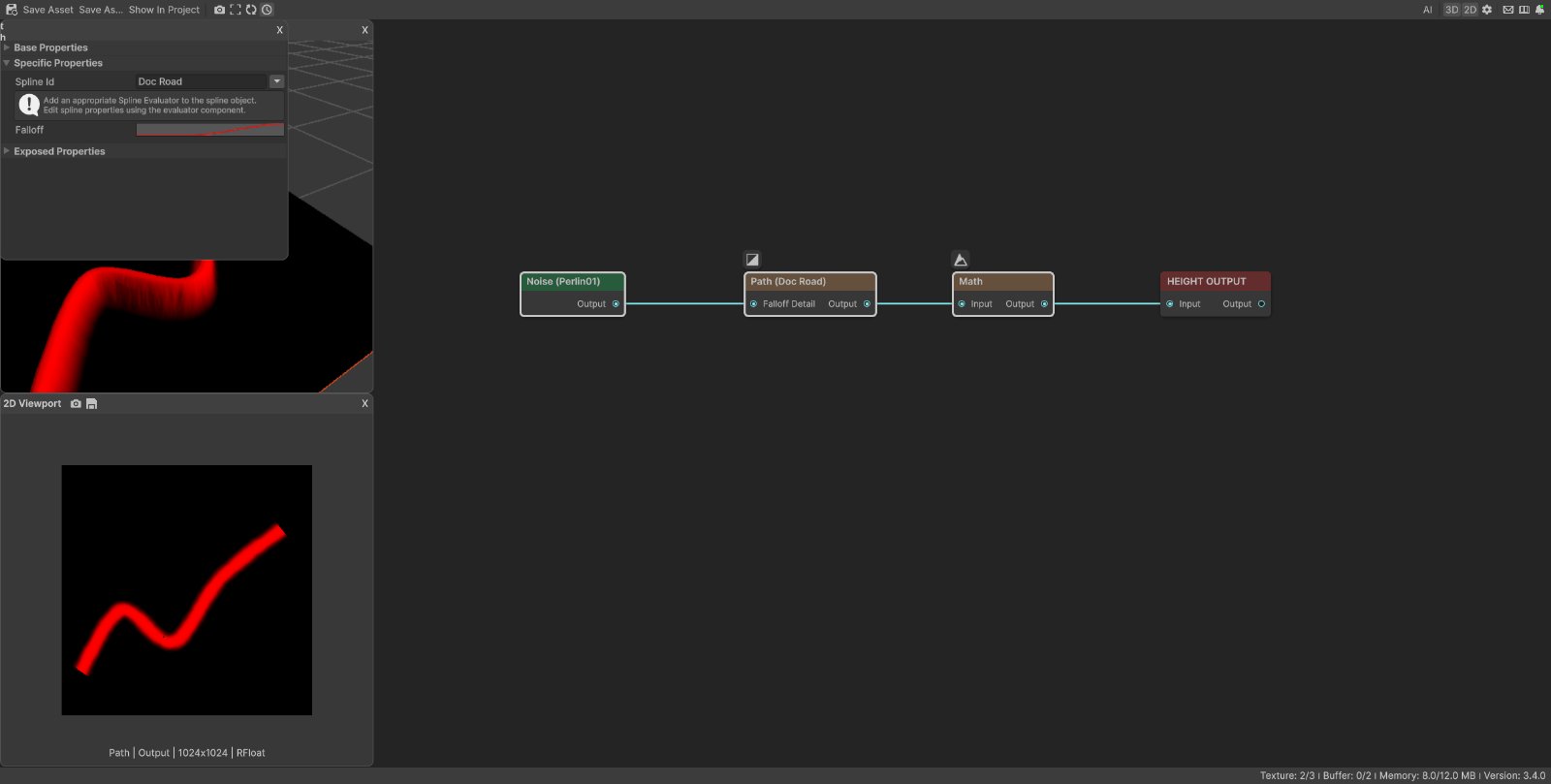
Path creates a mask from one or more spline evaluators in the loaded scene. The scene spline supplies the route and width. The node controls how coverage changes from each outer edge to the center line.
When to use it
- Reserve a road, trail, river, wall, or utility corridor.
- Raise, lower, flatten, texture, or populate terrain along an authored route.
- Create a soft strip whose center and edges need independent control.
- Reuse one spline route in several graph branches with different falloff profiles.
- Not for creating or editing the route itself. Add a spline evaluator to a scene object and shape the spline in the Scene view.
Scene setup
Path reads active spline evaluators in the loaded scene. Before using the node:
- Create a spline and add a Vista spline evaluator.
- Give the evaluator an Id and set its width.
- Enter or choose that same Id in the Path node.
Every active evaluator with the matching Id contributes to the same output. If no evaluator matches, Path shows a warning and outputs black.
Inputs
| Slot | Type | What it does |
|---|---|---|
| Falloff Detail | Mask | Optionally varies the mask strength across the ribbon. White broadens and strengthens the path. Black narrows and weakens it. Gray produces an intermediate result. |
Without a Falloff Detail input, Path uses a uniform white detail value.
Outputs
| Slot | Type | What it holds |
|---|---|---|
| Output | Mask | Coverage generated from every active spline evaluator whose Id matches Spline Id. Values range from 0 to 1. |
Properties
| Property | Default | What it does |
|---|---|---|
| Spline Id | PICK_A_SPLINE_ID |
Selects the scene spline evaluators to read. Type an Id or choose one from the menu when matching evaluators are available. |
| Falloff | Two bands with an empty center | Shapes the mask across the spline ribbon. Curve time 0 is each outer edge, and time 1 is the center line. The curve is mirrored across both sides. |
| Resolution | Inherited | Sets the output size. With Falloff Detail connected, the node can inherit that input resolution according to the Resolution mode. Without it, the graph resolution is used. |
The spline evaluator controls the ribbon width in scene units. Path has no width property of its own.
Reading the Falloff curve
The horizontal curve axis describes position across one half of the ribbon:
- Time 0 is an outer edge.
- Time 1 is the spline center line.
- The same curve is reflected onto the other half.
- The vertical value is mask strength at that position.
A curve that rises from 0 at time 0 to 1 at time 1 creates one solid center path. The default curve rises and falls before the center, creating two bright bands with a dark center.
Common properties
| Property | What it does |
|---|---|
| Id | The node's unique name in this graph, shown for reference. You cannot edit it. Scripts and the AI workflow CLI use it to find the node. |
| Resolution | Chooses how the output resolution is derived from the graph and connected input. Higher resolutions preserve narrow paths and detailed edges but cost more work and memory. |
| Split Execution | Lets this node run over several frames when Allow Split Execution is enabled in graph settings. Path completes as one render step, so splitting does not divide its work. |
| Bypass | Skips Path and forwards the compatible Falloff Detail input to Output. With no input connected, downstream reads are empty or black. |
Examples
The sample graph sends Path through Math Multiply 0.25 before Height Output. Math only limits the height of the 3D demonstration. It does not change the mask shown in the 2D viewport.
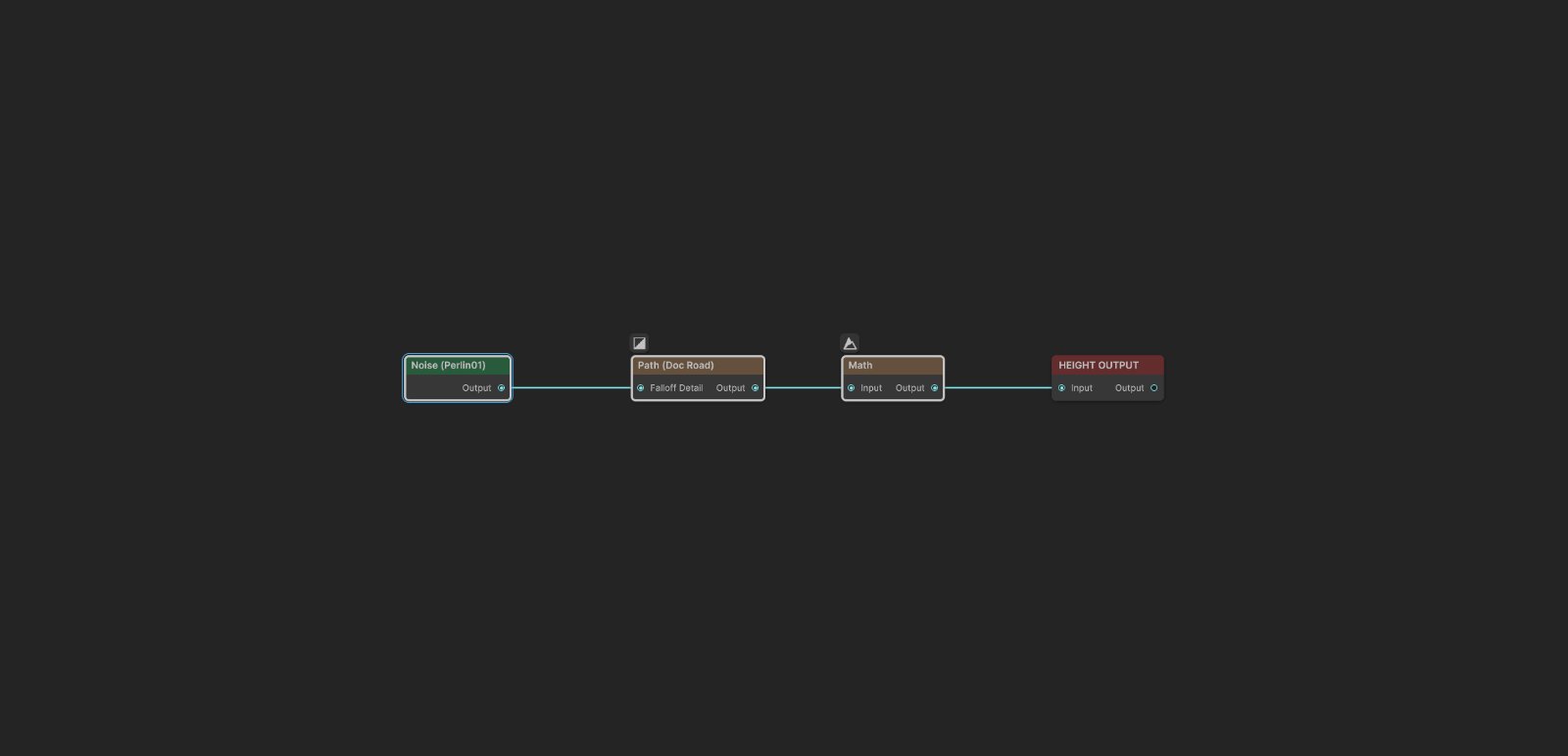
Default profile
| Property | Value |
|---|---|
| Spline Id | Doc Road |
| Falloff | Default |
| Falloff Detail | Not connected |

The default curve reaches full strength away from the center and returns to 0 at the center. This produces two parallel bands and is useful when the edges of a route need an effect while its center remains protected.
Solid center path
| Property | Value |
|---|---|
| Spline Id | Doc Road |
| Falloff keys | 0 at the edge, held to time 0.35, then rising to 1 at the center |
| Falloff Detail | Not connected |

This profile makes the center line strongest and fades toward both outer edges. Use it for a conventional road bed, trail, river channel, or texture strip.
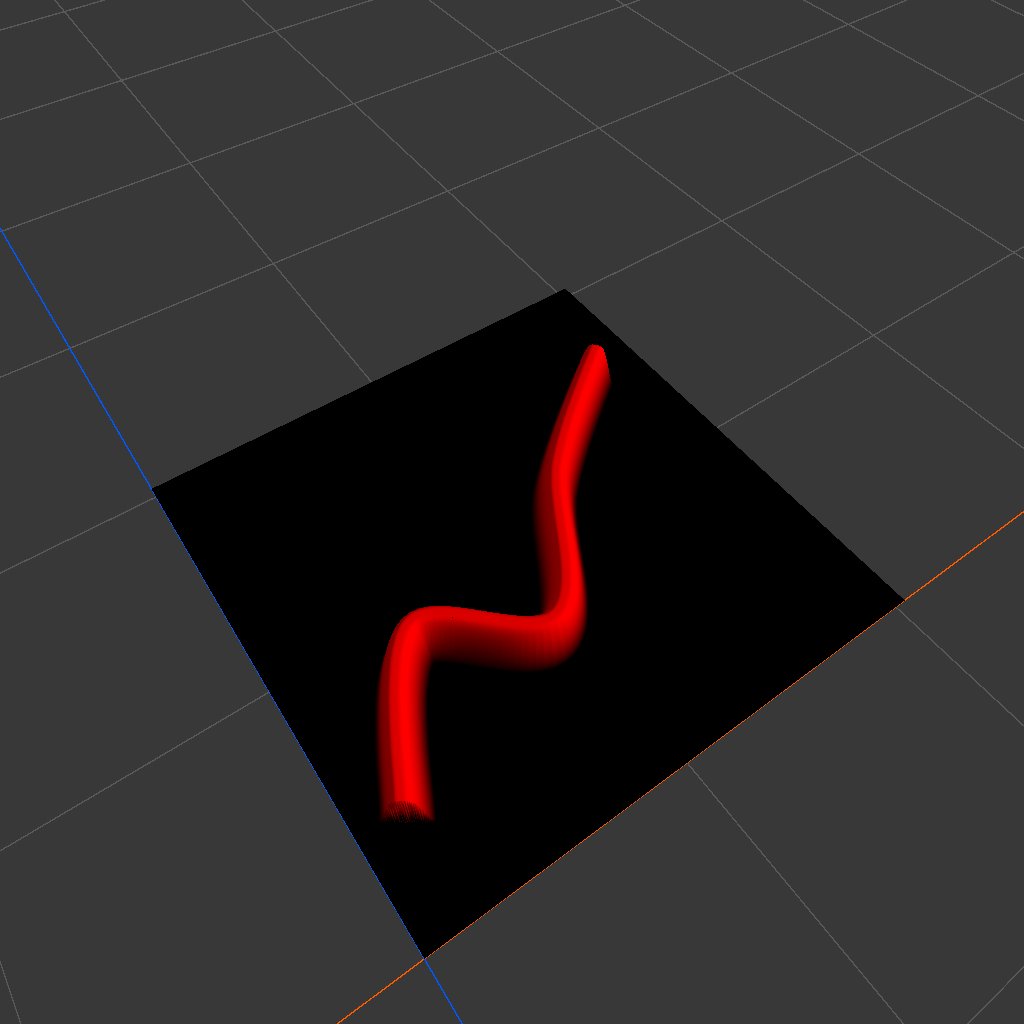
When the mask is used as height, the solid center becomes the ridge top and the falloff becomes its side slope. For a road cut or river bed, use the mask to drive a lowering or flattening branch instead.
Detailed edges
| Property | Value |
|---|---|
| Falloff | Solid center profile from the previous example |
| Falloff Detail | Noise, Scale 90, 4 layers, Persistence 0.5 |

Falloff Detail modulates the cross section without changing the spline route. Dark detail values pull the coverage inward and reduce it. Bright values push it outward and strengthen it. Use low contrast detail for a subtle natural edge; strong contrast can make the route uneven or broken.
Practical workflow
- Shape the scene spline and set the evaluator width first.
- Assign a clear evaluator Id, then select the same Spline Id in Path.
- Start with a simple Falloff that rises from the edge to the center.
- Preview the output in 2D to judge mask values, then use the 3D mask overlay to check placement on the terrain.
- Add Falloff Detail only after the main width and profile are correct.
- Combine or invert the mask according to the effect you want downstream.
Recipes
- Road bed: Path to a flatten or set height branch, then blend it over the terrain with the same Path mask.
- River channel: Path through Math One Minus or a lowering operation, with a broad soft Falloff for banks.
- Trail texture: Path to Weight Blend, then send the matching weight to Texture Output.
- Keep vegetation away: Path through Math One Minus, then multiply it with the vegetation density mask.
- Natural corridor: Noise to Falloff Detail, then Path to the desired terrain or spawning branch.
- Several route segments: give multiple scene spline evaluators the same Id so one Path node combines them.
Tip
Use a simple Falloff while positioning the spline. A complex profile can make it harder to tell whether a placement problem comes from the route, the evaluator width, or the curve.
Tip
Keep Falloff Detail broad and low contrast for roads. Fine, strong noise can break the center line and make the route difficult to use as a continuous corridor.
Note
Path reads spline evaluators from the loaded scene, not from the graph asset. Another scene needs matching evaluators and Id values to reproduce the same result.
Warning
A missing or misspelled Spline Id produces a black output. Check that the evaluator is active and that its Id matches exactly before changing the graph.
Performance
Cost grows with output resolution, the number of matching spline evaluators, and the amount of geometry produced by their smoothness settings. Use the lowest resolution that preserves the required edge detail. Reduce evaluator smoothness when a route uses more segments than its shape needs.
Falloff Detail can also raise the output resolution. Avoid feeding a very high resolution detail mask into Path unless the final terrain can show that detail.
Related nodes
- Noise: adds natural variation through Falloff Detail.
- Math: inverts or scales the Path mask.
- Combine: merges Path with other coverage masks.
- Weight Blend: turns Path and other masks into ordered terrain layer weights.
- Color Blend: applies color through the route mask.
- Spline Extract: reads data from spline based workflows for other graph operations.
For AI agents
- Type name:
Pathforvista_graphitor_node_add; runtime class:PathNode. - Slot ids: Falloff Detail =
0,Mask; Output =101,Mask. - Property names for
vista_graphitor_node_set:splineId,falloff, plus inherited image resolution properties. falloffis an animation curve. Time 0 maps to both outer edges, time 1 maps to the center line, and values are mirrored across the ribbon.- Default Falloff keys:
(0, 0),(0.4, 1),(0.8, 0),(1, 0). - With no Falloff Detail input, the node uses white and resolves from the graph resolution.
- Every active spline evaluator with the exact
splineIdcontributes geometry. No match produces a black mask. - Bypass forwards the compatible Falloff Detail input. With no input, downstream mask reads are empty or black.
- Sample graph:
Assets/_DocSamples/NodeGraphs/PathNode_Doc.asset.