Curve Node
- Category: Adjustments
- Edition: All editions
- Output type: Height / Mask
- Typical place in a graph: after a base shape or gradient, or on a mask before it is used
Curve reshapes heights or mask values with a curve you draw. The horizontal axis is the value coming in, the vertical axis is the value going out. A flat stretch makes a flat area: wide valley floors, plateaus, mesa tops. A steep stretch makes cliffs. A curve that levels off at the top caps the peaks. It is the most flexible way to give a shape its profile.

When to use it
- Give a landform its cross section: rounded hill, cone, mesa, crater rim, coastal shelf.
- Widen valley floors, cap peaks, add a cliff band at one altitude.
- Shape where a mask fades, for soft or hard texture transitions.
- Not for: simple range changes (use Levels, which is quicker to tune); steps repeated many times (use Terrace).
Inputs
| Slot | Type | Required | What to connect |
|---|---|---|---|
| Input | Mask | Yes | The height or mask to reshape. Its value picks a point along the curve. |
Outputs
| Slot | Type | What it holds |
|---|---|---|
| Output | Mask | The value read from the curve at each point. |
Properties
| Property | Default | Range | What it does |
|---|---|---|---|
| Curve | Straight diagonal from (0, 0) to (1, 1) | Curve from 0 to 1 on both axes | The profile. A straight diagonal changes nothing. Flat parts make flat ground (or a constant mask value); steep parts make cliffs (or hard mask edges). Keys outside 0 to 1 vertically are allowed, but the terrain clamps heights at its floor and top. |
Common properties
| Property | What it does |
|---|---|
| Id | The node's unique name in this graph, shown for reference. You cannot edit it. Scripts and the AI workflow CLI use it to find the node. |
| Resolution | How detailed this node's result is, in texels across the biome. Relative To Main Input (default) matches the texture connected to Input, times the multiplier below it. Relative To Graph follows the biome's Canvas Resolution instead. Absolute sets an exact size. Absolute is limited to 32 to 512 in Vista Personal and 32 to 4096 in Vista Indie and Pro. |
| Split Execution | Lets this node run over several frames so the editor stays responsive during long generations. It only works when Allow Split Execution is on in the graph settings. This node finishes in one step, so splitting only adds a short pause around it; leave it off. |
| Bypass | Skips the node. The input passes through unchanged. |
Examples
All examples reshape the same Noise (Scale 600, Seed 128) on a 1024 × 1024 m biome with a terrain height of 400 m, ranging from about 0.07 to 0.64.
| Input | |
|---|---|
 |
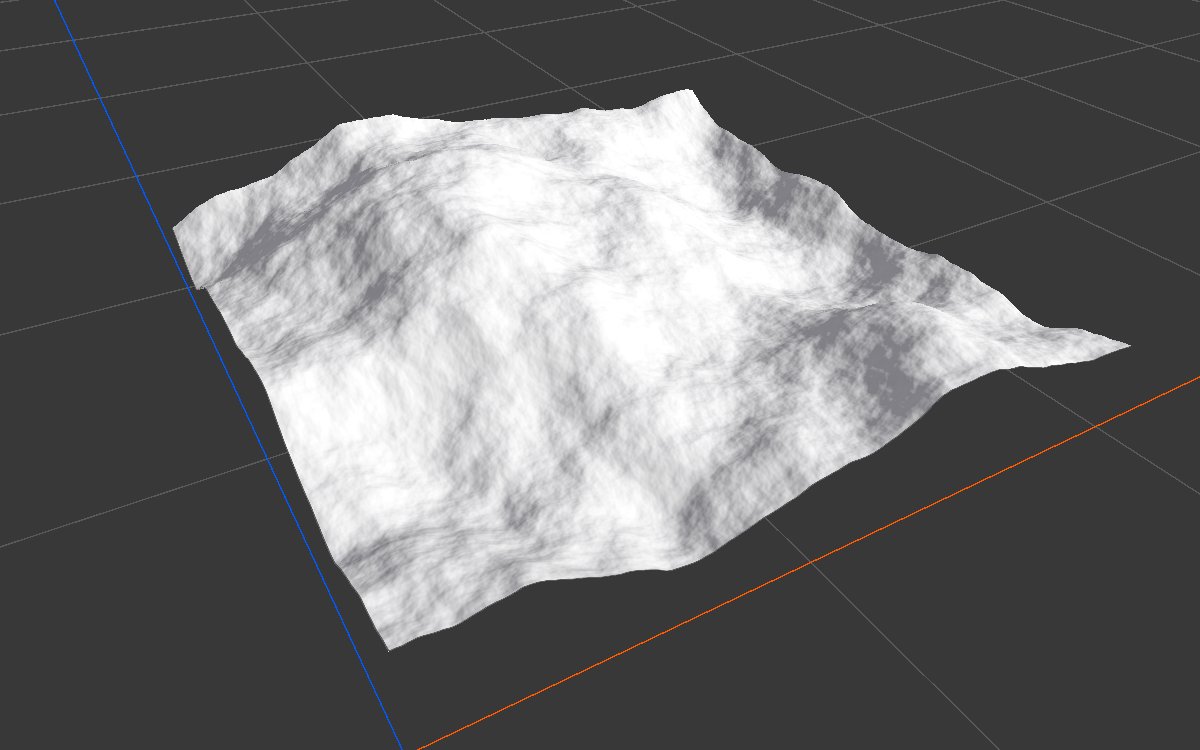 |
| Curve | 2D | 3D | What changed |
|---|---|---|---|
| Wide valleys: flat at 0 up to 0.3, then rising to (1, 1) |  |
 |
All ground below 0.3 becomes one flat floor; only the highest parts stand up as mountains. |
| Mesa: low and flat, a steep rise between 0.4 and 0.5, flat again at the top |  |
|
The steep part of the curve becomes a cliff band around one altitude, with flat tops above and flat lowland below. |
| Cap: rising fast, then flat at 0.8 from the middle up |  |
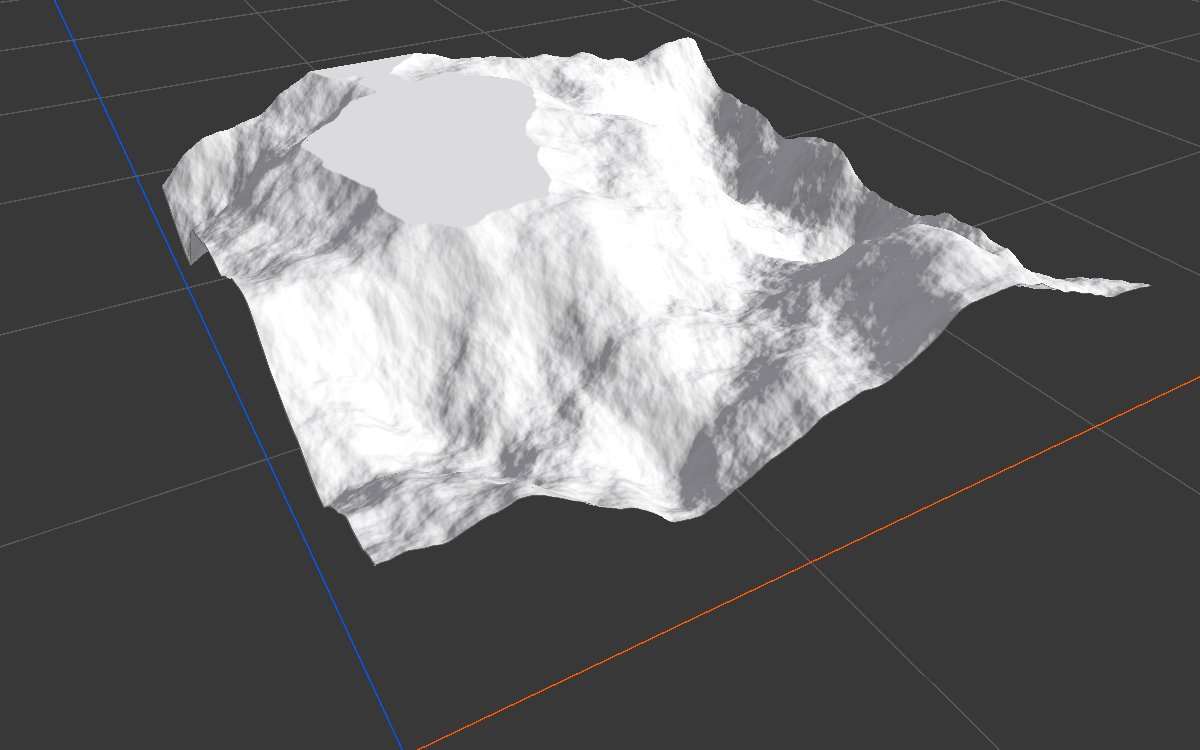 |
The land is lifted and every summit is cut flat at the same height. |
Recipes
- Hill or volcano profile: Radial Gradient or Shape (Cone) → Curve for the cross section: rounded top, concave flanks, a crater dip at the top. The AI workflow recipe
crater-base-shapedraws a whole crater cross section in one curve. - Mesa from a mask: a biome mask → Curve (ease in: flat at 0, steep near 1), recipe
mesa-geometry. - Soft texture edge: slope or height mask → Curve with a gentle S shape, so the texture fades in over a band instead of a hard line.
Tip
Work on a shape whose values span 0 to 1 (use Levels or Remap first). The curve then covers the whole land; on a shape from 0.07 to 0.64, the right part of the curve is never used.
Note
The curve is turned into a lookup table, so very sharp kinks are slightly smoothed.
Performance
Very cheap: one quick GPU step.
Related nodes
- Levels: quick range changes with five handles.
- Remap: stretch values to a range.
- Terrace: repeated steps.
For AI agents
- Type name:
CurveNode. Input0, Output100. - Property:
curve({"keys": [[time, value, inTangent, outTangent], ...]}). - Output = curve(input), evaluated through a texture lookup.