Directional Warp Node
- Category: Adjustments
- Edition: All editions
- Output type: Height / Mask
- Typical place in a graph: after a shape that needs a chipped or grained surface
Directional Warp pushes a shape along the slopes of a second map. At each point it looks at which way the Direction map slopes, and pulls the land from that way, scaled by Intensity. With a noise as the direction, the surface gets a chipped, craggy grain, like weathered rock; with a smooth map, whole landforms are dragged in one direction. The heights do not change, only where they sit.

When to use it
- Give smooth land a craggy, weathered rock grain.
- Drag ridges and break round shapes along a pattern.
- Flowing grain in a landform, following another shape.
- Not for: folding and swirling outlines (use Angular Warp); warping a noise you are creating (use the Warp settings of Noise).
Inputs
| Slot | Type | Required | What to connect |
|---|---|---|---|
| Input | Mask | Yes | The shape or mask to push. |
| Direction | Mask | Yes | A height or mask whose local slopes set the direction of the push. A noise gives a varied grain; a gradient pushes everything one way. |
| Intensity | Mask | Yes | How far each area moves: white uses the full Intensity Multiplier, black does not move. With nothing connected, nothing moves. |
Outputs
| Slot | Type | What it holds |
|---|---|---|
| Output | Mask | The pushed shape. Values are taken from the input, so the height or mask range does not change. |
Properties
| Property | Default | Range | What it does |
|---|---|---|---|
| Intensity Multiplier | 1 | -1 to 1 | How far the land is pushed. Negative values push the other way. The effect is very strong: 0.02 already gives a visible grain, 0.05 a rocky, chipped surface, and values above about 0.2 shred the land. The default 1 is far too strong for most uses. |
Common properties
| Property | What it does |
|---|---|
| Id | The node's unique name in this graph, shown for reference. You cannot edit it. Scripts and the AI workflow CLI use it to find the node. |
| Resolution | How detailed this node's result is, in texels across the biome. Relative To Main Input (default) matches the texture connected to Input, times the multiplier below it. Relative To Graph follows the biome's Canvas Resolution instead. Absolute sets an exact size. The slopes of Direction are measured between neighboring texels, so the strength of the push changes with resolution; check it again after changing resolution. Absolute is limited to 32 to 512 in Vista Personal and 32 to 4096 in Vista Indie and Pro. |
| Split Execution | Lets this node run over several frames so the editor stays responsive during long generations. It only works when Allow Split Execution is on in the graph settings. This node finishes in one step, so splitting only adds a short pause around it; leave it off. |
| Bypass | Skips the node. The input passes through unchanged. |
Examples
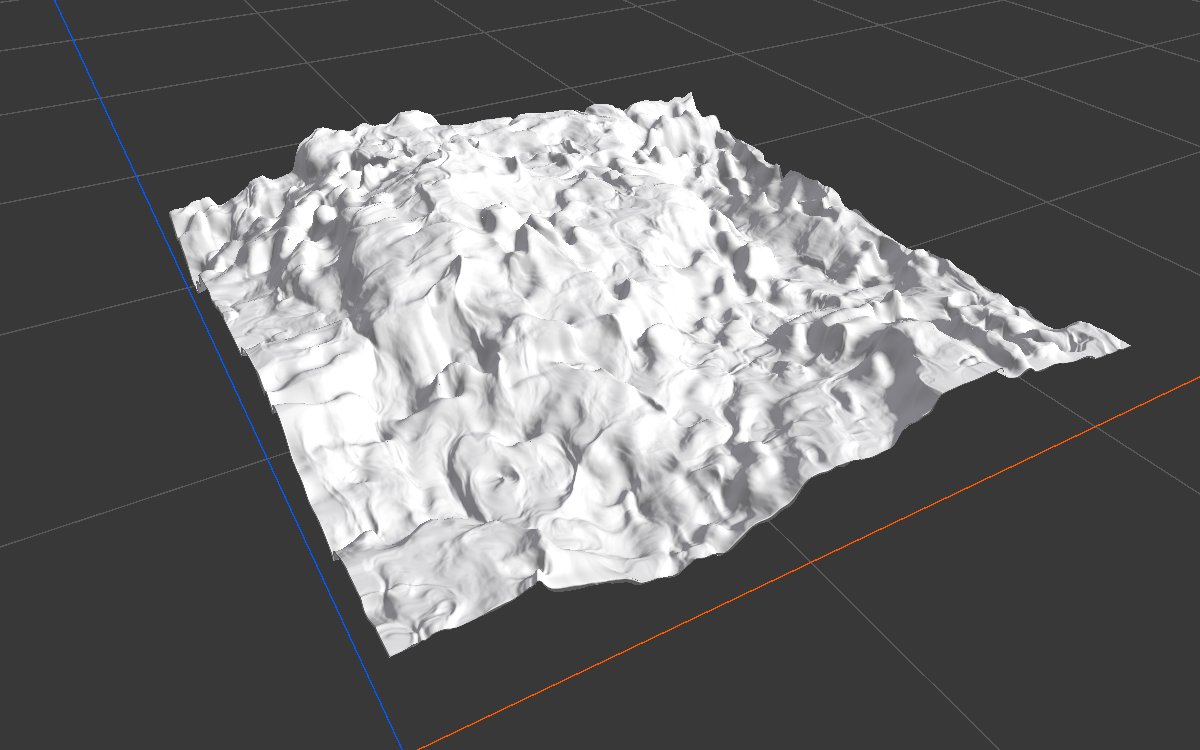
All examples push the same Noise (Scale 600, Seed 128) on a 1024 × 1024 m biome with a terrain height of 400 m. Direction is a second noise (Scale 250, 3 layers) and Intensity is a constant 1.
| 2D | 3D | |
|---|---|---|
| Input |  |
 |
| Intensity Multiplier 0.02 |  |
 |
| Intensity Multiplier 0.05 |  |
|
| Intensity Multiplier -0.05 |  |
 |
| Intensity Multiplier 1 (default) |  |
 |
Small values give the land a chipped grain without changing its shape. At the default 1, it shreds into spikes.
Recipes
- Rocky grain: mountains → Directional Warp (a fine noise as Direction, a constant or a slope mask as Intensity, multiplier 0.02 to 0.05) → erosion.
- Grain only on cliffs: use a Slope Mask of the steep faces as Intensity, so only the cliffs get the chipped look.
Warning
The default Intensity Multiplier of 1 shreds most terrain. Start around 0.02.
Performance
Very cheap: one quick GPU step.
Related nodes
- Angular Warp: bends land by angle and distance.
- Noise: its Warp settings include a directional warp.
For AI agents
- Type name:
DirectionalWarpNode. Inputs: Input0, Direction1, Intensity2. Output100. - Property:
intensityMultiplier(-1 to 1). - Per texel: n = normal of the Direction map from neighboring texels; output = Input sampled at uv - n.xz × intensityMultiplier × Intensity. Resolution dependent.