Ramp Node
- Category: General
- Edition: Vista Pro with Vista Splines
- Output type: Height and mask
- Typical place in a graph: late in the height chain, after erosion, before Height Output, so the road bed stays clean
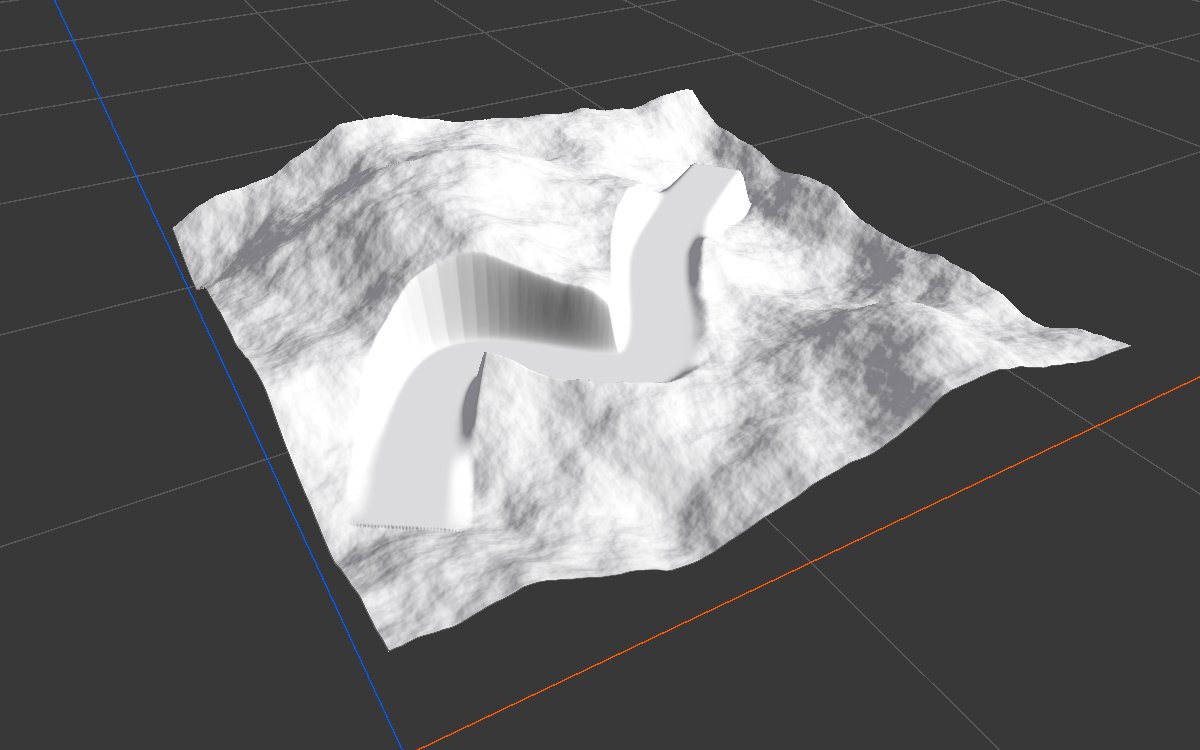
Ramp shapes the terrain to a spline: along the spline's ribbon, the ground is set to the spline's own height, cutting through hills and filling in valleys, then blends back into the terrain at the edges. Use it to lay a flat, even bed for a road, rail line or path that a road mesh will sit on. It does not make the road mesh itself.
When to use it
- Road, rail and path beds that match a road mesh.
- Level terraces or dams along a curve.
- Not for: a mask along a spline without changing height (use Path); flattening an area to one height (use Flatten).
Scene setup
Ramp reads spline evaluators in the loaded scene, by Id, the same way as Path: create a spline, add a Vista spline evaluator, give it an Id and a width, and shape the spline in the Scene view. The height of the spline's knots sets the height of the road.
Inputs
| Slot | Type | Required | What to connect |
|---|---|---|---|
| Height | Mask | Yes | The terrain height to shape. |
| Falloff Detail | Mask | No | Breaks up the blend at the ribbon's edges, such as a fine Noise, so the cut and fill edges are not perfectly smooth. Empty: a clean blend. |
Outputs
| Slot | Type | What it holds |
|---|---|---|
| Height | Mask | The terrain with the road bed. Outside the ribbon it is the input height unchanged. |
| Ramp Mask | Mask | Where the height was changed and by how much of the blend: 1 on the bed, fading to 0 at the edges. Use it to texture the road shoulders. |
Properties
| Property | Default | Range | What it does |
|---|---|---|---|
| Spline Id | PICK_A_SPLINE_ID |
Text | Selects the spline evaluators to read. Type an Id or pick one from the menu next to it. With no match, the height passes through unchanged. |
| Falloff | 0 at the edge, 1 from halfway in | Curve from 0 to 1 | The blend across the ribbon, from its outer edge (left) to its center line (right): 0 keeps the terrain, 1 takes the spline's height. The curve is mirrored on both sides. |
Common properties
| Property | What it does |
|---|---|
| Id | The node's unique name in this graph, shown for reference. You cannot edit it. Scripts and the AI workflow CLI use it to find the node. |
| Resolution | How detailed this node's result is, in texels across the biome. Relative To Main Input (default) matches the height connected to Height, times the multiplier below it. Relative To Graph follows the biome's Canvas Resolution instead. Absolute sets an exact size. Absolute is limited to 32 to 512 in Vista Personal and 32 to 4096 in Vista Indie and Pro. |
| Split Execution | Lets this node run over several frames so the editor stays responsive during long generations. It only works when Allow Split Execution is on in the graph settings. This node finishes in one step, so splitting only adds a short pause around it; leave it off. |
| Bypass | Skips the node. The height passes through unchanged. |
Examples
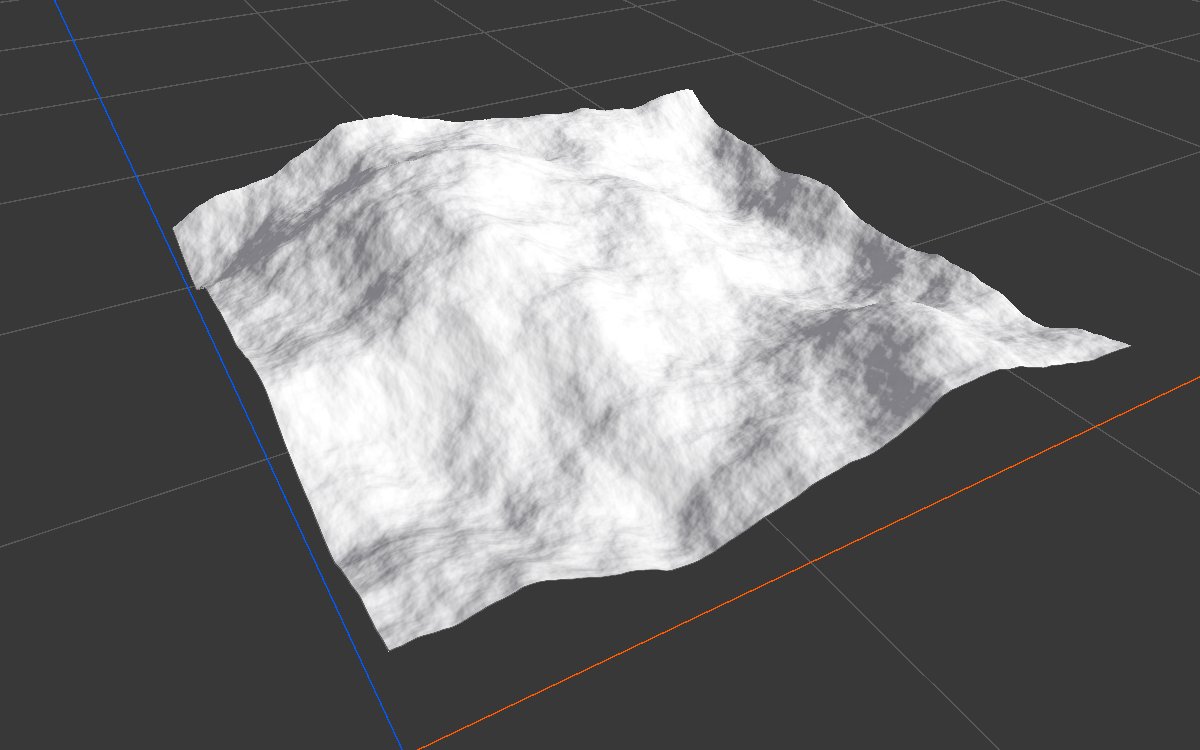
A Noise terrain on a 1024 × 1024 m biome with the Vista Manager's Max Height at 400 m, and a spline with all its knots at 110 m.
| Before | After Ramp | Ramp Mask |
|---|---|---|
 |
|
 |
The ground here is mostly below 110 m, so the road stands on an embankment with steep sides; where a hill rises above 110 m, the road cuts through it. With the default Falloff, the outer half of the ribbon on each side blends back into the terrain.
Recipes
- Road on rolling land: place the spline's knots a little above the ground along the route, then Ramp → Height Output; Ramp Mask → Weight Blend → a gravel texture for the shoulders.
- Natural edges: a fine Noise into Falloff Detail.
Tip
Set each knot's height close to the ground under it. A spline that stays at one height across rolling land makes tall embankments and deep cuts, as in the example.
Note
The ribbon's width comes from the spline evaluator, not from this node. Widen the evaluator for a wider bed, and use Falloff to set how much of it blends.
Note
The spline evaluator refreshes its shape when the spline changes. Moving only the spline's GameObject may not update the result until the spline itself is edited.
Performance
Cheap: the ribbon is drawn in a few GPU steps. Long or many splines add a little.
Related nodes
- Path: a mask along the spline, without changing height.
- Spline Extract: all of a spline's data as masks and positions.
- Thin Out Along: clear trees and rocks from the road.
For AI agents
- Type name:
RampNode(Vista Pro, Splines module). Inputs Height =0, Falloff Detail =1; outputs Height =100, Ramp Mask =101(Masks). - Properties:
splineId(string),falloff(AnimationCurve, 0 = outer edge, 1 = center). - Output height = lerp(input, spline height, falloff × detail) inside the ribbon. With no matching evaluator, the input passes through.
UnitySplineEvaluatorcaches world points; moving only the Transform did not change them in testing (Spline Extract Height stayed 0); editing knots did (110 m knots gave Height 0.275 of 400 m).