Expand Node
- Category: Masking
- Edition: All editions
- Output type: Mask
- Typical place in a graph: after a mask, to grow its area before texturing or spawning
Expand grows a mask outward. Each iteration, the selected area spreads a little into the ground around it, so islands get bigger, gaps between them close, and small holes fill in. Use it to widen a margin around something: a strip of sand around a lake, a band of rubble at the foot of a cliff, a clearing kept free of trees around a path.
When to use it
- Add a margin around a mask: shoreline sand around water, scree below rock, a bare strip along a road.
- Close small gaps and holes in a patchy mask so it reads as one area.
- Make a spawn exclusion zone a bit wider than the thing it protects, then invert it.
- Not for: a soft fade around a mask (use Blur after Expand, or instead of it); shrinking a mask (use Shrink); making a whole mask brighter (use Levels).
Inputs
| Slot | Type | Required | What to connect |
|---|---|---|---|
| Input | Mask | Yes | The mask to grow, best a clean on and off mask, such as one from Threshold, Range Select or a hand painted mask. With nothing connected, the input is empty and so is the output. |
Outputs
| Slot | Type | What it holds |
|---|---|---|
| Output | Mask | The grown mask, from 0 to 1. Its edges are a little soft, a few texels wide. |
Properties
| Property | Default | Range | What it does |
|---|---|---|---|
| Ratio | 0.1 | 0 to 1 | How fast the mask spreads in each iteration. Higher values grow it further for the same number of iterations. 0 does nothing. |
| Iteration | 10 | 0 and up | How many growth steps to run. More iterations grow the mask further. At the default Ratio, each iteration moves the edge about 0.4 texels, so 10 iterations add about 4 texels and 200 add about 80. 0 passes the mask through unchanged. |
| Iteration Per Frame | 10 | 1 and up | Only used with Split Execution: how many iterations run before the node waits for the next frame. Higher finishes sooner; lower keeps the editor smoother. It does not change the result. |
The growth is counted in texels, not meters. On a biome where one texel is 1 m, 200 iterations push the edge out about 80 m; at a lower resolution, or on a larger biome, the same settings reach further in meters.
How it grows
In each iteration, every spot gains a share of its four neighbors' values, set by Ratio, and stops at 1. Next to a selected area that pulls the empty ground up step by step, which is what moves the edge. It also means grey parts of a mask grow on their own: a spot at about 0.2 surrounded by the same value reaches full strength in about 5 iterations at the default Ratio. A soft or gradual mask therefore turns mostly solid, not just wider. Expand works best on clean masks.
Common properties
| Property | What it does |
|---|---|
| Id | The node's unique name in this graph, shown for reference. You cannot edit it. Scripts and the AI workflow CLI use it to find the node. |
| Resolution | How detailed this node's result is, in texels across the biome. Relative To Main Input (default) matches the mask connected to Input, times the multiplier below it. Relative To Graph follows the biome's Canvas Resolution instead. Absolute sets an exact size. Since the growth is counted in texels, changing the resolution changes how far the mask grows in meters. Absolute is limited to 32 to 512 in Vista Personal and 32 to 4096 in Vista Indie and Pro. |
| Split Execution | Lets this node run over several frames so the editor stays responsive during long generations, with Iteration Per Frame iterations per frame. It only works when Allow Split Execution is on in the graph settings. Worth turning on for hundreds of iterations at high resolution. |
| Bypass | Skips the node. The input mask passes through unchanged. |
Examples
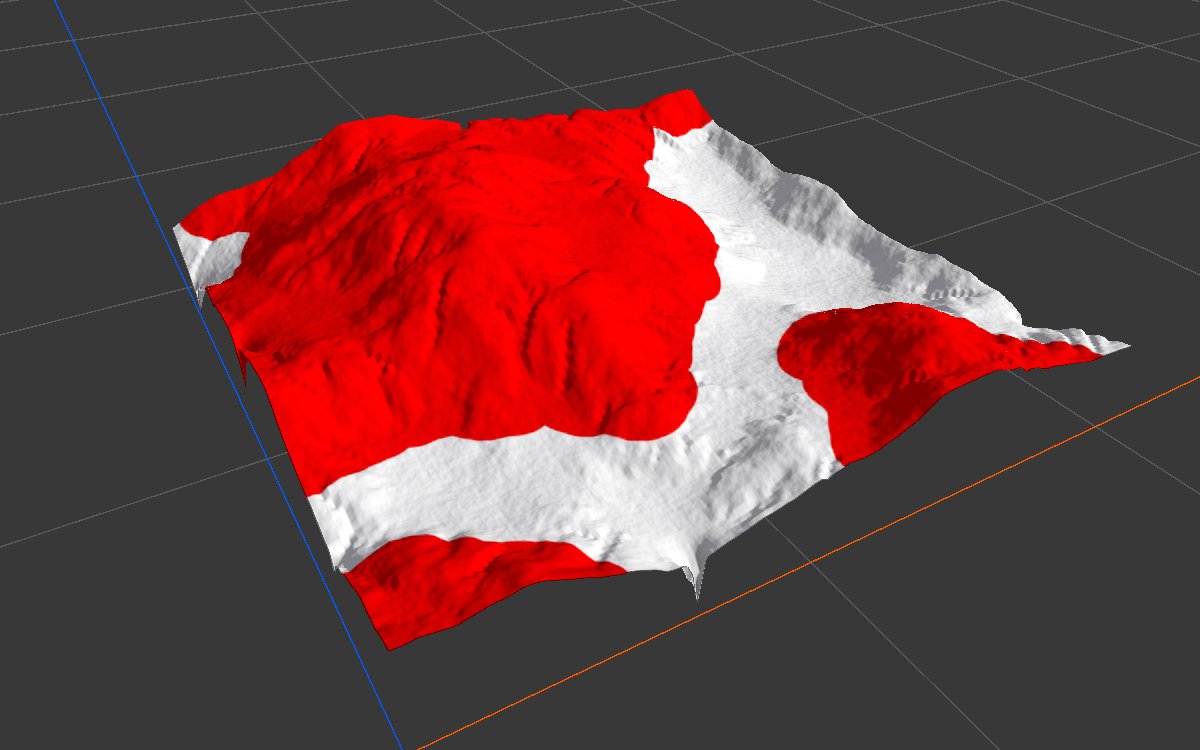
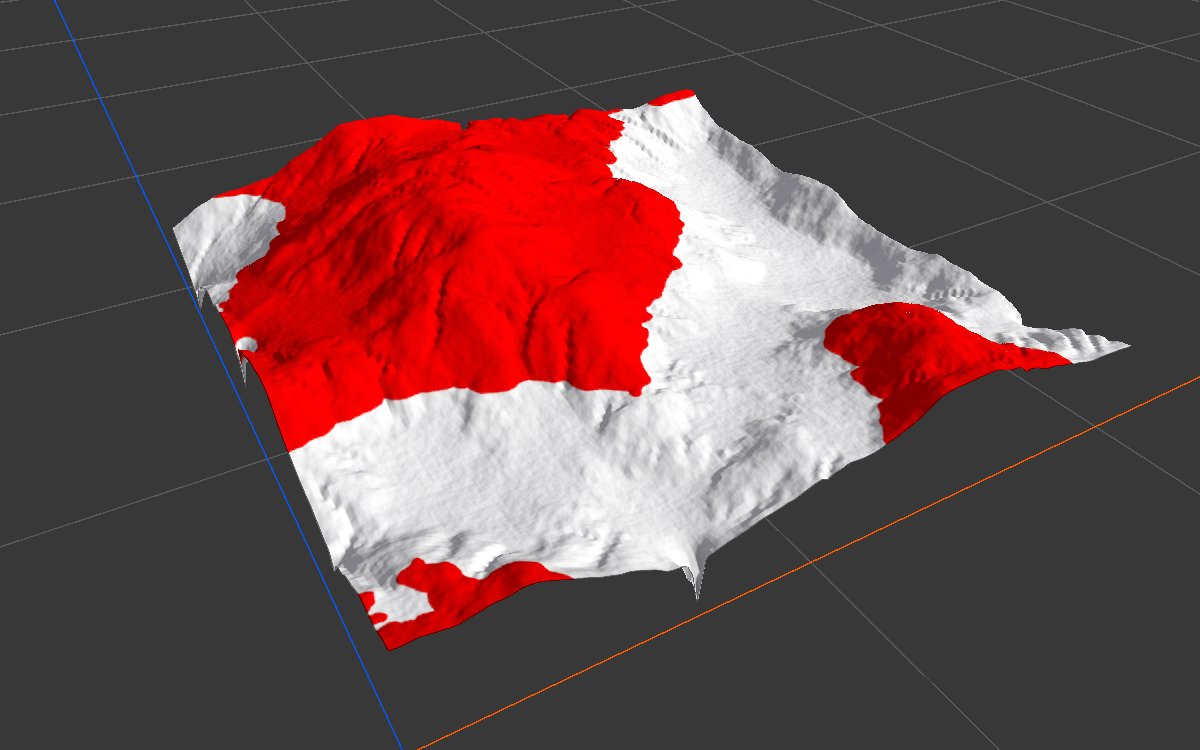
All examples grow the same mask: the high ground above 140 m of eroded mountains (Noise, Scale 600, then Hydraulic Erosion 2), cut with Threshold at 0.35. The biome is 1024 × 1024 m at 1024 texels, so one texel is 1 m, with a terrain height of 400 m. The 2D view shows the mask from black to red; the 3D view shows it in red over the terrain.
| Setting | 2D | 3D |
|---|---|---|
| Input mask (before Expand) |  |
 |
| Default: Ratio 0.1, Iteration 10 | 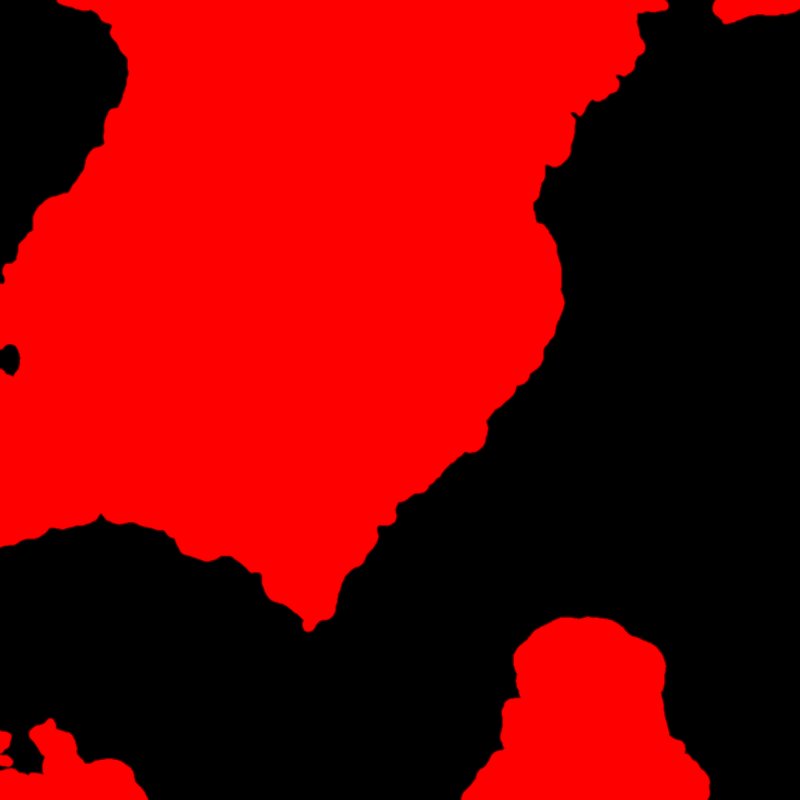 |
 |
| Iteration 200 | 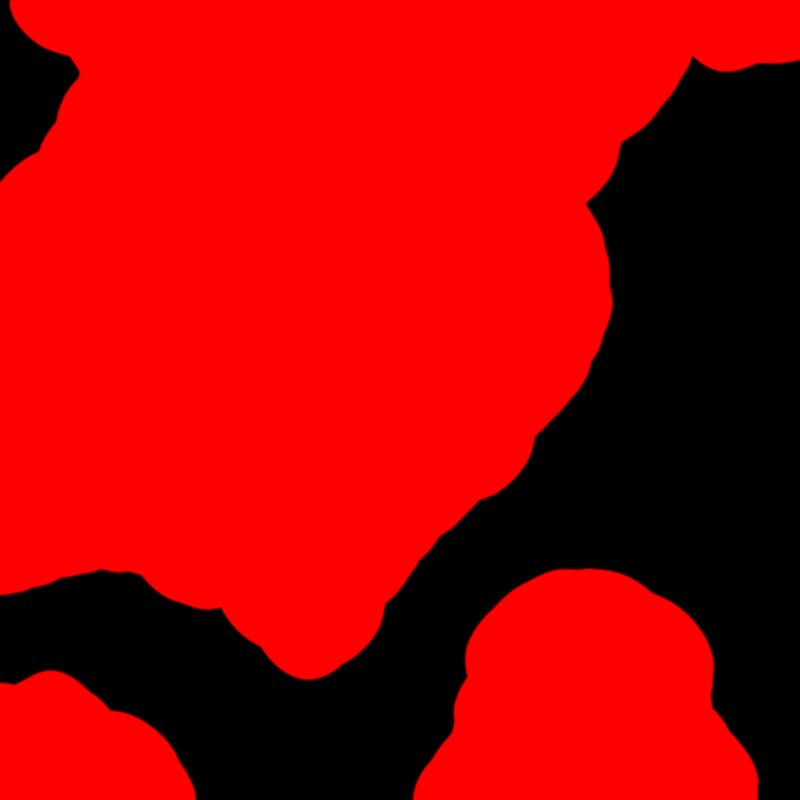 |
|
The defaults are gentle: 10 iterations move the edge only about 4 m, and the mask covers 49% of the biome instead of 48%. At 200 iterations the edge moves about 80 m and the mask covers 67%. The outline also gets rounder: small bays fill in and fine detail along the edge is lost.
Recipes
- Sand around a lake: water mask → Expand (enough iterations for the beach width) → Math or Combine subtract the water mask → Blur → sand texture weight.
- Keep trees off a path: path mask → Expand → invert → multiply into the density before Scatter.
- Scree below cliffs: Slope Mask (steep) → Expand → multiply with a low Slope Mask (gentle) to keep only the flat ground at the foot → scree texture.
Tip
Expand leaves only a narrow soft edge. For a natural fade into the surrounding ground, add Blur after it.
Note
Growth is measured in texels. If you change the biome size or resolution, recheck the Iteration count: the same value covers a different distance in meters.
Note
On a soft mask, Expand does more than widen it: grey areas fill up to full strength within a few iterations. Cut the mask into a clean shape with Threshold first if you only want the edge to move.
Warning
Many iterations at high resolution cost time, since every iteration processes the whole mask. For large distances, lower this node's Resolution, grow the mask, and let the next nodes scale it back up, or use Split Execution to keep the editor responsive.
Performance
Cost grows with Iteration times the number of texels. A few dozen iterations are very cheap; hundreds at 2048 texels and above take noticeably longer. Split Execution spreads them over frames without changing the result.
Related nodes
- Shrink: the opposite, pulls the edge inward.
- Blur: softens the edge instead of moving it.
- Threshold, Range Select: make the clean masks Expand works best on.
For AI agents
- Type name:
ExpandNode. Slot ids: Input =0, Output =100(both Mask). - Properties for
vista_graphitor_node_set:ratio(0 to 1),iterationCount(≥ 0),iterationPerFrame(keep ≥ 1). - Per iteration, in place: value = saturate(value + ratio × (left + right + top + bottom)). Outside the texture reads 0.
- Measured on a 1024 texel biome, ratio 0.1: edge moves about 0.4 texels per iteration (10 iterations about 4 texels, 200 about 80); coverage 48% to 49% (10) and 67% (200).
- Grey regions grow exponentially (about ×(1 + 4 × ratio) per iteration) and saturate, so soft masks become solid.
iterationPerFrame0 makes split execution fail (division by zero); the setter allows 0.- Bypass passes the input through.