Generic Mountain Node
- Category: Generators
- Edition: All editions
- Output type: Height
- Typical place in a graph: the first node of a mountain biome, followed by erosion
Generic Mountain makes a natural mountain base in one node. It combines a detailed noise for the mountains themselves with a smooth, broad noise that makes neighboring peaks reach different heights, then fits the result into a height range you choose. It is the same set up as the AI workflow's mountain recipe, with the tested values built in, so you get believable mountains at once and only tune size and height.
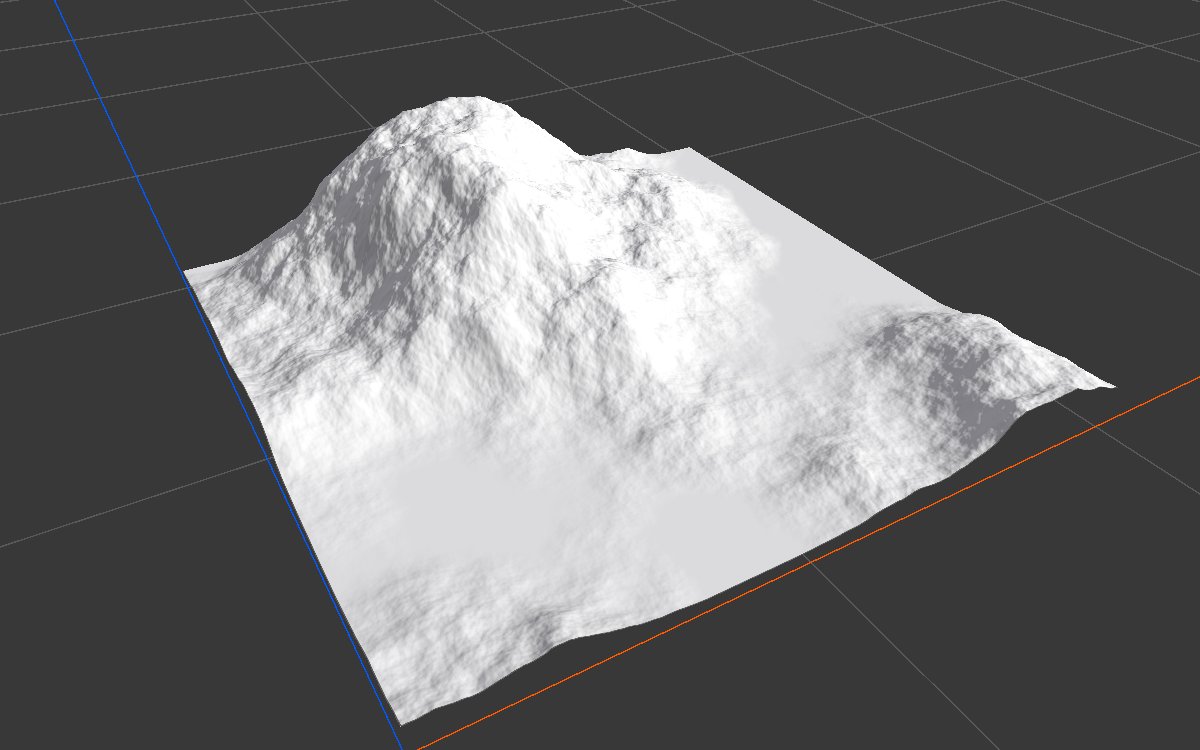
When to use it
- The base shape of almost any mountain biome, before Hydraulic Erosion 2.
- A quick, good looking start when you do not want to tune noise layers.
- Not for: special characters such as alpine ridges or mesas (start from Noise in Ridged mode, or Shape); exact control over each noise (build the recipe from Noise, Combine and Levels).
Inputs
None.
Outputs
| Slot | Type | What it holds |
|---|---|---|
| Output | Mask | The mountains, between Min Height and Max Height. The highest peaks usually reach about two thirds of the way to Max Height, since the two noises rarely peak in the same place. |
Properties
| Property | Default | Range | What it does |
|---|---|---|---|
| Mountain Scale | 750 | 1 and up, meters | Size of the mountains and their details. 600 to 750 gives natural mountains on any biome size; smaller values pack in more, steeper peaks. |
| Peak Variation Scale | 1000 | 1 and up, meters | Size of the smooth pattern that makes peaks reach different heights. A little larger than Mountain Scale (about 1.3 times) works best. Much larger, and it becomes one gentle tilt; smaller, and it breaks the range into separate groups. |
| Seed | Random | Any integer | Picks another mountain range. Both noises follow it, and it is combined with the biome's seed. |
| Min Height | 0.05 | 0 to 1 | Height of the lowest ground, as a fraction of the terrain height. A little above 0 leaves room for erosion to cut valleys. |
| Max Height | 1 | 0 to 1 | The ceiling of the range, as a fraction of the terrain height. The highest peaks reach about two thirds of the way from Min Height to this value. |
Common properties
| Property | What it does |
|---|---|
| Id | The node's unique name in this graph, shown for reference. You cannot edit it. Scripts and the AI workflow CLI use it to find the node. |
| Resolution | How detailed this node's result is, in texels across the biome. Generic Mountain has no input, so Relative To Main Input (default) and Relative To Graph both follow the biome's Canvas Resolution, times the multiplier below. Absolute sets an exact size. Absolute is limited to 32 to 512 in Vista Personal and 32 to 4096 in Vista Indie and Pro. |
| Split Execution | Lets this node run over several frames so the editor stays responsive during long generations. It only works when Allow Split Execution is on in the graph settings. This node finishes in one step, so splitting only adds a short pause around it; leave it off. |
| Bypass | Skips the node. It has no input to pass through, so nothing comes out, and the nodes after it receive empty, flat ground. |
How it works
- A detailed Noise (Perlin 01, 8 layers) at Mountain Scale makes the mountains, with its low values flattened a little to widen the valleys.
- A smooth, one layer noise at Peak Variation Scale is multiplied in, so some peaks stand tall while others stay low.
- Levels fits the result between Min Height and Max Height.
Examples
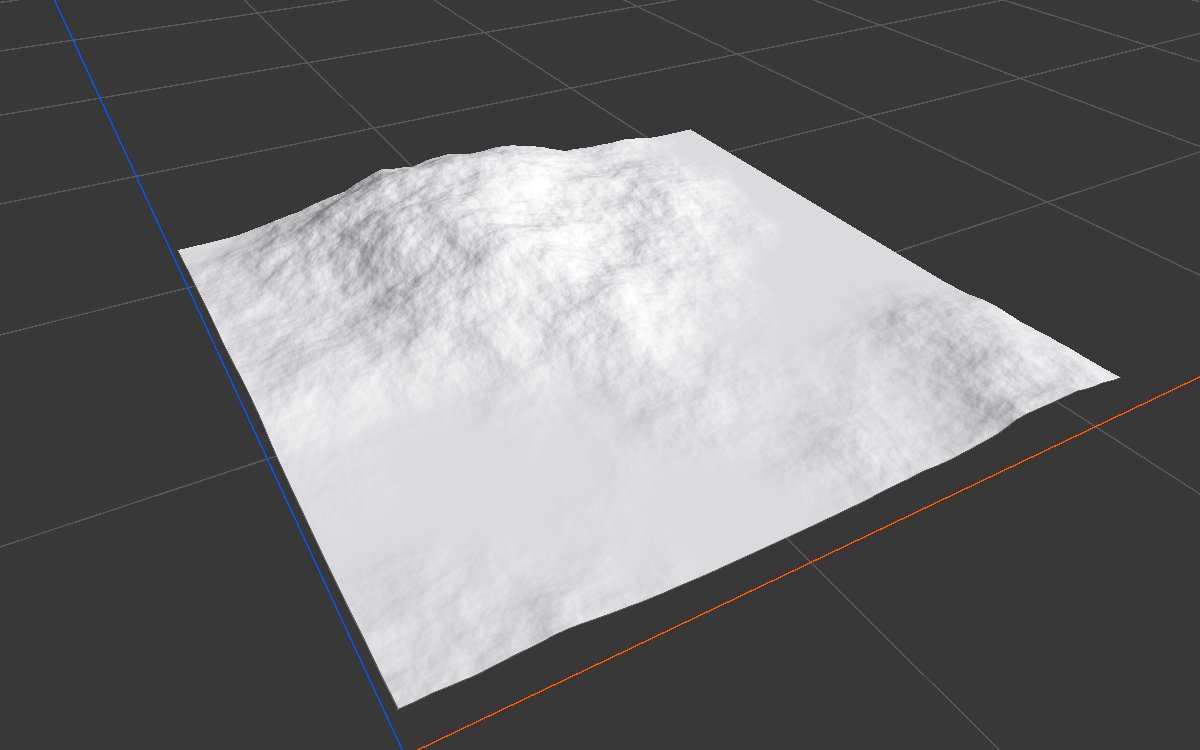
Each example shows the output in 2D (black is 0, red is 1) and as terrain in 3D, on a 1024 × 1024 m biome with a terrain height of 400 m. Seed 128; values not listed are the defaults.
| 2D | 3D | |
|---|---|---|
| Default |  |
|
| Mountain Scale 400 |  |
 |
| Peak Variation Scale 400 |  |
 |
| Min Height 0.15, Max Height 0.5 |  |
 |
| Seed 7 |  |
 |
With the defaults the lowest ground is at 0.05 and the highest peak here reaches about 0.68. A smaller Mountain Scale packs in more peaks; a smaller Peak Variation Scale splits the range into groups. Min Height and Max Height squeeze the whole range, here into gentle hills on a raised base.
Recipes
- Mountain biome: Generic Mountain → Hydraulic Erosion 2 (coarse) → Hydraulic Erosion 2 (fine) → Height Output. The AI workflow recipe
mountain-base-shapebuilds the same shape from separate nodes when you need more control. - Mountains around a valley: Generic Mountain × an inverted Radial Gradient in Combine (Multiply), so the middle stays low.
Tip
Change Mountain Scale first to set the character, then Max Height for the overall height. Keep Peak Variation Scale about 1.3 times Mountain Scale.
Note
The scales are in meters, so the same settings make the same size of mountains on any biome; a bigger biome simply holds more of them.
Performance
Cheap: two noise passes, a multiply and a levels step on the GPU.
Related nodes
- Noise, Combine, Levels: the parts this node is built from.
- Hydraulic Erosion 2: the usual next step.
- Volcano, Crater: other ready made landforms.
For AI agents
- Type name:
GenericMountainNode. Output slot100. No inputs. - Properties:
mountainScale(meters, ≥ 1),peakVariationScale(meters, ≥ 1),seed(random on creation; the variation noise uses seed + 7919),minHeight,maxHeight(0 to 1, min ≤ max). - Internals: Noise Perlin01, 8 layers, lacunarity 2.26, persistence 0.382, remap EaseInOut from 0.1; × Noise 1 layer; Levels to [minHeight, maxHeight].
- Measured at Seed 128, defaults: 0.05 to 0.68, mean 0.19.