Volcano Node
- Category: Generators
- Edition: All editions
- Output type: Height and five masks
- Typical place in a graph: the first node of a volcano biome, followed by erosion, lava flow and texturing
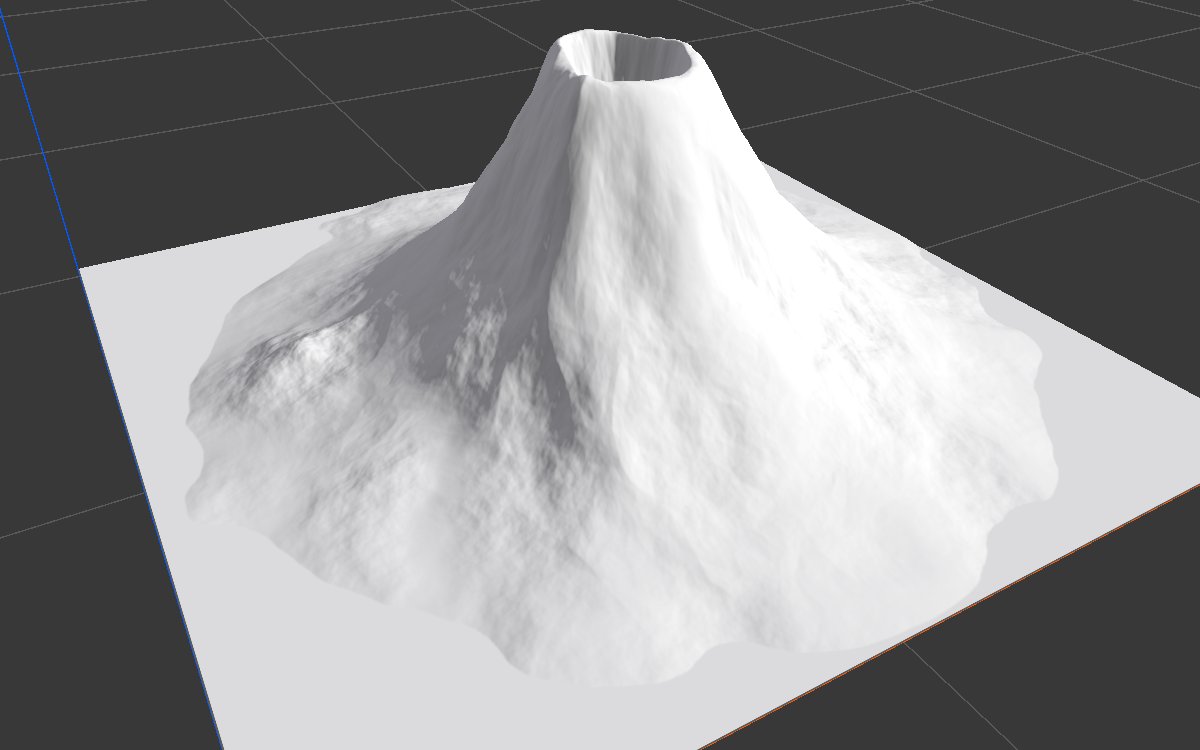
Volcano builds a volcanic cone in one node: concave flanks that steepen toward the top, a summit crater, ridges running down the slopes, and a slightly bent outline. It is fast, with no simulation. Five extra outputs mark the crater floor, the rim, the upper and lower slopes, and the ridge crests, ready for lava, scoria, ash and rock textures, and as sources for the Flow node's lava.
When to use it
- A stratovolcano or cinder cone as the main landform of a biome.
- Masks for a volcano's textures: lava lake in the crater, scoria on the rim, ash on the lower slopes, rock on the ridges.
- A lava source for Flow: its Rim sends lava down the flanks.
- Not for: an impact crater (use Crater); a generic mountain (use Generic Mountain or Noise).
Inputs
None.
Outputs
| Slot | Type | What it holds |
|---|---|---|
| Height | Mask | The volcano, from 0 at its foot up to Height at the rim. Erosion afterwards carves the ridges into gullies. |
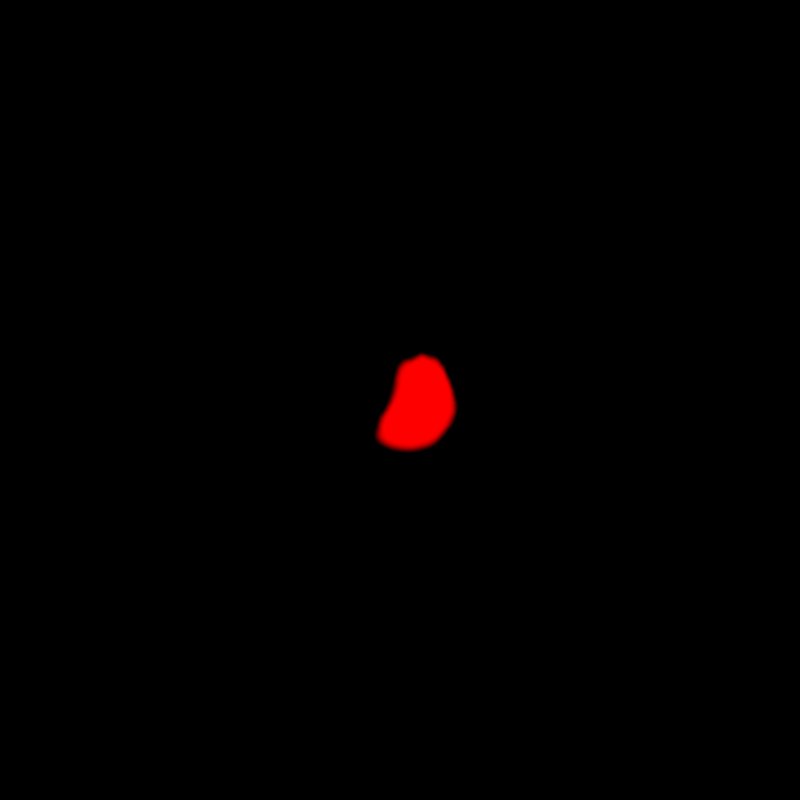
| Crater | Mask | The crater floor, for a lava lake. |
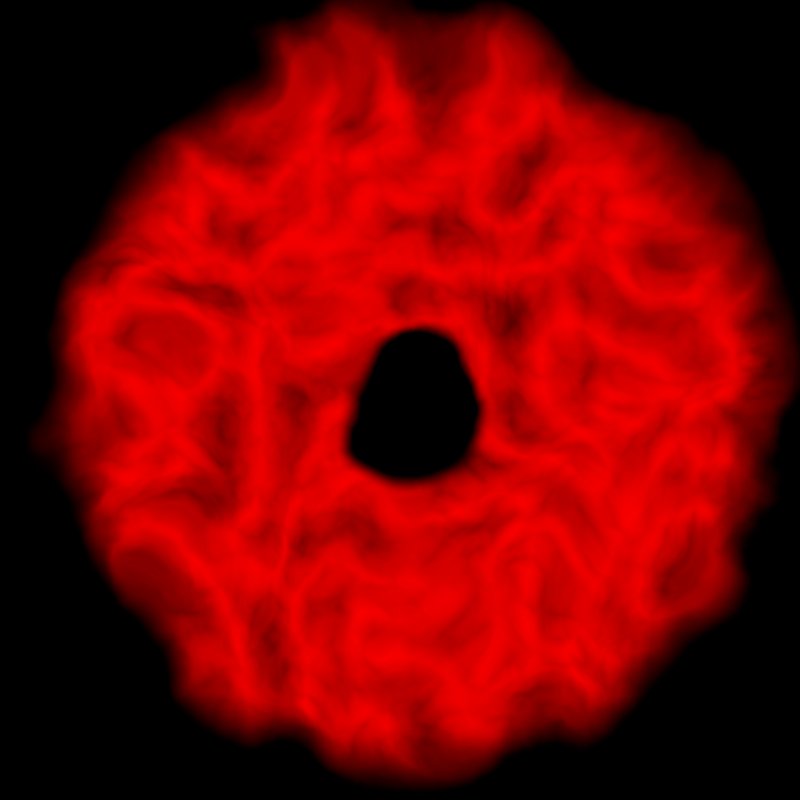
| Rim | Mask | A band over the rim, from just below it down to the crater floor, for scoria or scorched rock. Used as the Flow node's Source, lava runs down the flanks. |
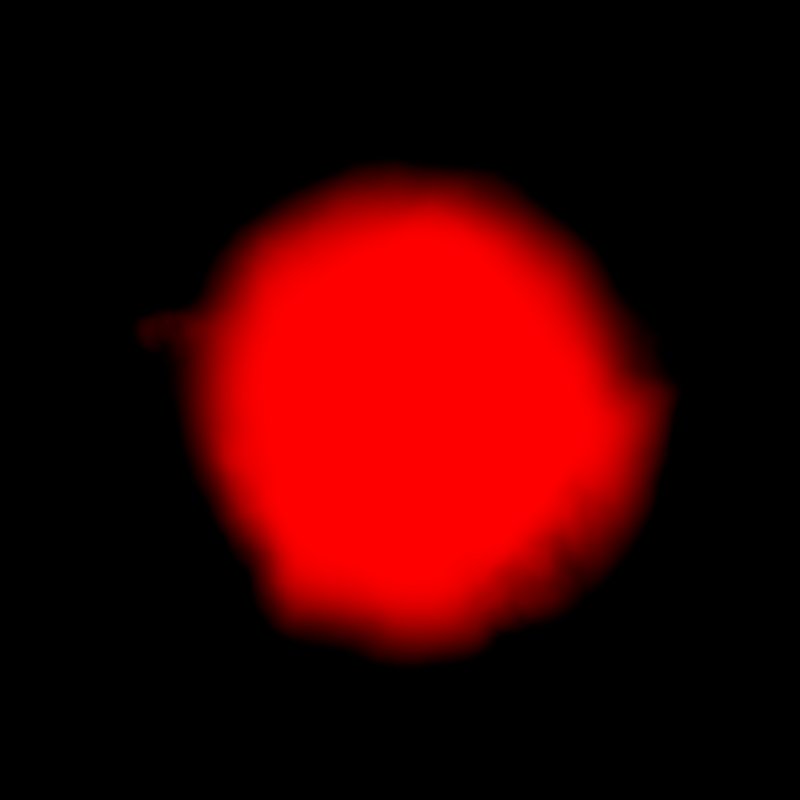
| Upper Slopes | Mask | From the crater down to about halfway down the cone, crater included. Limits lava streams or snow to the upper cone. |
| Lower Slopes | Mask | From about halfway down the cone to the foot, for ash, grass or rubble. Nothing on the ground around the volcano. |
| Ridges | Mask | The crests of the ridges on the flanks, for exposed rock. It stays off the crater and the surrounding ground. |
The masks follow the bent outline and scale with Crater Size. A mask is only drawn when something reads it or the node is being previewed.
Properties
| Property | Default | Range | What it does |
|---|---|---|---|
| Seed | Random | Any integer | Changes how the outline bends and where the ridges run. It is combined with the biome's seed. |
| Height | 460 | 0 and up, meters | Height of the rim. Keep it below the terrain height (the Vista Manager's Max Height): anything above is cut flat. |
| Size | 0.95 | 0.1 to 1 | Diameter of the foot, as a fraction of the biome width. A tall volcano on a small footprint turns into a spike, so raise the size, or the biome, before the height. |
| Crater Size | 0.14 | 0.02 to 0.6 | Diameter of the rim, as a fraction of the foot. |
| Crater Depth | 0.25 | 0 to 1 | Drop from the rim to the crater floor, as a fraction of Height. 0 gives a flat topped cone with no crater. |
| Ridge Amount | 0.05 | 0 to 1 | Height of the ridges on the flanks, as a fraction of Height. Erosion carves them into gullies; too much looks noisy. |
| Irregularity | 0.082 | 0 to 1 | How far the outline bends away from a circle, as a fraction of the biome width. Higher values need a smaller Size to keep the volcano inside the biome. |
Common properties
| Property | What it does |
|---|---|
| Id | The node's unique name in this graph, shown for reference. You cannot edit it. Scripts and the AI workflow CLI use it to find the node. |
| Resolution | How detailed this node's result is, in texels across the biome. Volcano has no input, so Relative To Main Input (default) and Relative To Graph both follow the biome's Canvas Resolution, times the multiplier below. Absolute sets an exact size. The ridges and rim need enough resolution to stay sharp. Absolute is limited to 32 to 512 in Vista Personal and 32 to 4096 in Vista Indie and Pro. |
| Split Execution | Lets this node run over several frames so the editor stays responsive during long generations. It only works when Allow Split Execution is on in the graph settings. This node finishes in one step, so splitting only adds a short pause around it; leave it off. |
| Bypass | Skips the node. It has no input to pass through, so nothing comes out, and the nodes after it receive empty, flat ground. |
Examples
All examples show the Height output in the graph editor's 3D viewport, on a 1024 × 1024 m biome with a terrain height of 400 m. Seed 128 and Height 340, so the cone fits under this terrain's 400 m; other values are the defaults unless noted.
Default settings (Height 340)
A cone with concave flanks, a small summit crater and faint ridges, ready for erosion.
Variations
| No crater | Large, deep crater |
|---|---|
 |
 |
| Crater Depth 0: a flat topped cone. | Crater Size 0.35, Crater Depth 0.5: a wide caldera. |
| Strong ridges | Irregular outline |
 |
 |
| Ridge Amount 0.2: deep ridges that erosion turns into gullies. | Irregularity 0.3, Size 0.75: a bent, uneven foot. |
Texturing masks
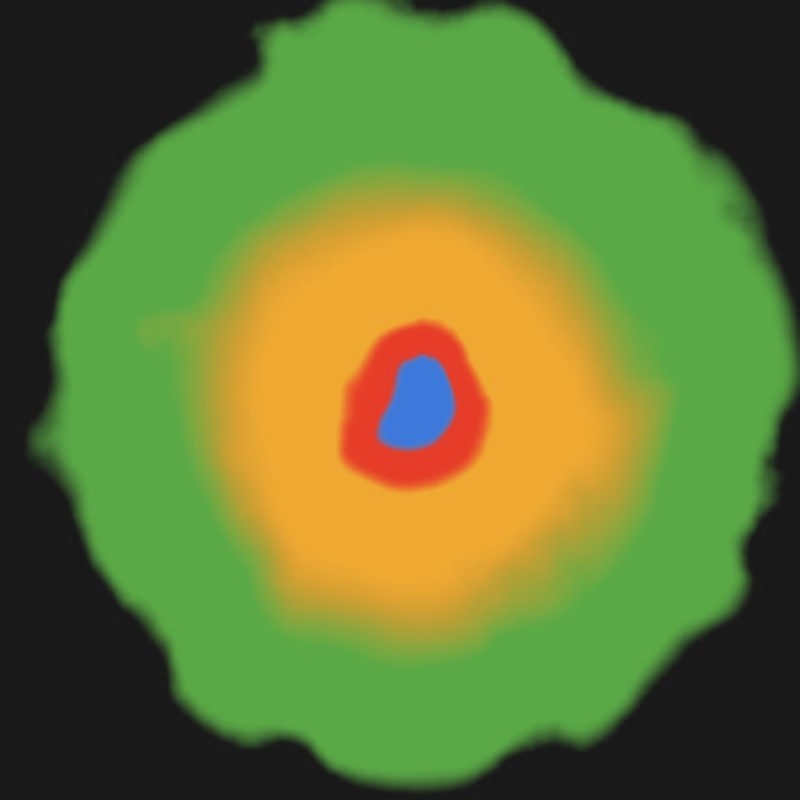
Lower Slopes (green), Upper Slopes (orange), Rim (red) and Crater (blue). Upper Slopes includes the crater and Rim overlaps it, so use them as limits and layer order rather than as exclusive weights.
| Crater | Rim | Upper Slopes | Lower Slopes | Ridges |
|---|---|---|---|---|
 |
 |
 |
 |
 |
Recipes
- Volcano biome: Volcano → Hydraulic Erosion 2 (coarse then fine) → Height Output. The AI workflow recipe
volcano-base-shapedescribes this route and the alternative built from basic nodes. - Lava down the flanks: Rim → the Source of Flow on the eroded height, with a lava preset. Recipe
volcano-lava-flow. Crater as the source keeps the lava inside the crater, since the rim holds it. - Volcano texturing: Lower Slopes → ash, Upper Slopes → scoria, Ridges → rock, Crater → lava. Recipe
volcano-texturing.
Warning
The default Height of 460 m is above many terrains' height. Keep Height below the Vista Manager's Max Height, or the top of the cone is cut flat.
Note
The masks come from the shape before erosion, so they do not follow the gullies erosion carves. For drainage based texturing, use the erosion's Soil output.
Tip
A tall volcano on a small footprint is a spike. Make the biome, or Size, larger before raising Height.
Performance
Fast: a few GPU passes, plus one per mask you use. Unused masks are skipped.
Related nodes
- Crater: an impact crater with terraces.
- Flow: lava and water flowing over the volcano.
- Hydraulic Erosion 2: carves the ridges into gullies.
- Generic Mountain: a ready made mountain.
For AI agents
- Type name:
VolcanoNode. Outputs: Height =100, Crater =101, Rim =102, Upper Slopes =103, Lower Slopes =104, Ridges =105. No inputs. - Properties:
seed(random on creation),height(meters),size(0.1 to 1),craterSize(0.02 to 0.6),craterDepth(0 to 1),ridgeAmount(0 to 1),irregularity(0 to 1). - Output Height is clamped at the terrain height; keep
heightbelow the Vista Manager's terrainMaxHeight. - Preview a mask without connecting it:
vista_graphitor_capture --target viewport2d --slot 102.