Dots Node
- Category: Masking
- Edition: All editions
- Output type: Mask
- Typical place in a graph: after Scatter or another node that makes positions, to turn the points back into a mask
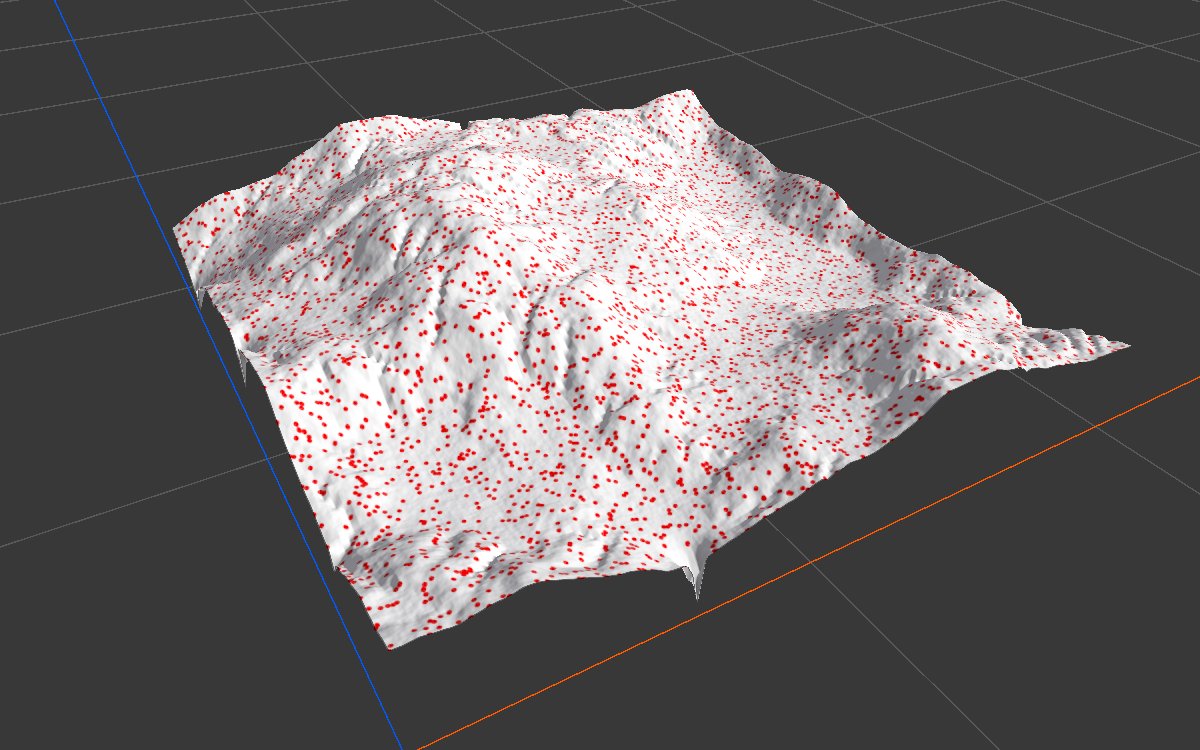
Dots turns a set of positions into a mask: every point marks the one texel it lands on. On its own the result is a fine dust of single specks; grow it with Expand and it becomes a patch around every point. Use it to put something under or around spawned objects, such as bare dirt under each tree, scorched ground around each crater, or a gap in the grass where each rock sits.
When to use it
- Texture the ground around spawned objects: dirt under trees, moss around rocks, ash around lava vents.
- Keep grass or small plants away from where trees or rocks stand: Dots → Expand → invert → grass density.
- See or debug where a set of positions lands, as a mask.
- Not for: placing objects (use Scatter and an output node); stamping a shape at each point, such as a crater or a mound (use Splatter 2).
Inputs
| Slot | Type | Required | What to connect |
|---|---|---|---|
| Positions | Positions | Yes | The points to mark, usually from Scatter. Points outside the biome and points removed by a density mask are skipped. With nothing connected, the output is empty. |
Outputs
| Slot | Type | What it holds |
|---|---|---|
| Output | Mask | 1 on the texel under each point, 0 everywhere else. Several points on the same texel still give 1; they do not add up. |
Properties
Dots has no properties of its own. The size of each dot is one texel, so the node's Resolution decides how big the dots are in meters.
Common properties
| Property | What it does |
|---|---|
| Id | The node's unique name in this graph, shown for reference. You cannot edit it. Scripts and the AI workflow CLI use it to find the node. |
| Resolution | How detailed this node's result is, in texels across the biome, which is also the size of each dot. The input is a set of points, not a mask, so Relative To Main Input (default) and Relative To Graph both follow the biome's Canvas Resolution, times the multiplier below. Absolute sets an exact size. A lower resolution makes bigger, blockier dots and merges points that fall in the same texel. Absolute is limited to 32 to 512 in Vista Personal and 32 to 4096 in Vista Indie and Pro. |
| Split Execution | Lets this node run over several frames so the editor stays responsive during long generations. It only works when Allow Split Execution is on in the graph settings. This node finishes in one step, so splitting only adds a short pause around it; leave it off. |
| Bypass | Skips the node. Its input is a set of points, not a mask, so nothing comes out, and the nodes after it act as if nothing were connected. |
Examples
All examples use the same positions: Scatter with Spacing 40 over eroded mountains (Noise, Scale 600, then Hydraulic Erosion 2), about 5,000 points. The biome is 1024 × 1024 m at 1024 texels, so one texel is 1 m. The 2D view shows the mask from black to red; the 3D view shows it in red over the terrain.
Default: one texel per point
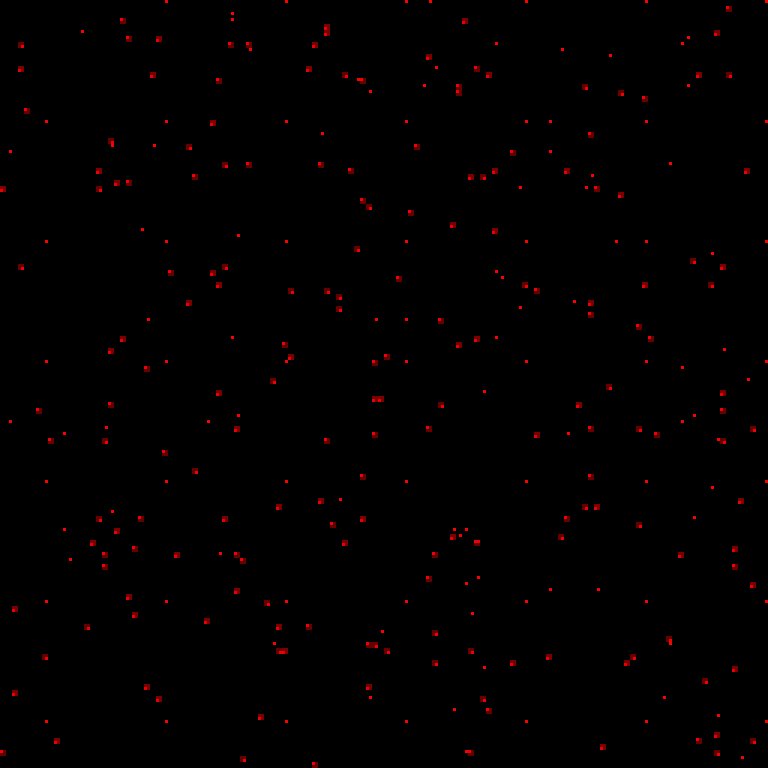
A close up of a 256 m square in the middle of the biome, enlarged. Each speck is one point, 1 m across. Over the whole biome the specks cover only 0.5% of the ground, too fine to see at full view, which is why Dots is nearly always followed by something that grows them.
Grown with Expand
| Property | Value |
|---|---|
| Expand after Dots | Ratio 0.25, Iteration 6 |
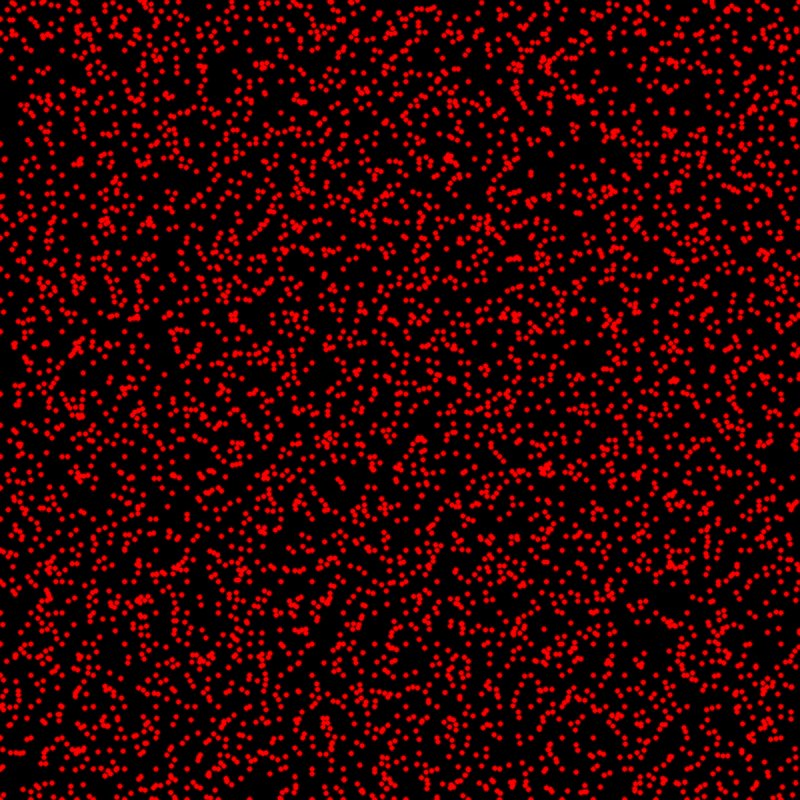
Each speck grows into a round patch a few meters wide, covering about 10% of the biome at full strength. This is the usual way to use Dots: a patch per spawned object, ready to drive a texture or to cut the grass.
Blurred instead
| Property | Value |
|---|---|
| Blur after Dots | Radius 4 |

Blur spreads each speck out but also thins it: the brightest spot is only 0.44, and most of each patch is far darker. Grow the dots with Expand first, then blur a little for soft edges.
Lower resolution
| Property | Value |
|---|---|
| Resolution | Absolute, 128 |


At 128 texels across the biome, each dot is an 8 m square. Points close together fall in the same square and merge, so the mask covers 27% of the ground with hard, blocky edges. A quick way to get bigger dots, but the squares show; Expand gives rounder patches.
Recipes
- Dirt under trees: Scatter → Dots → Expand (enough iterations for the canopy width) → Blur (small radius) → dirt texture weight. Send the same Scatter to Tree Output, so the patches sit exactly under the trees.
- No grass around rocks: rock Scatter → Dots → Expand → invert with Math → multiply into the grass density.
- Check a placement: connect Dots after any positions and preview it in the 2D view to see where the points land.
Tip
Use the same positions for the objects and for Dots. The patches then line up with the objects exactly, and change with them when you move the Scatter settings.
Note
Each dot is exactly one texel, so its size in meters depends on the resolution: 1 m on a 1 km biome at 1024 texels, 4 m at 256. Set the patch size with Expand and check it again when you change the biome size or resolution.
Note
Dots does not count points. Two points on the same texel give the same 1 as one point. For a density that rises where points crowd together, blur the dots with a large radius and raise the result with Levels.
Performance
Very cheap: one quick GPU step, even for hundreds of thousands of points.
Related nodes
- Scatter: makes the positions.
- Expand: grows each dot into a patch.
- Splatter 2: stamps a shape or a height at each point instead of a single texel.
For AI agents
- Type name:
DotsNode. Slot ids: Positions =0(Buffer), Output =100(Mask). - No properties. Size is set by the inherited
resolutionOverride(RelativeToMainInput,RelativeToGraph,Absolute),resolutionMultiplier,resolutionAbsolute; with a Buffer input, relative modes follow the graph resolution. - Writes 1 at texel (int)(uv × (resolution − 1)) for each valid position; positions with uv < 0 or invalid (removed by density) are skipped. No accumulation.
vista_graphitor_captureshows the active node; Dots has no property to set, so make it active withvista_graphitor_select --nodes '["<id>"]'first.- Measured: Scatter Spacing 40 on 1 km at 1024 texels gave 0.5% coverage; Expand ratio 0.25 × 6 iterations gave about 10% full; Blur radius 4 peaked at 0.44; Absolute 128 gave 27% coverage.
- Bypass gives no output.