Thin Out Node
- Category: General
- Edition: All editions
- Output type: Positions
- Typical place in a graph: after a set of positions, before an output, to remove points where things should not grow
Thin Out removes positions by a mask: where the mask is bright, points stay; where it is dark, they are removed. Use it to keep a forest to its area, clear points from paths and water, or make vegetation sparser on poor ground.
When to use it
- Restrict spawned points to a mask: forest areas, gentle slopes, below the tree line.
- Make vegetation sparser in some places.
- Not for: making more points (use Spread); a density mask on a fresh grid (use Scatter, which has a Density input).
Inputs
| Slot | Type | Required | What to connect |
|---|---|---|---|
| Position | Positions | Yes | The points to thin. |
| Mask | Mask | No | Where points stay: bright keeps, dark removes. With nothing connected, Mask Multiplier alone sets how many stay. |
Outputs
| Slot | Type | What it holds |
|---|---|---|
| Position | Positions | The same points, with the removed ones marked invalid. The list keeps its size. |
Properties
| Property | Default | Range | What it does |
|---|---|---|---|
| Mask Multiplier | 1 | 0 to 2 | Scales the mask before the test. Lower removes more, higher keeps more. |
| Seed | 0 | Any integer | Picks another random set of points to remove. It is combined with the biome's seed. |
How points are chosen
Each point is kept when a random value at its position is below the mask times Mask Multiplier. That random value bunches around the middle and changes smoothly between neighboring points, so two things follow:
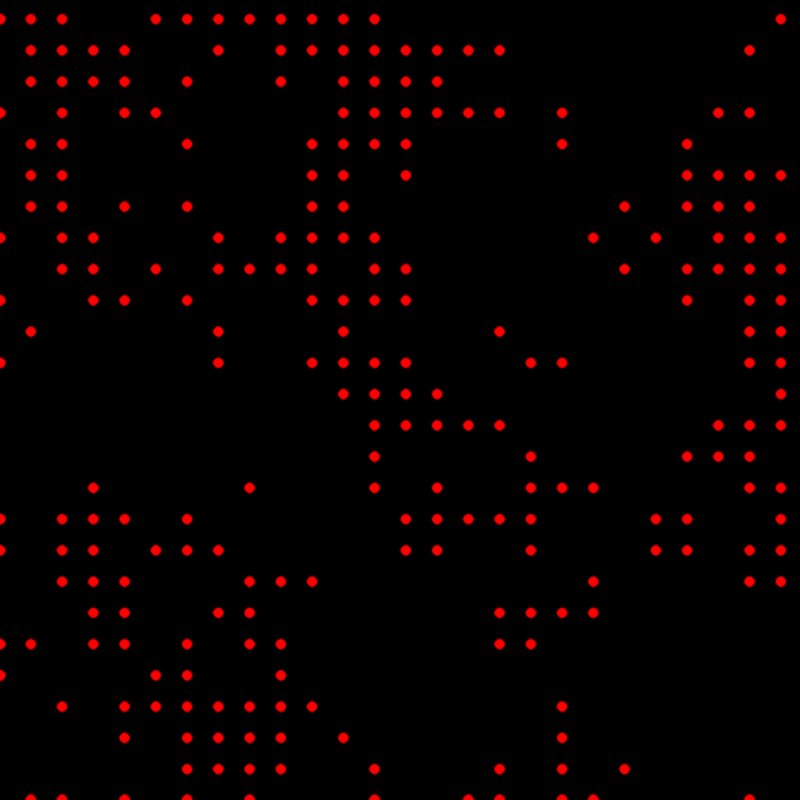
- The keep rate is not proportional to the mask. In the examples, a mask averaging 0.37 keeps 36% of the points, but the same mask halved keeps only 3%, not 18%. Low mask values remove almost everything; high values keep almost everything.
- Points are removed in patches, about 100 to 200 m across here, rather than one by one.
Common properties
| Property | What it does |
|---|---|
| Id | The node's unique name in this graph, shown for reference. You cannot edit it. Scripts and the AI workflow CLI use it to find the node. |
| Split Execution | Lets this node run over several frames so the editor stays responsive during long generations. It only works when Allow Split Execution is on in the graph settings. This node finishes in one step, so splitting only adds a short pause around it; leave it off. |
| Bypass | Skips the node. The positions pass through unchanged. |
Examples
A Points grid every 40 m, thinned by a Noise (Scale 300) mask, on a 1024 × 1024 m biome, shown through Dots and Expand.
| Mask | Mask Multiplier 1 | Mask Multiplier 0.5 |
|---|---|---|
 |
|
 |
Recipes
- Forest in its area: Points → Spread → Thin Out (forest mask) → Tree Output.
- Clear paths and water: path or water mask, inverted with Math → Thin Out.
Tip
Because the keep rate follows an S curve, sharpen or soften the mask with Levels to control density, and check the result with Dots rather than assuming a mask of 0.5 keeps half.
Note
Removed points stay in the list, marked invalid; the list does not shrink, so the cost of later steps stays the same.
Performance
Very cheap: one quick GPU step.
Related nodes
- Scatter: density built in.
- Spread, Split Positions: other position tools.
For AI agents
- Type name:
ThinOutNode. Inputs Position =0(Buffer), Mask =1(Mask); Output Position =100(Buffer). - Properties:
maskMultiplier(0 to 2),seed. - Keep if simpleNoise(pos × hash(seed)) < maskMultiplier × mask. Measured on a 40 m grid with a Noise mask (mean 0.374): multiplier 1 kept 36%, 0.5 kept 3%; kept points clump.