Smooth Node
- Category: Adjustments
- Edition: All editions
- Output type: Height / Mask
- Typical place in a graph: after a noisy shape or before an output, optionally limited by a mask
Smooth gradually relaxes sharp features: each pass softens every point toward its neighbors, and more passes soften further. A Mask limits where it smooths, so you can soften valley floors while keeping ridges sharp, or relax a road bed without touching the slopes around it. Unlike Blur, it can spread its passes over several frames.
When to use it
- Soften noisy terrain or remove fine grain while keeping the large shape.
- Relax only part of the terrain, such as flat ground, paths or a riverbed, with a Mask.
- Soften a mask's edges gradually.
- Not for: a strong, wide blur in one go (use Blur); smoothing that follows natural processes (use Thermal Erosion 3).
Inputs
| Slot | Type | Required | What to connect |
|---|---|---|---|
| Input | Mask | Yes | The height or mask to smooth. |
| Mask | Mask | No | Where to smooth: white fully, black not at all, gray partly. With nothing connected, it smooths everywhere. |
Outputs
| Slot | Type | What it holds |
|---|---|---|
| Output | Mask | The smoothed result. |
Properties
| Property | Default | Range | What it does |
|---|---|---|---|
| Iteration Count | 5 | 0 and up | Number of smoothing passes. Each pass softens within about 2 texels, so many passes are needed for a broad effect. 0 changes nothing. |
| Iteration Per Frame | 10 | 1 and up | Passes run in each frame when Split Execution is on. |
Common properties
| Property | What it does |
|---|---|
| Id | The node's unique name in this graph, shown for reference. You cannot edit it. Scripts and the AI workflow CLI use it to find the node. |
| Resolution | How detailed this node's result is, in texels across the biome. Relative To Main Input (default) matches the texture connected to Input, times the multiplier below it. Relative To Graph follows the biome's Canvas Resolution instead. Absolute sets an exact size. Each pass works on neighboring texels, so the same settings smooth a wider area in meters at lower resolution. Absolute is limited to 32 to 512 in Vista Personal and 32 to 4096 in Vista Indie and Pro. |
| Split Execution | Lets this node run over several frames, Iteration Per Frame passes at a time, so the editor stays responsive with many passes. It only works when Allow Split Execution is on in the graph settings. |
| Bypass | Skips the node. The input passes through unchanged. |
Examples
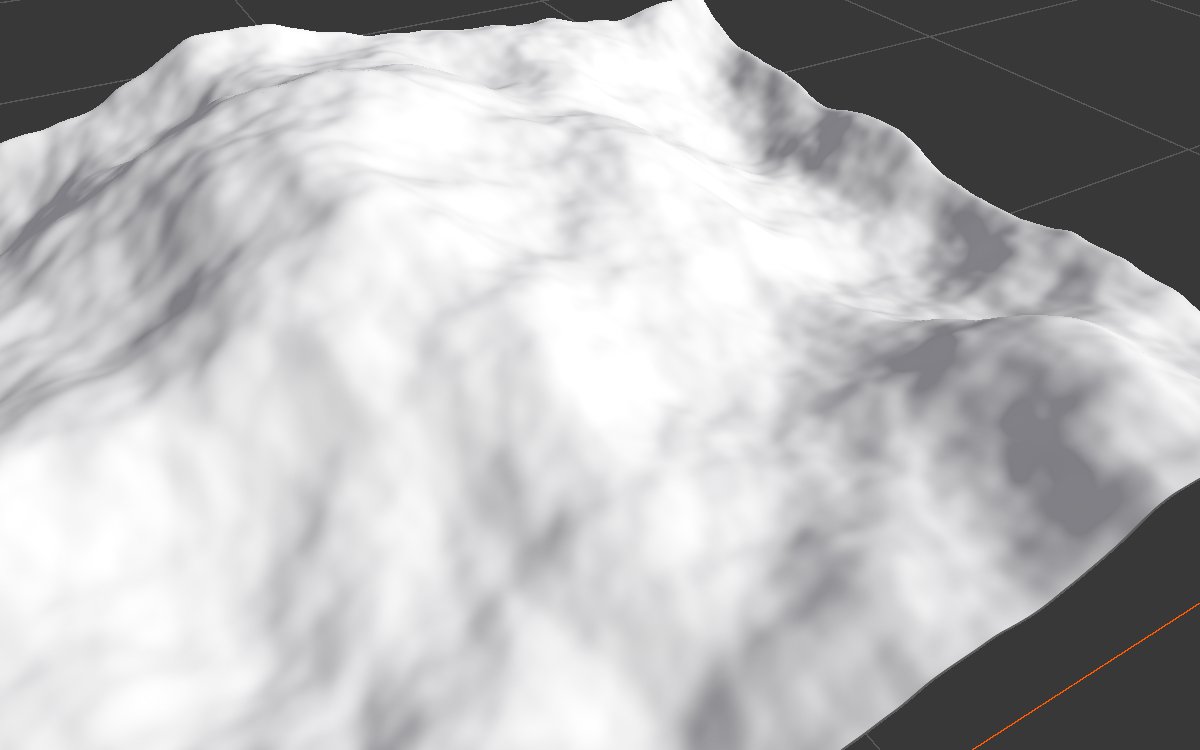
Both examples smooth the same Noise (Scale 600, Seed 128) on a 1024 × 1024 m biome with a terrain height of 400 m, at 1024 texels. The 3D views are close up.
| Input | 5 iterations | 50 iterations |
|---|---|---|
 |
 |
|
Five passes remove only the finest grain. Fifty passes round off the bumps of a few tens of meters while the large mountains stay unchanged.
Recipes
- Smooth valley floors only: height → Smooth (many passes) with a Slope Mask (0 to 10 degrees) as Mask.
- Road or path bed: height → Smooth with a path mask from Path or Polygon Mask.
- Wide, cheap smoothing: lower Resolution (for example Relative To Main Input at 0.25), smooth, then let the next node bring the resolution back up.
Tip
For a wide effect, lowering Resolution is much cheaper than hundreds of passes: each pass then covers more meters.
Performance
Cheap per pass; the cost grows with Iteration Count and resolution. Use Split Execution for hundreds of passes.
Related nodes
- Blur: a single wide blur.
- Sharpen: the opposite.
- Thermal Erosion 3: natural softening of slopes.
For AI agents
- Type name:
SmoothNode. Inputs: Input0, Mask1. Output100. - Properties:
iterationCount(≥ 0),iterationPerFrame(≥ 1). - Per pass: value = lerp(value, blur(value, 2 texels), mask); no Mask means mask = 1.