Sharpen Node
- Category: Adjustments
- Edition: All editions
- Output type: Height / Mask
- Typical place in a graph: after a step that softened detail, such as smoothing or a resolution change
Sharpen strengthens small ridges, edges and surface detail. It exaggerates the difference between each point and its neighbors, so fine bumps stand out more and soft edges get crisper. On terrain it brings back grain after smoothing or resampling; on a mask it crisps up soft borders.

When to use it
- Restore fine detail after Smooth, Blur, or a node that ran at lower resolution.
- Add a rough, grainy surface to a smooth shape.
- Crisp up a soft mask edge a little.
- Not for: large scale changes in relief (use Levels or Curve); adding new detail (use Noise).
Inputs
| Slot | Type | Required | What to connect |
|---|---|---|---|
| Input | Mask | Yes | The height or mask whose small details you want to strengthen. |
Outputs
| Slot | Type | What it holds |
|---|---|---|
| Output | Mask | The sharpened result. Ridges, edges and bumps stand out more; flat and evenly sloping areas do not change. |
Properties
| Property | Default | Range | What it does |
|---|---|---|---|
| Intensity | 1 | 0 and up | How strongly the differences to neighboring texels are exaggerated. 0 changes nothing. Around 1 adds a subtle crispness; higher values add visible grain, and very high values make noisy spikes. |
Common properties
| Property | What it does |
|---|---|
| Id | The node's unique name in this graph, shown for reference. You cannot edit it. Scripts and the AI workflow CLI use it to find the node. |
| Resolution | How detailed this node's result is, in texels across the biome. Relative To Main Input (default) matches the texture connected to Input, times the multiplier below it. Relative To Graph follows the biome's Canvas Resolution instead. Absolute sets an exact size. Sharpen works on neighboring texels, so its effect is finer at higher resolution. Absolute is limited to 32 to 512 in Vista Personal and 32 to 4096 in Vista Indie and Pro. |
| Split Execution | Lets this node run over several frames so the editor stays responsive during long generations. It only works when Allow Split Execution is on in the graph settings. This node finishes in one step, so splitting only adds a short pause around it; leave it off. |
| Bypass | Skips the node. The input passes through unchanged. |
Examples
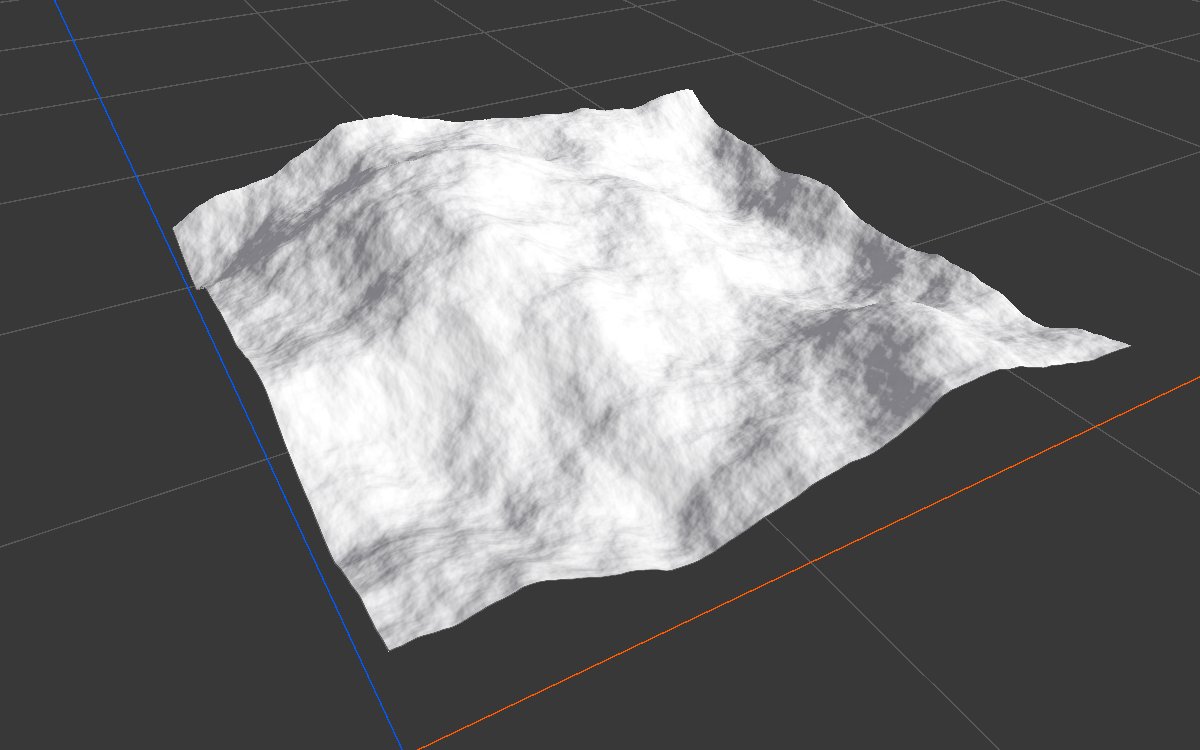
Both examples sharpen the same Noise (Scale 600, Seed 128) on a 1024 × 1024 m biome with a terrain height of 400 m. The 3D views are close up.
| Input | Intensity 1 | Intensity 5 |
|---|---|---|
 |
 |
|
At 1 the change is subtle; at 5 the fine bumps of the noise turn into a grainy surface. The large shape stays the same. The overall height barely changes (the average stays at 0.352).
Warning
Sharpening a mask can push values below 0 or above 1 near edges. Follow it with Clamp if a later node needs values strictly between 0 and 1.
Tip
Sharpening amplifies everything small, including noise and stepping artifacts. Use low values, and smooth the input first if it is noisy.
Performance
Very cheap: one quick GPU step.
Related nodes
- Smooth, Blur: the opposite.
- Contrast & Brightness: contrast over the whole range rather than locally.
For AI agents
- Type name:
SharpenNode. Input0, Output100. - Property:
intensity(≥ 0). - Output = center + (8 × center − sum of 8 neighbors) × intensity, per texel.