Multi Biome Workflow
A Vista scene can use more than one biome. One biome can make the main landscape, another can add a mountain, another can shape an oasis, and another can place flowers, rocks, or cave details in a small area.
The Multi Biome Workflow is the process of stacking those biomes together so they produce one final terrain.
The Main Idea
A practical way to begin is to focus on what each biome is supposed to do, instead of trying to memorize every blend mode first.
For each biome, think about three things:
- Where does this biome affect the terrain? This is controlled by the biome's anchors and falloff.
- When is this biome applied? This is controlled by biome order.
- What does this biome control? It can output any combination of geometry, textures, and population.
Vista gives each of those three output groups its own blend rule, because terrain shape, surface appearance, and placed objects do not always need the same behavior. See Geometry blending, Texture blending, and Population blending.
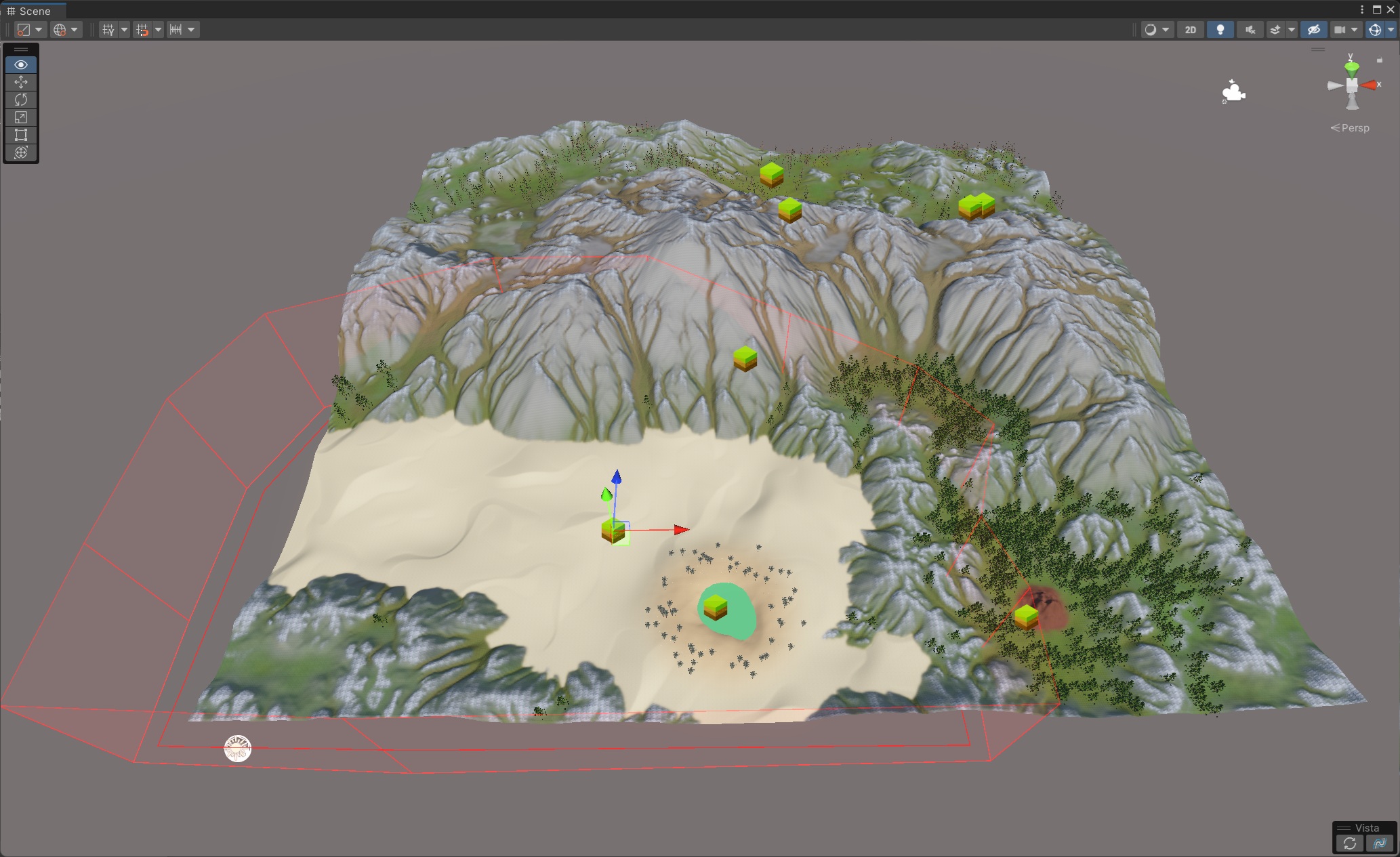
For example:
- A base biome can create the first complete version of the terrain.
- A dunes biome can add sand only where the dune shape rises above the existing ground.
- An oasis biome can take ownership of its local area with a normal soft transition.
- A cave biome can add an opening without removing trees and grass around it.
- A flower patch can add flowers without replacing the existing meadow.
A Simple Workflow
- Begin with a base biome for the main terrain.
- Add local biomes for special areas required by game story or gameplay intent.
- Decide what data channel each biome will output.
- Choose blend options that match that purpose.
- Preview the terrain and adjust the biome mask, order, and blend settings.
Sample Scene
The package includes a sample scene for studying these ideas:
Assets/PinwheelStudio/Vista/Personal/Samples/Scenes/Demo_MultiLayerBiomeBlending
It can be useful as a reference scene. Select each biome and inspect its blend settings to see how the same ideas are applied in a complete terrain.