Advanced Transition
Sometimes the biome mask is already soft enough, but the terrain graph still produces a result that feels wrong near the boundary. A common example is erosion or directional detail that runs across the biome edge as if the transition does not exist.
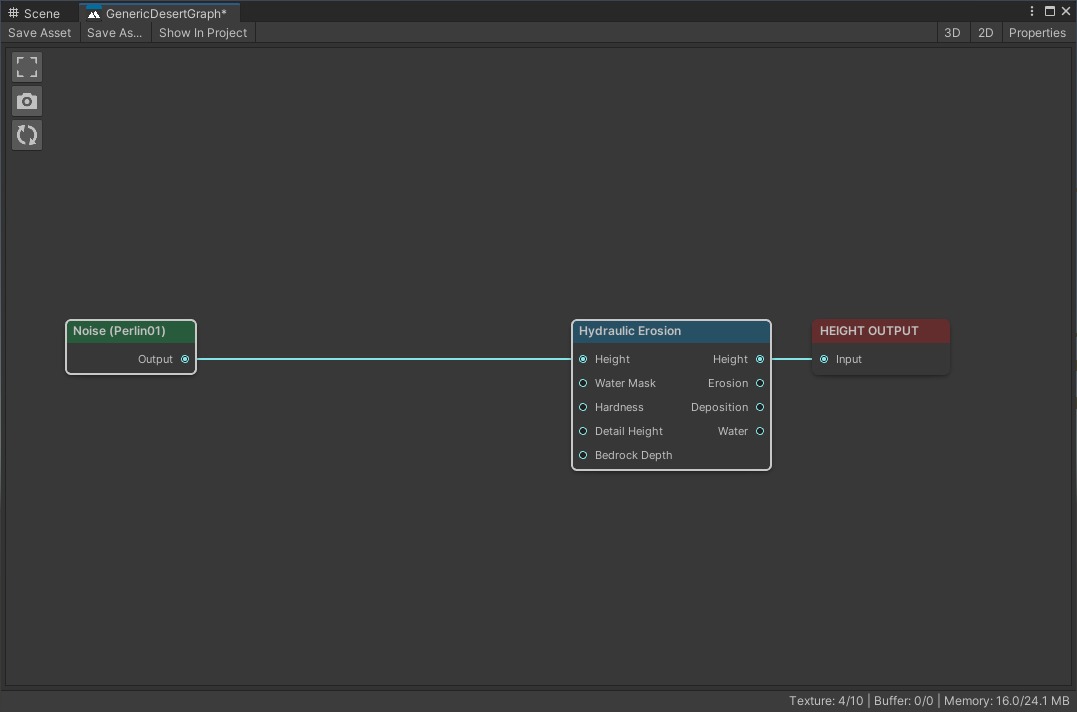
The terrain graph runs erosion across the full tile. It does not know where the biome transition is.
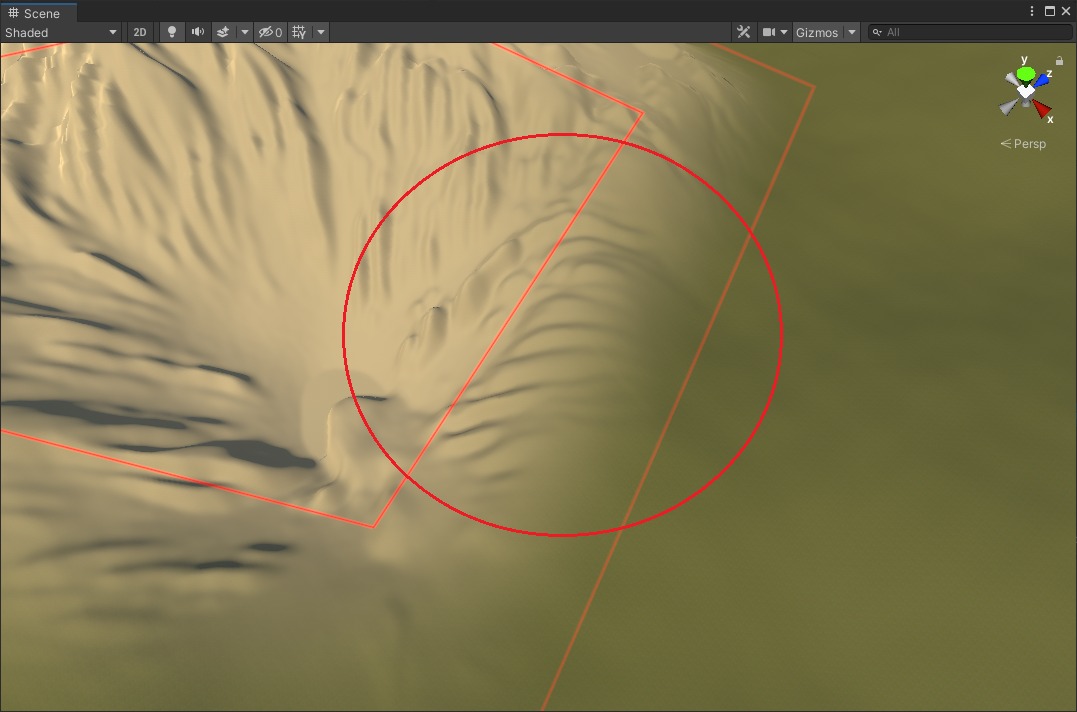
The erosion cuts across the biome edge and makes the transition look artificial.
Feed The Biome Mask Into The Terrain Graph
The fix is to give the terrain graph access to the biome mask so it can react to the transition area.
Select the biome and click Edit next to the Terrain Graph field. This opens the graph with contextual input from that specific biome.
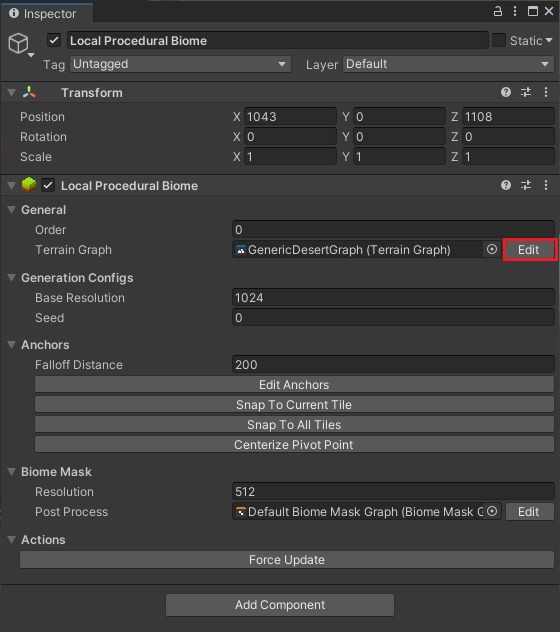
Use the Edit button to open the terrain graph in context. This makes the biome mask available as live graph input.
Add an Input node and set its name to Biome Mask Input.
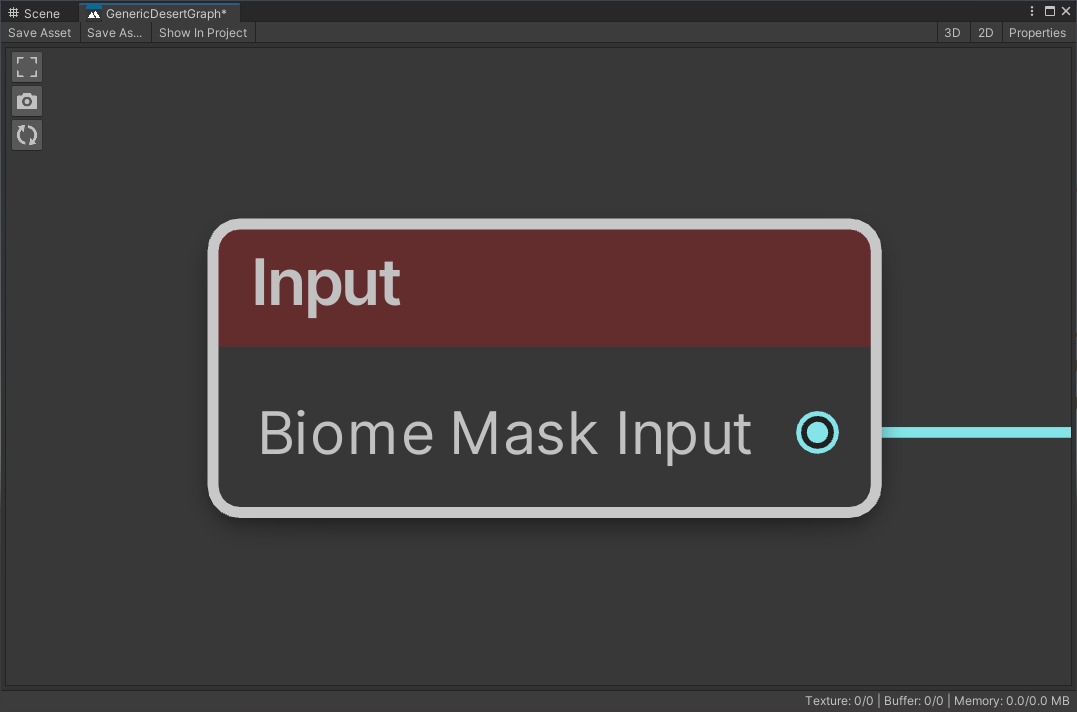
The Input node set to Biome Mask Input. This texture represents the biome's weight at each point on the tile.
Now use that mask to control where the graph effect weakens or changes. Even a simple blur driven by the mask can already make the transition feel more convincing.
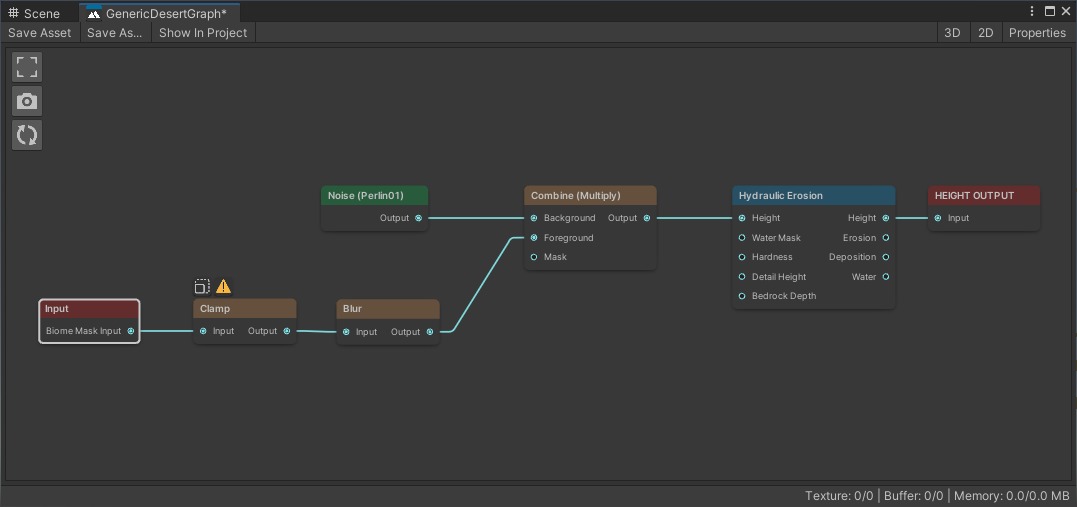
The graph uses the biome mask to fade erosion near the transition. Where the mask is low, the erosion weakens.
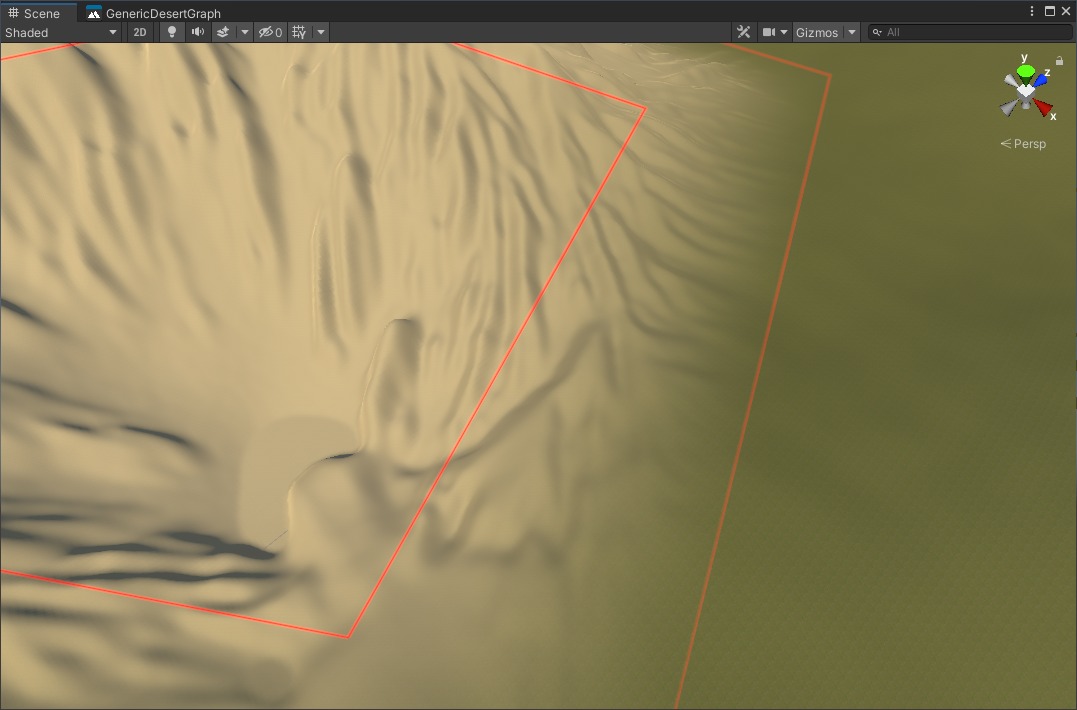
After saving and regenerating. The erosion now fades toward the biome edge instead of cutting straight across it.
When To Use This
Use this approach when:
- the biome mask is already soft enough
- the terrain graph detail still looks wrong or seamed near the boundary
- the effect needs to weaken or change behavior near the transition
If the problem is only the shape or hardness of the biome edge, improve the mask first. See Better transition.