Population Blending
The Population blend mode decides what happens to grass, details, trees, objects, and other placed things when this biome overlaps an earlier one.
Select a Local Procedural Biome, then open Blending in the Inspector to find the Population setting.
| Mode | What it does |
|---|---|
| Replace | Clears earlier population in this biome's area and uses its own. |
| Coexist | Adds this biome's population on top of whatever earlier biomes placed. |
| Height Win | Places population only where this biome's height wins the comparison. |
Replace
The default. Earlier population is cleared inside the anchor area and this biome takes over. The falloff anchors control how gradually the handoff happens at the edge.
Use this when the biome defines a distinct ecosystem that should not share space with what came before — a desert clearing out forest trees, a tundra removing meadow flowers, a swamp taking over an open field.
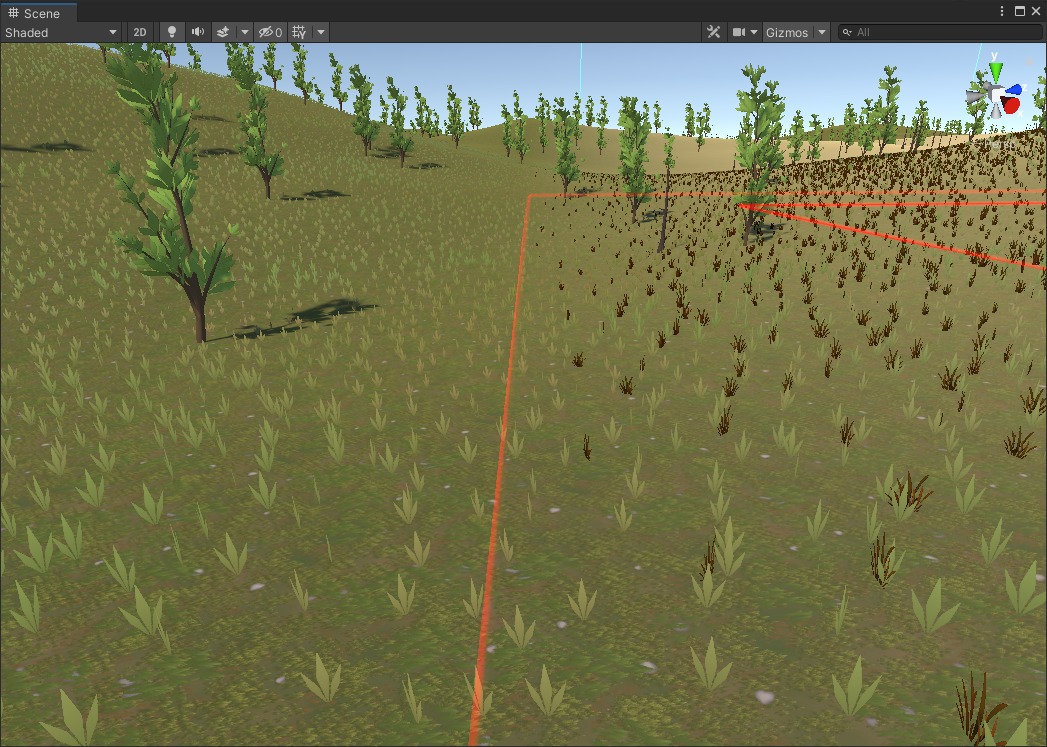
Replace mode. Earlier population is cleared inside the anchor area and this biome's population takes over.
This also means that if the biome outputs no population at all, Replace will still clear whatever earlier biomes placed in the area.
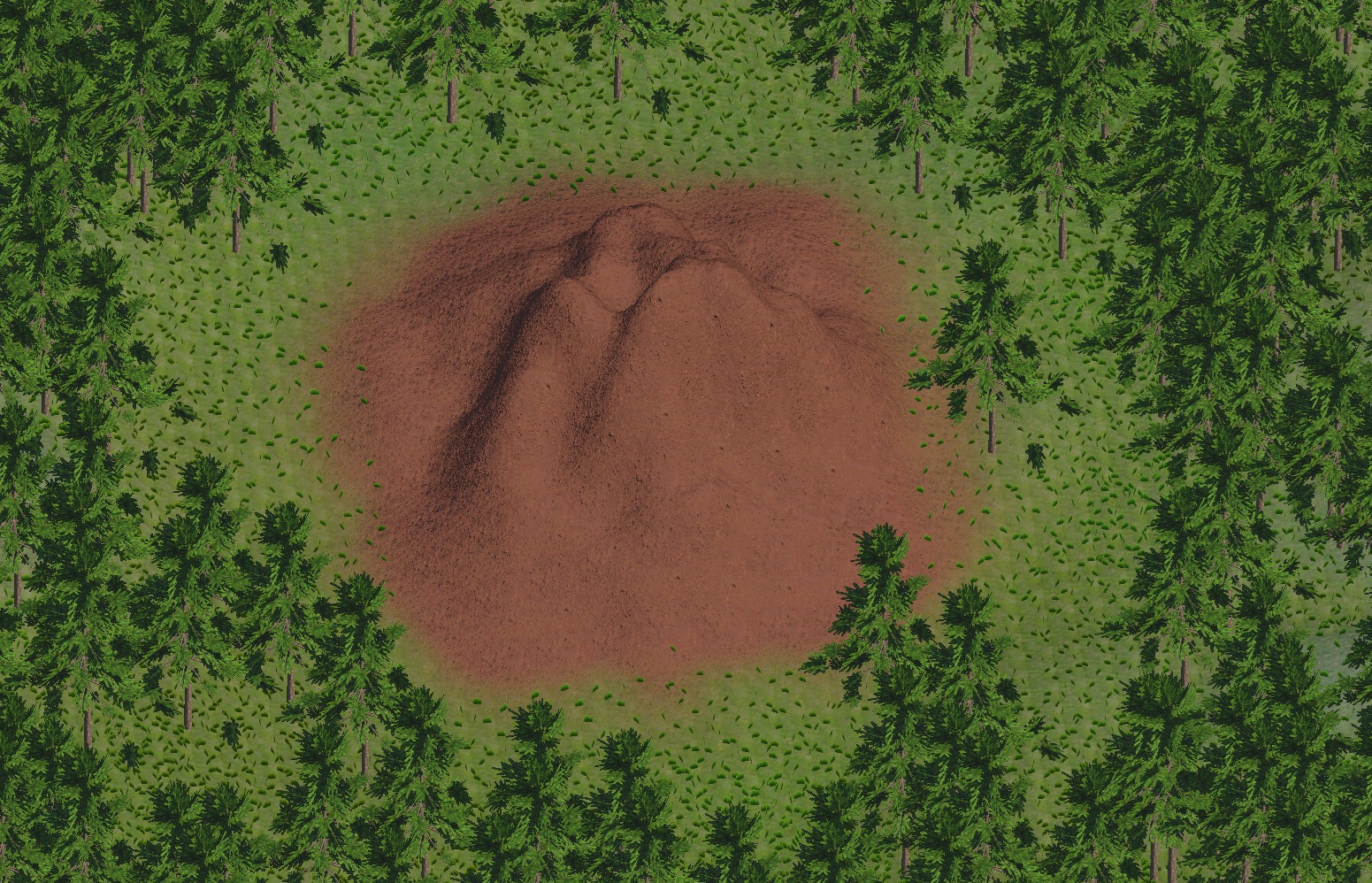
The mound of earth biome outputs no population. With Replace, it wipes out the grass and trees in its anchor area, leaving the mound bare.
Coexist
Nothing is removed. This biome's population is layered on top of what earlier biomes already placed.
This is useful when a biome is meant to add something rather than replace something:
- a flower patch adding extra species into an existing meadow
- a ruins biome scattering stones and props across a landscape that already has trees
- a mushroom cluster appearing inside a forest without touching any of the existing trees
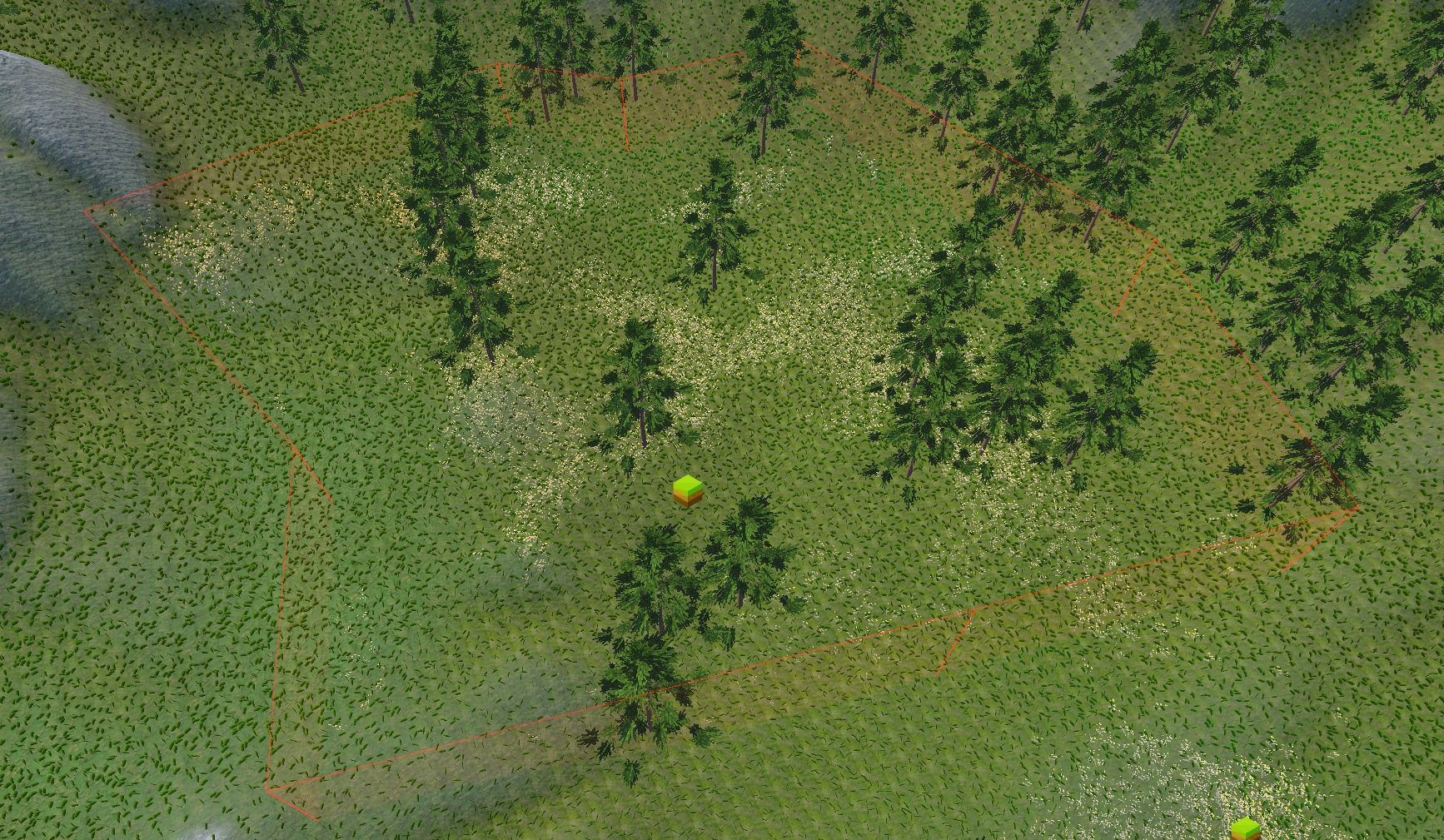
A flower patch biome using Coexist. The existing meadow grass and trees are untouched, and the flowers are added on top.
Height Win
Works the same way as Height Win for textures, but for placed objects instead of surface appearance.
Where this biome's height wins the comparison, it replaces the earlier population at that location with its own, the same way Replace does. Where the height does not win, the area is left completely untouched. This keeps placed objects tied to the terrain shape rather than spreading across the full anchor area.
Win = replace at that spot, no win = leave untouched entirely.
Useful when the placement should follow a specific terrain feature:
- trees or rocks only on raised peaks
- crater plants or debris only inside the lowered floor of a basin
- dune vegetation appearing only where dune height fills a hollow
Important
Height Win requires Height Blend to be set to Keep Higher or Keep Lower. If Height Blend is set to Replace, Raise, or Lower, Population will automatically fall back to Replace.