Texture Blending
Texture blending controls how the incoming biome's surface appearance is combined with what earlier biomes have already produced.
Select a Local Procedural Biome, then open Blending in the Inspector to find the Textures setting.
What Textures Covers
In Vista, the Textures blend option applies to:
- terrain layer weights (splat maps) — used by both Unity Terrain and Polaris Terrain
- albedo — Polaris Terrain only
- metallic and smoothness — Polaris Terrain only
- generic textures
All of these channels share the same blend mode. You cannot set a different mode per channel.
Blend Modes

Textures blend modes in the Local Procedural Biome Inspector.
| Mode | What it does |
|---|---|
| Replace | Transitions from the current textures to this biome's textures within the anchor area. |
| Height Win | Applies this biome's textures only where its height wins the comparison against the current terrain. |
Replace
Replace is the standard choice for most biomes.
The biome's anchors define the area where this biome takes over the surface textures. The falloff anchors control how gradually the texture transitions at the edge of that area. Inside the anchors the terrain fully takes this biome's textures. Outside the falloff the terrain keeps what earlier biomes produced. Between the two the textures blend proportionally.
Good for:
- a forest biome replacing the base grassland texture with dirt, roots, and bark
- a snow biome gradually replacing rock and grass textures as the terrain climbs
- an oasis biome bringing sand, soil, and wet ground textures into a dry region
- almost any biome that is meant to own its surface appearance in its area
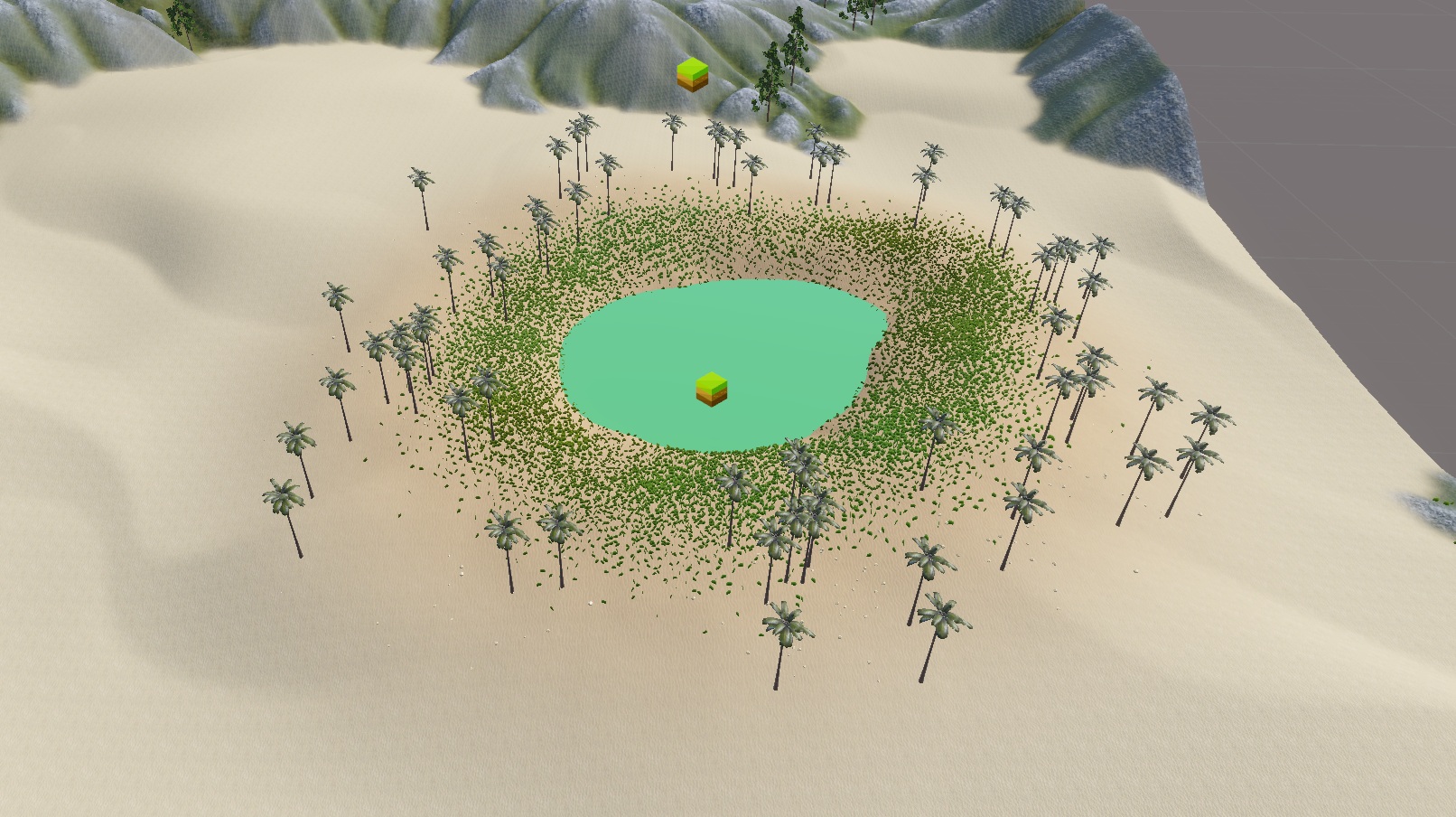
An oasis biome using Replace. The falloff anchors produce a soft texture transition into the surrounding dunes.
Height Win
With Replace, textures spread across the full anchor area regardless of where the height feature actually sits, causing surface textures to bleed onto areas that should not be affected.
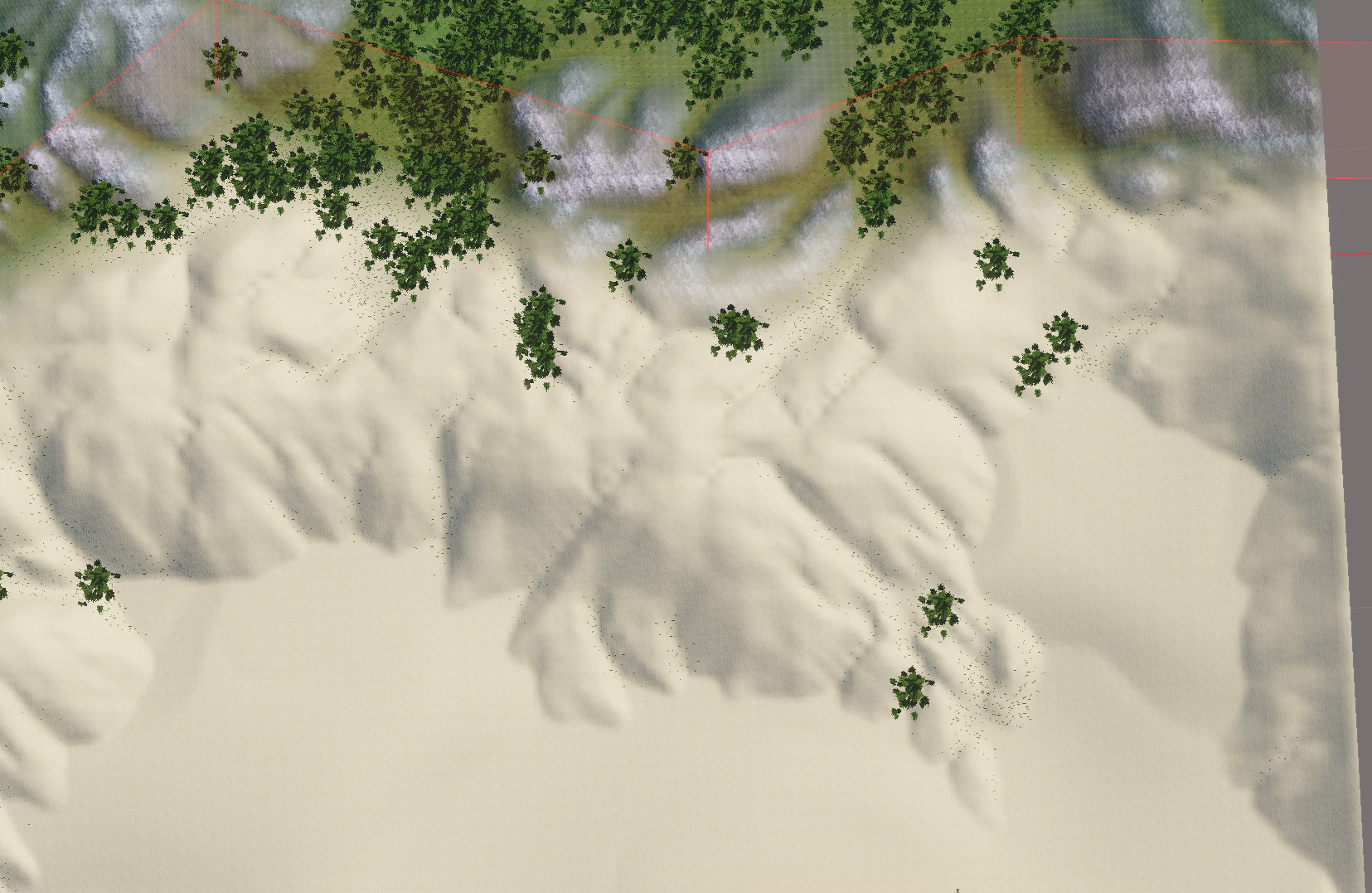
Using Replace mode, sand textures spread across the entire anchor area, bleeding onto mountain slopes where no dunes exist.
Height Win solves this. Textures follow the shape of the terrain feature, not the full extent of the anchor area. Where the height does not win, the surface keeps what earlier biomes produced.
Good for:
- snow textures that appear only on the peaks of a mountain, not its slopes
- rock or cliff textures that appear only where a raised formation rises above the base terrain
- dry cracked soil or sand that appears only inside the lowered floor of a crater or basin
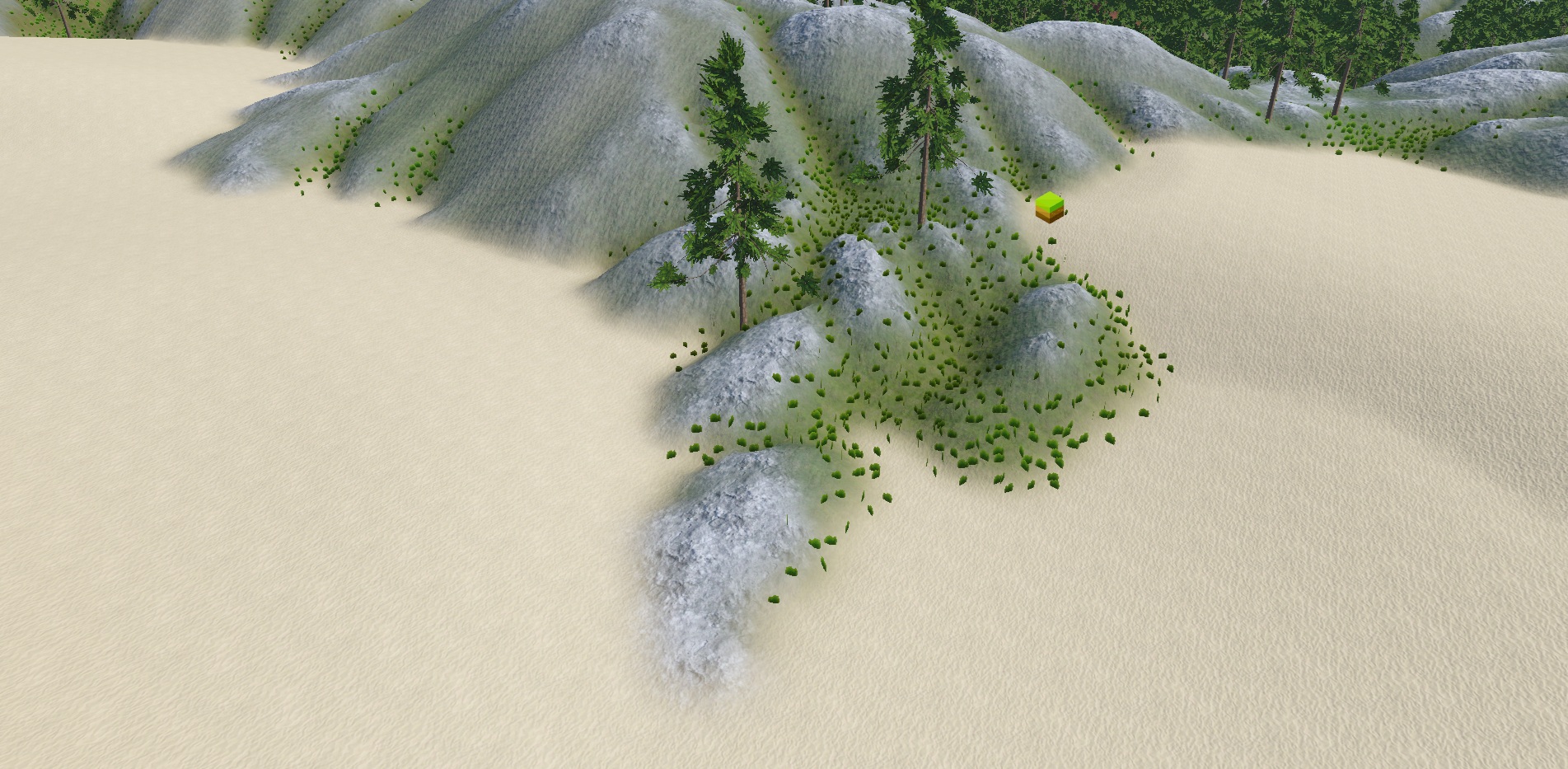
A dunes biome using Height Win. Sand textures appear only where the dune height wins, leaving the mountain rock untouched.
Important
Height Win requires the Height Map blend mode to be set to Keep Higher or Keep Lower. Vista needs the height comparison result to know which areas won. If Height Map is set to Replace, Raise, or Lower, the Textures setting will automatically fall back to Replace.