Children Biomes
A biome defines what Vista generates within a region of the terrain. Depending on its graph, it can contribute terrain shape, textures, trees, details, objects, and other output.
The Vista Manager collects its active biomes, processes them in order, blends their output, and applies the result to its terrain tiles.
Create a biome
For a template-based starting point, open Window > Vista > Wizard, go to Create in Scene > Create Biome, select a template, and select Create.
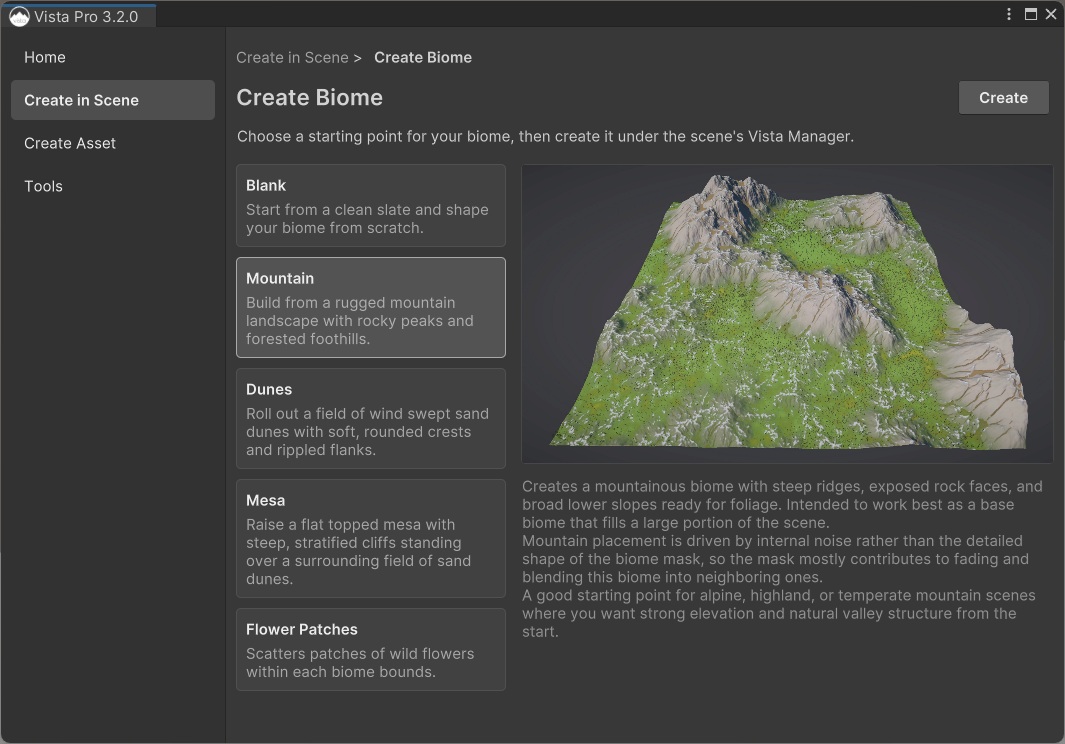
Vista creates the biome below the selected Manager and generates the terrain. See Create your first biome for the complete walkthrough.
You can also select or right-click the Vista Manager in the Hierarchy and use the 3D Object > Vista menu to create a biome manually.
Manager association
The normal setup places a biome below its Vista Manager in the Hierarchy. Vista uses the nearest parent Manager, so nested organizational GameObjects are allowed.
Only active and enabled biomes participate in generation.
Biome order
Each biome has an Order value that controls when it is processed. Lower values are processed first, and higher values are processed later.
When overlapping biomes use the same Order value, their Hierarchy order is used. Move a biome lower in the Hierarchy when it should be processed later than another biome with the same value.
Tip
For a simple and easy-to-read setup, leave the biomes at the same Order value and arrange them in the Hierarchy. Use different Order values only when the processing sequence needs to remain independent of scene organization.
Biome order matters when regions overlap because later biomes blend with or modify the result produced before them. See Multi Biome Workflow for blending behavior and layering strategies.
Free biomes
A biome doesn't have to remain below the Vista Manager. Add a Biome VM Connector component when the biome needs to live elsewhere in the Hierarchy or in another loaded scene.
Set the connector's Manager ID to the ID of the Vista Manager that should process it.

This is useful for scene organization and world-streaming setups. If the biome already has a Vista Manager in its parent hierarchy, that parent Manager takes precedence over the connector.