Vista Manager
The Vista Manager coordinates terrain generation in a scene. It groups terrain tiles and biomes, provides the shared settings used during generation, and runs the generation pipeline.
A scene that uses Vista needs at least one Vista Manager. Most scenes use a single Manager, although separate Managers can control independent terrain groups when needed.
Create a Vista Manager
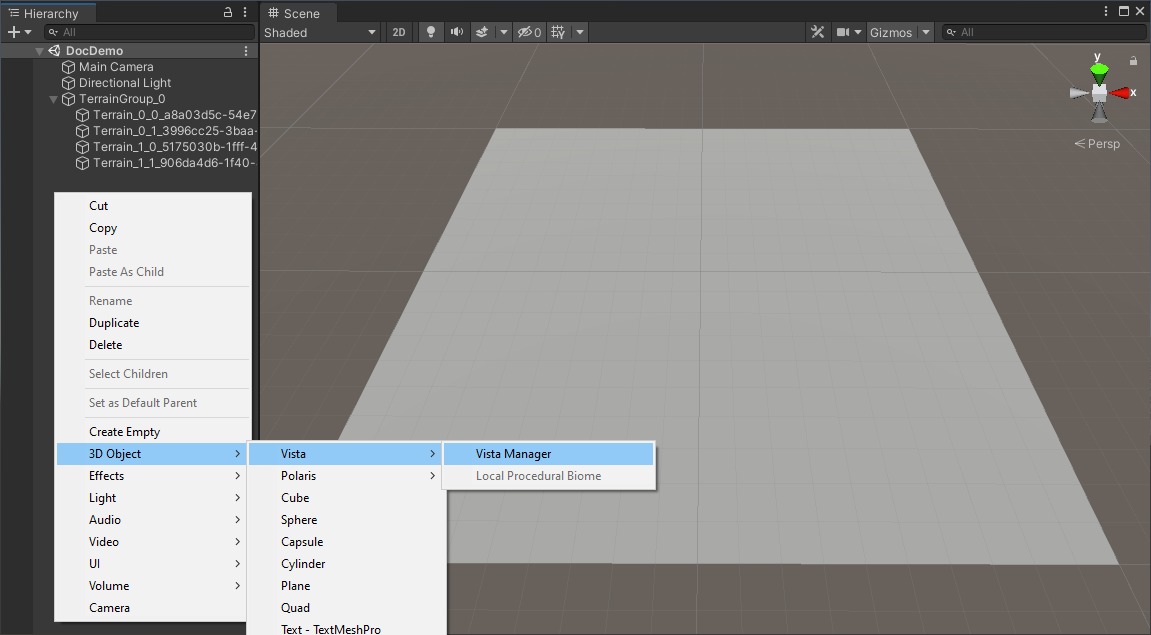
In the Hierarchy, right-click and select 3D Object > Vista > Vista Manager.
Tip
You can also open Window > Vista > Wizard, go to Create in Scene > Vista Manager, and select Create. See Create the Vista Manager.
Manager ID
Each Vista Manager has an ID. Terrain tiles and free biomes use this ID to identify the Manager they belong to, so they don't need to be placed below it in the Hierarchy.
You normally don't need to edit the ID manually.
Terrain tiles
The Manager's Children Tiles list contains the terrains that receive generated data. To add existing terrains, drag their GameObjects into Add Tile, or use the bulk add buttons for supported terrain backends.
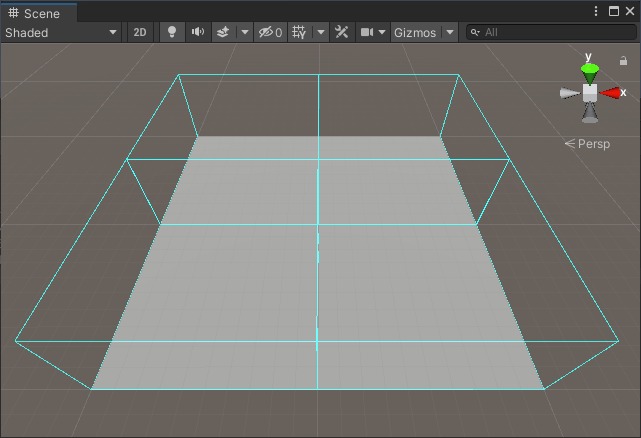
Selecting a tile name in the list highlights that object in the Hierarchy. The Scene view also displays the bounds of the Manager's tiles.
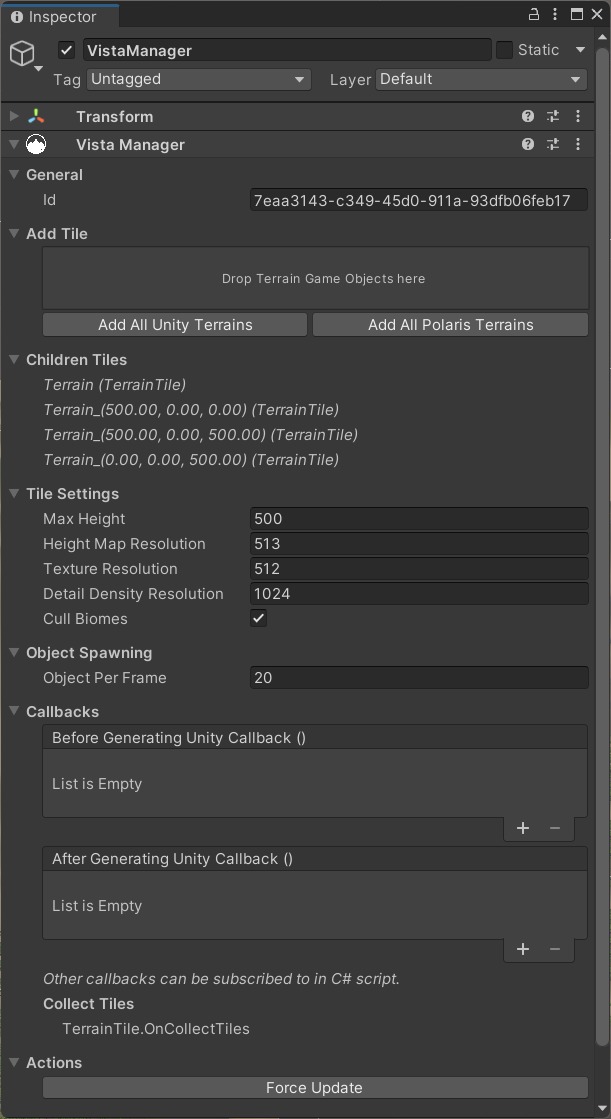
See Children tiles and Terrain Management.
Tile settings
The Manager applies these shared settings during the next generation:
- Max Height — the maximum terrain elevation.
- Height Map Resolution — the resolution of generated elevation data.
- Texture Resolution — the resolution of generated surface data.
- Detail Density Resolution — the resolution of generated detail-density data when supported by the terrain backend.
- Cull Biomes — limits each tile to overlapping biomes. Keep it enabled for normal use unless an integration instructs you otherwise.
Changing a tile setting does not update the terrain immediately. Generate the biomes again or use Force Update to apply it.
Object spawning
Object Per Frame controls how many generated GameObjects Vista instantiates per frame. Lower values spread the work across more frames and can reduce visible stalls when generating many objects.
Callbacks
The Callbacks section exposes events before and after generation. Use them to connect scene-specific behavior to the Vista generation pipeline. Additional callbacks are available through scripting.
Actions
Select Force Update to run a complete regeneration of the biomes controlled by this Manager.