Flatten Node
- Category: General
- Edition: All editions
- Output type: Height
- Typical place in a graph: after the main terrain shape and before erosion or Height Output
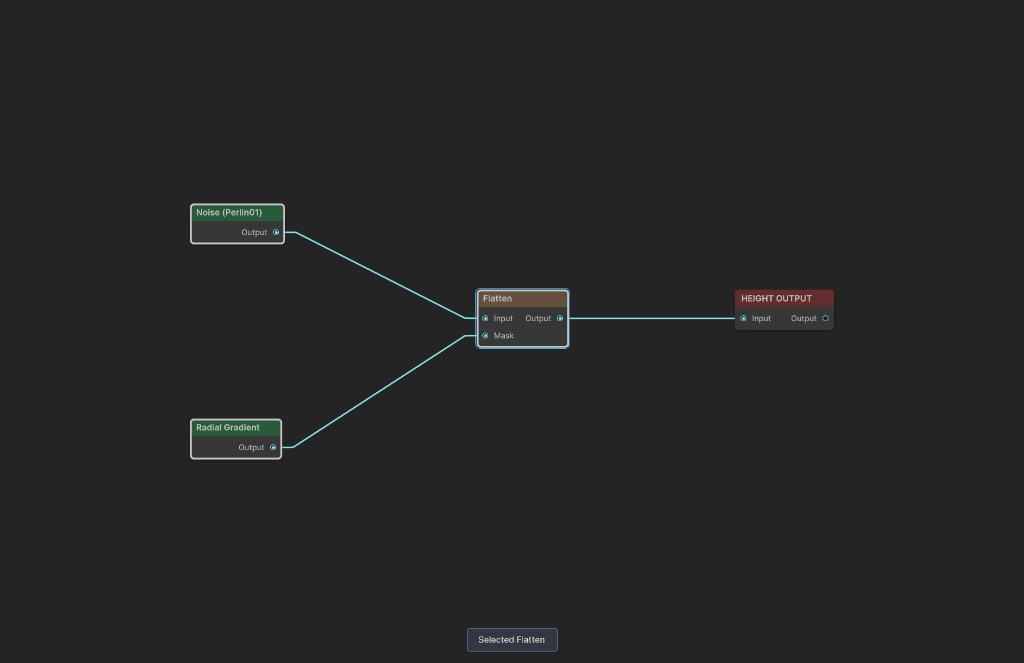
Flatten blends terrain height toward one target level through a mask. Black mask values preserve the original terrain, white values reach the target, and gray values make a gradual transition.
When to use it
- Level an area for a building site, village, road junction, or other point of interest.
- Create a plateau or terrace at a known height.
- Pull both peaks and hollows toward a shared level.
- Make a soft transition from untouched terrain into a flat interior.
- Not for flattening at a height sampled separately at every position. Use Flatten At when the target must come from another height map.
Inputs
| Slot | Type | Required | What to connect |
|---|---|---|---|
| Input | Height | No | The height map to level. An empty input uses zero height. |
| Mask | Mask | No | Where flattening is applied. Black preserves Input, white reaches Target Height, and gray blends between them. An empty input uses black and leaves Input unchanged. |
Outputs
| Slot | Type | What it holds |
|---|---|---|
| Output | Height | Input blended toward Target Height by Mask. |
Properties
| Property | Default | What it does |
|---|---|---|
| Target Height | 0.5 | Sets the level that white areas of Mask reach. With World Height off, this is normalized to the terrain height range. With World Height on, it is measured in meters. |
| World Height | Off | Interprets Target Height as meters above the terrain base. When off, 0 is the terrain base and 1 is the full configured terrain height. |
Target Height is not clamped by the node. Values below 0 or above the configured terrain height can produce output outside the usual terrain range.
Common properties
| Property | What it does |
|---|---|
| Id | The node's unique name in this graph, shown for reference. You cannot edit it. Scripts and the AI workflow CLI use it to find the node. |
| Resolution | Sets the output size. Relative To Main Input (default) follows Input when connected; otherwise it uses the graph's Canvas Resolution. Relative To Graph follows Canvas Resolution. Absolute sets an exact size. Absolute is limited to 32 to 512 in Vista Personal and 32 to 4096 in Vista Indie and Pro. |
| Split Execution | Lets this node run in a separate step when Allow Split Execution is on in the graph settings. Flatten performs one image pass, so splitting only places a frame boundary around that pass. |
| Bypass | Skips flattening and forwards Input unchanged. Mask and both properties are ignored while bypass is on. |
How flattening works
At every texel, Flatten clamps the mask to the 0 to 1 range and calculates:
output = blend(input height, target height, mask)
- Mask 0 returns the original height.
- Mask 1 returns Target Height.
- Mask 0.5 moves the original height halfway toward Target Height.
The operation works in both directions. Heights above the target are lowered, while heights below it are raised.
When World Height is on, the node converts meters to a normalized value:
normalized target = Target Height / configured terrain height
For example, 140 meters on terrain configured to be 400 meters high is equivalent to a normalized Target Height of 0.35.
Examples
The sample uses 300 meter Perlin Noise as Input and a soft Radial Gradient as Mask.
Original terrain
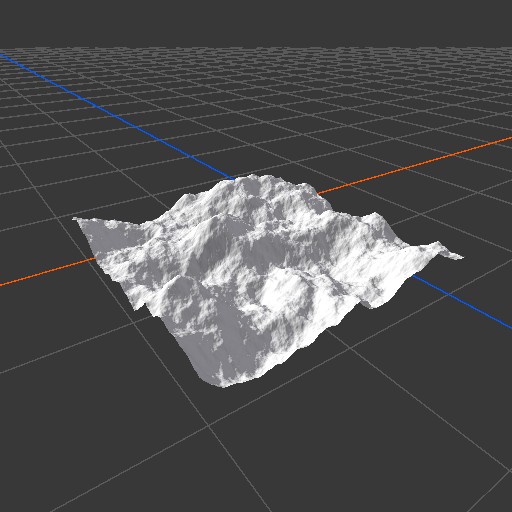
The source contains peaks and hollows at many different elevations.
Soft mask
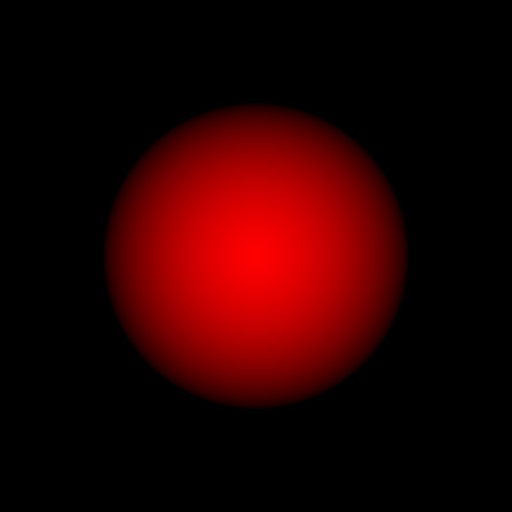
The bright center receives nearly full flattening. The gray edge blends gradually back into the original terrain, while black areas remain untouched.
Target Height 0.35
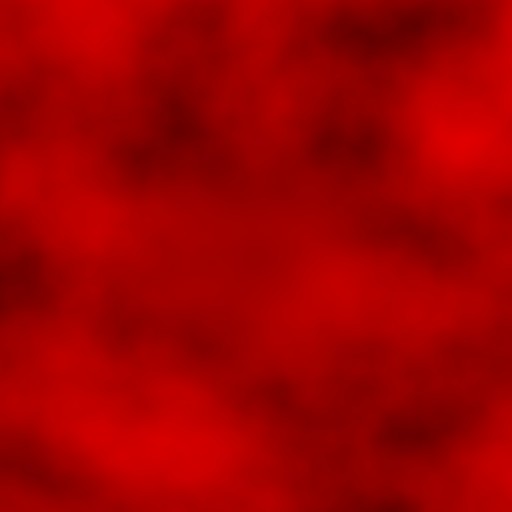
The 2D result shows the circular region converging toward a common middle value without introducing a hard boundary.
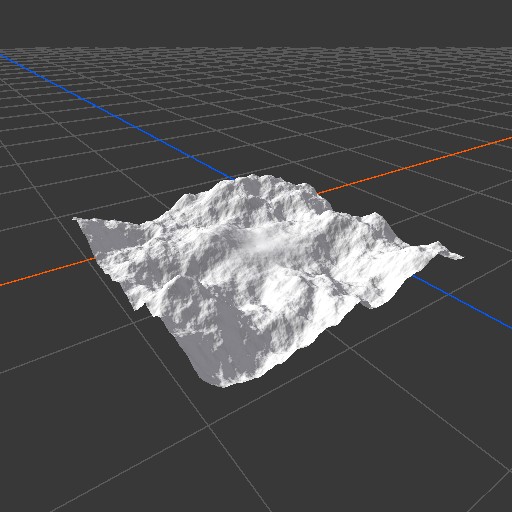
Peaks inside the mask are lowered and hollows are raised. The soft mask leaves a broad transition around the leveled center.
Target Height 0.55
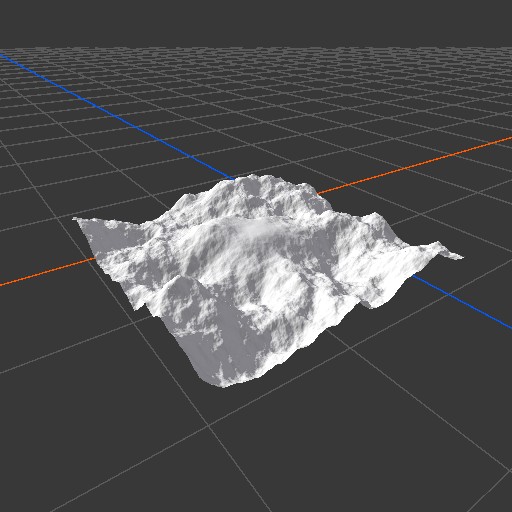
Raising Target Height moves the same masked area upward. The mask shape and transition width do not change.
Recipes
- Building site: use a circular or painted mask with a white center and soft edge, set the required elevation, then apply light erosion after Flatten to naturalize the boundary.
- Plateau: use a shaped mask, set a high Target Height, and keep part of the mask fully white to create a level top.
- Known elevation in meters: turn on World Height and enter the desired elevation above the terrain base.
- Temporary comparison: toggle Bypass to compare the original terrain with the leveled result.
Tip
Use a mask with a fully white interior when the center must be exactly level. If the mask never reaches 1, the output only approaches Target Height.
Note
World Height is relative to the terrain base and configured height range. It is not an absolute Unity world Y coordinate.
Warning
A mask that changes abruptly from black to white creates a sharp vertical transition where the original terrain differs from Target Height. Blur, Smooth, or shape the mask before Flatten when the edge should look natural.
Performance
Flatten performs one image blend at its output resolution. Its cost grows with resolution but does not depend on the target level or mask strength. Use enough resolution to preserve the mask boundary, especially for small building pads or narrow paths.
Related nodes
- Flatten At: flattens toward a target height map rather than one constant level.
- Combine: blends two height maps with more general operations.
- Blur: softens a hard flattening mask.
- Smooth: removes small irregularities from a mask or height map.
- Height Output: sends the finished height map to terrain.
For AI agents
- Type name and graph command type:
Flatten; runtime class:FlattenNode. - Input slot
0= Input, Mask used as height. - Input slot
1= Mask, Mask. - Output slot
100= Output, Mask used as height. - Property
targetHeightis a float with default 0.5 and no setter clamp. - Property
useWorldHeightis a bool with default false. - The shader computes
lerp(input.r, targetHeight, saturate(mask.r)). - With World Height on, the executed target is
targetHeight / terrainHeight. - Empty Input and Mask use black.
- Output resolution follows Input in Relative To Main Input mode.
- Bypass forwards Input unchanged.
- Sample graph:
Assets/_DocSamples/NodeGraphs/FlattenNode_Doc.asset.