Paint Mask Node
- Category: General
- Edition: Vista Indie and Pro
- Output type: Height / Mask
- Typical place in a graph: wherever you need exact hand placed coverage before an adjustment, texture, or population branch
Paint Mask creates a grayscale mask that you paint directly in the 2D viewport. Use it to place an effect exactly where you want it when a procedural height, slope, or noise mask would be slower to tune.

When to use it
- Mark the exact footprint of a clearing, plateau, path, lake, or texture region.
- Add or remove small areas from a procedural mask by combining both masks.
- Direct erosion, texturing, or spawning in art directed regions.
- Sketch a terrain footprint before replacing it with a procedural setup.
- Not for painting RGB color. Use Paint Color.
- Not for editing a finished terrain directly. Paint Mask is graph data, so connect it to the nodes that should use the coverage.
Inputs
Paint Mask has no inputs. Its canvas starts black and stores your strokes inside the graph asset.
Outputs
| Slot | Type | What it holds |
|---|---|---|
| Output | Mask | The painted grayscale canvas from 0 to 1. Black is 0, white is 1, and gray values give partial coverage. |
Painting controls
Select Paint Mask so its result appears in the 2D viewport, then paint inside that viewport.
| Action | Control | Result |
|---|---|---|
| Raise toward white | Hold the left mouse button and drag | Adds mask strength. Repeated passes build toward 1. |
| Lower toward black | Hold Ctrl while painting | Subtracts mask strength. Repeated passes reduce the area toward 0. |
| Smooth | Hold Shift while painting | Blurs nearby values under the brush and blends them back into the mask. |
The outer pointer circle shows the full Radius. The inner circle shows the solid center. The area between the circles is the soft edge set by Falloff.
Properties
| Property | Default | Range | What it does |
|---|---|---|---|
| Resolution | 128 | 32 to 1024 texels, in multiples of 8 | Sets the width and height of the square canvas. Higher values preserve narrow strokes and small gaps but enlarge the graph asset. |
| Radius | 0.5 | 0 to 1 of canvas width | Sets the brush radius. A value of 0.1 reaches one tenth of the canvas width from the pointer, giving a diameter of one fifth of the canvas. |
| Falloff | 0.5 | 0 to 1 | Sets how much of the radius is a soft edge. At 0, almost the whole brush is solid. At 1, the stroke fades from its center to its edge. |
| Opacity | 0.5 | 0 to 1 | Sets how quickly normal painting raises values and Ctrl painting lowers them. Low values need more passes and give finer control. It also controls how strongly smoothing blends. |
Common properties
| Property | What it does |
|---|---|
| Id | The node's unique name in this graph, shown for reference. You cannot edit it. Scripts and the AI workflow CLI use it to find the node. |
| Split Execution | Lets this node run over several frames so the editor stays responsive during long generations. It only works when Allow Split Execution is on in the graph settings. This node finishes in one step, so splitting only adds a short pause around it; leave it off. |
| Bypass | Skips the node. Paint Mask has no input to forward, so its output is empty and nodes after it read black. |
Examples
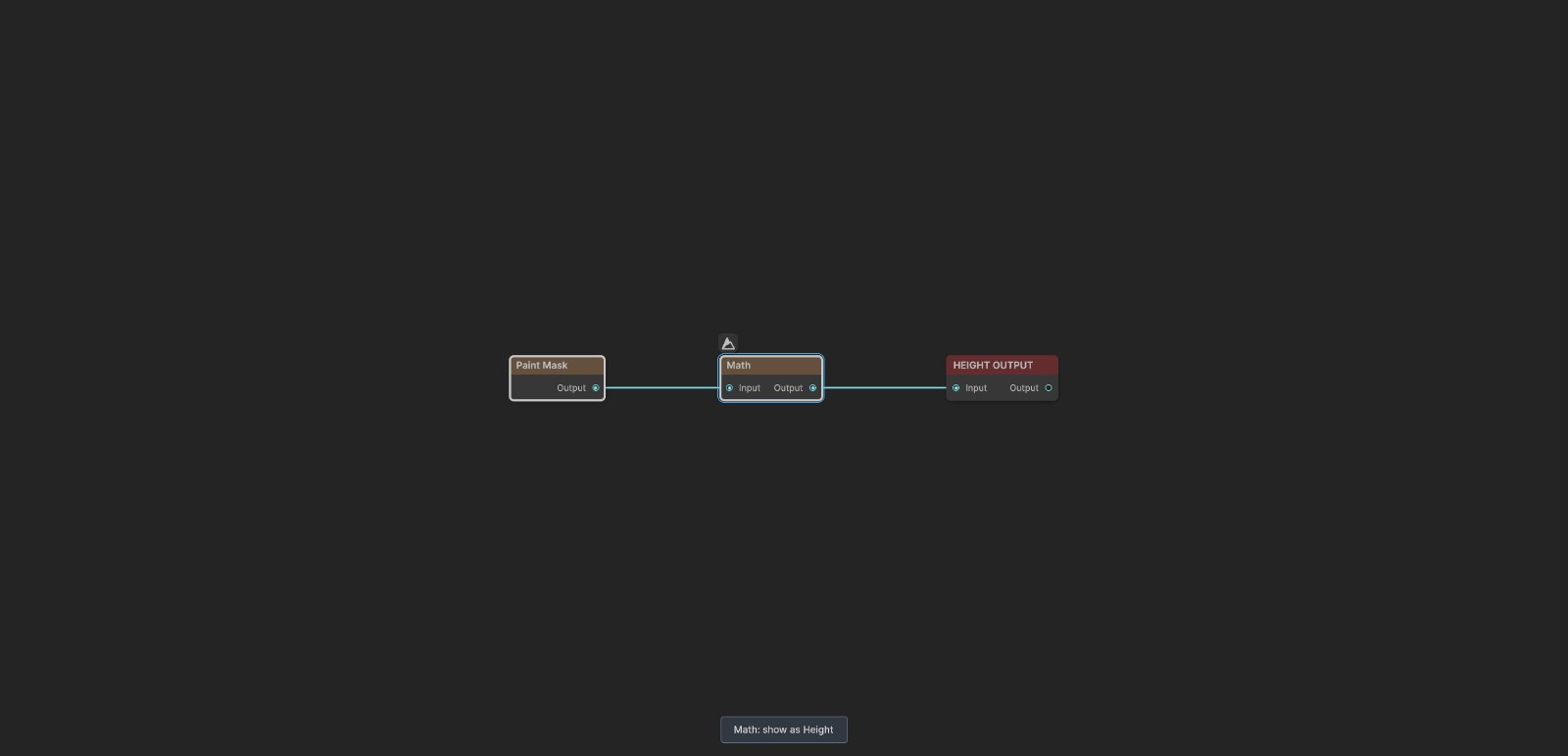
The sample graph sends Paint Mask through Math Multiply 0.25 before Height Output. The Math step keeps the 3D preview at one quarter of the terrain height; it does not change the mask image shown in the 2D viewport.
Untouched canvas
| Property | Value |
|---|---|
| Resolution | 256 |
A new canvas is entirely 0. Nothing downstream is selected until you paint white or gray values.
Built up strokes and subtraction
| Property | Value |
|---|---|
| Resolution | 256 |
| Radius | 0.07 for the narrow branches; larger for the circular area |
| Falloff | 0.45 to 0.8 |
| Opacity | 0.65 in the editor, with repeated passes used to build the solid center |

The connected strokes reach 1 where passes overlap. Their edges retain gray values, which give a gradual transition. The circular area shows a broad soft stroke, a stronger center, and a black center removed with Ctrl painting.

Used as height, white becomes the highest ground, gray becomes a slope, and black stays at the terrain floor. In most graphs you use the same values as coverage instead: white applies the full effect, gray applies part of it, and black protects the terrain.
Practical workflow
- Choose Resolution before painting.
- Start with a moderate Radius and low or medium Opacity.
- Build important areas with several passes instead of one very strong pass.
- Use Ctrl to trim overspray or cut holes.
- Use Shift to soften uneven transitions.
- Preview the mask on the real height through the 3D mask overlay when placement matters.
- Save the graph so its embedded canvas is written to the asset.
Recipes
- Art directed adjustment: a terrain shape and Paint Mask into an adjustment node that accepts a Mask input. White areas receive the adjustment and black areas remain unchanged.
- Painted terrain layer: Paint Mask to Weight Blend, then the matching output to Texture Output.
- Keep only painted areas: a procedural mask and Paint Mask into Combine Multiply.
- Add painted corrections: a procedural mask and Paint Mask into Combine Max.
- Exclude a painted area: run Paint Mask through Math One Minus, then multiply it with the mask you want to restrict.
- Painted spawning region: Paint Mask to a position node's mask or density input so trees, grass, or objects appear only in the authored region.
Tip
Paint broad shapes at a low resolution first. Raise the resolution only when the mask truly needs narrow paths, small gaps, or sharp corners.
Tip
Use Combine rather than repainting when a procedural mask already does most of the work. Multiply keeps only the overlap, Max adds your correction, and One Minus plus Multiply cuts your painted area out.
Note
Paint Mask stores every canvas value in the graph asset. A 1024 by 1024 canvas contains 16 times as many values as a 256 by 256 canvas.
Note
Painting is cumulative. Opacity controls the amount added or removed during each update, so holding the brush in one place or making repeated passes continues moving the value toward white or black.
Warning
Set Resolution before detailed painting. Existing values are not resampled when the resolution changes. When the stored value count no longer matches the new canvas, the recreated canvas starts black.
Performance
Graph execution is cheap because Paint Mask copies one stored canvas to its output. Asset size, loading time, and painting work grow with the square of Resolution. Use the smallest canvas that preserves the features you need.
Split Execution does not divide the copy into smaller work. Leave it off.
Related nodes
- Paint Color: paints RGB color instead of one mask value.
- Combine: merges a painted mask with procedural coverage.
- Math: inverts or scales a painted mask.
- Draw Mask Overlay: draws an existing mask in the viewport but does not create painted data.
- Weight Blend: turns masks into ordered terrain layer weights.
For AI agents
- Type name:
PaintMaskforvista_graphitor_node_add; runtime class:PaintMaskNode. - Slot ids: Output =
100,Mask. There are no input slots. - Property names for
vista_graphitor_node_set:resolution(integer),brushRadius(0 to 1),brushFalloff(0 to 1), andbrushOpacity(0 to 1). - Defaults:
resolution128,brushRadius0.5,brushFalloff0.5, andbrushOpacity0.5. - Resolution is rounded to a multiple of 8 and clamped to 32 through 1024.
- Normal viewport painting adds the shaped brush value times 1/30, Ctrl subtracts the same amount, and both clamp the canvas to 0 through 1.
- Shift smooths with a two texel radius weighted blur and blends it by the shaped brush value, including
brushOpacity. - A new canvas is black. Changing resolution does not resample stored values; a value count mismatch recreates a black canvas.
- Bypass has no compatible input to forward, so downstream mask reads are empty or black.
- Sample graph:
Assets/_DocSamples/NodeGraphs/PaintMaskNode_Doc.asset.