Create the Vista Manager
The Vista Manager connects the main parts of a Vista scene. It hosts the scene's biomes, manages its terrain tiles, and coordinates terrain generation. A scene normally uses one Vista Manager.
Terrain and biome creation in the Wizard becomes available after a Manager exists.
Create the Manager
- Open Window > Vista > Wizard, or right click in the Hierarchy and select 3D Object > Vista > Wizard.
- Select Create in Scene in the left navigation.
- Find the Vista Manager field at the top of the page.
- If the field is empty, select Create.
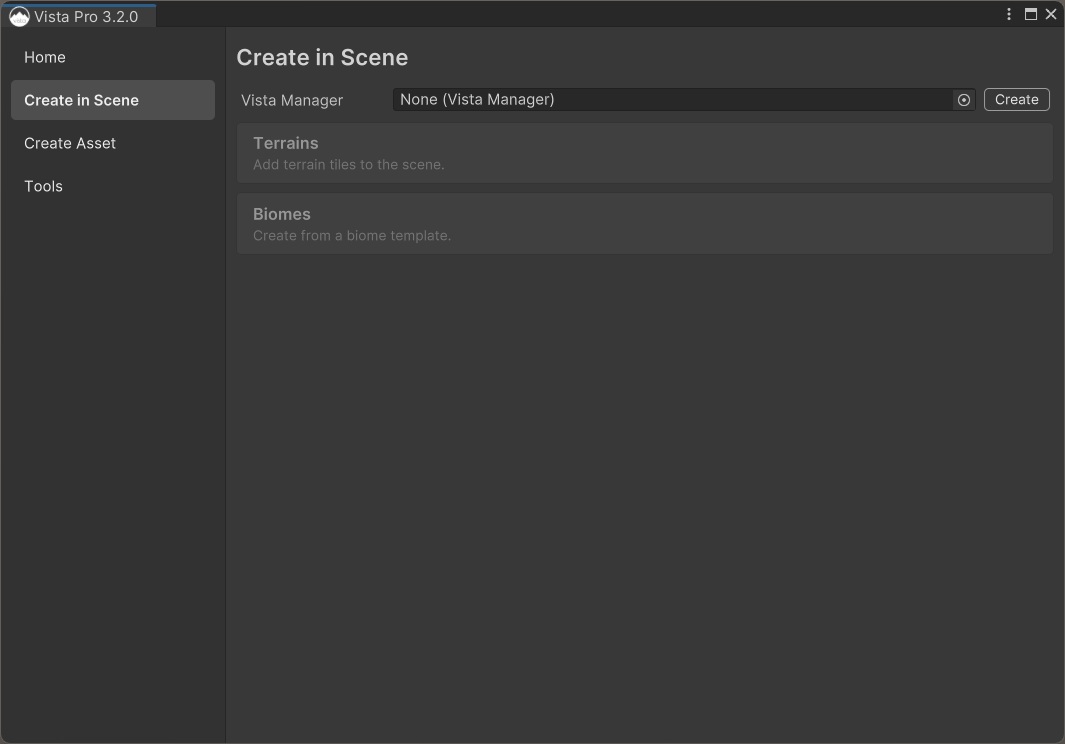
If the scene already has a Vista Manager, the field displays that object and you can continue without creating another one.
What the Manager controls
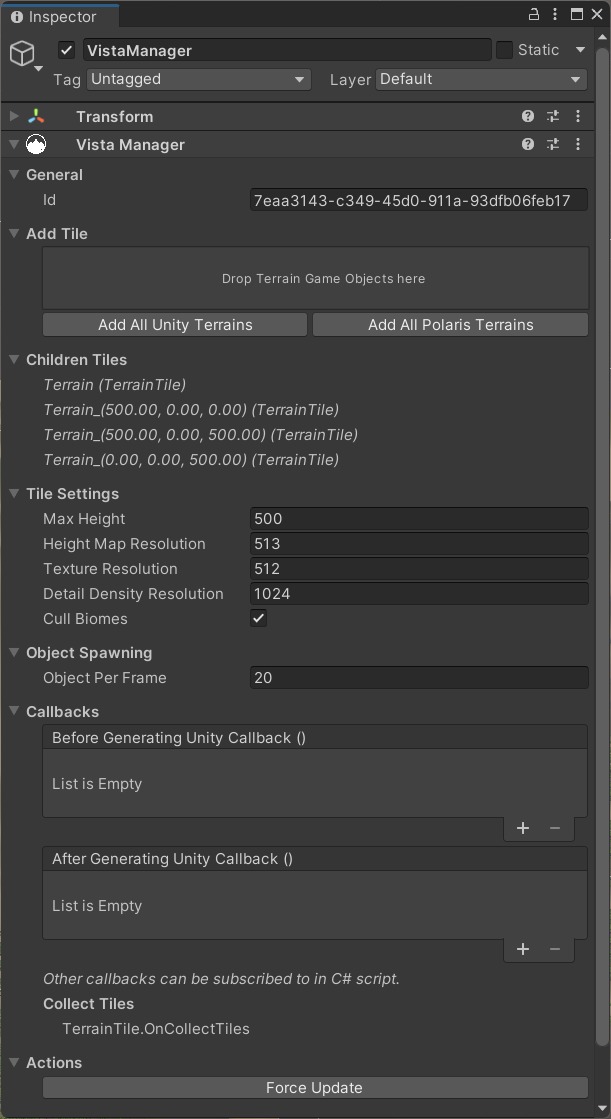
The Manager coordinates:
- the terrain tiles Vista generates onto
- the biomes that contribute terrain shape, textures, foliage, and other content
- shared terrain resolutions and height range
- generation of the final terrain result
You will configure the initial tile dimensions on the next page. The Manager keeps those terrain tiles registered so the biome you create afterward can generate onto them.
Continue with Create a terrain grid.