Terrain Management
Vista works with terrain tiles through a Vista Manager. The Manager groups the terrains and biomes that participate in generation and applies shared generation settings across its tiles.
Create terrain tiles
Open Window > Vista > Wizard, select Create in Scene > Create Terrain, then choose the terrain backend you want. Configure the grid and select Create.
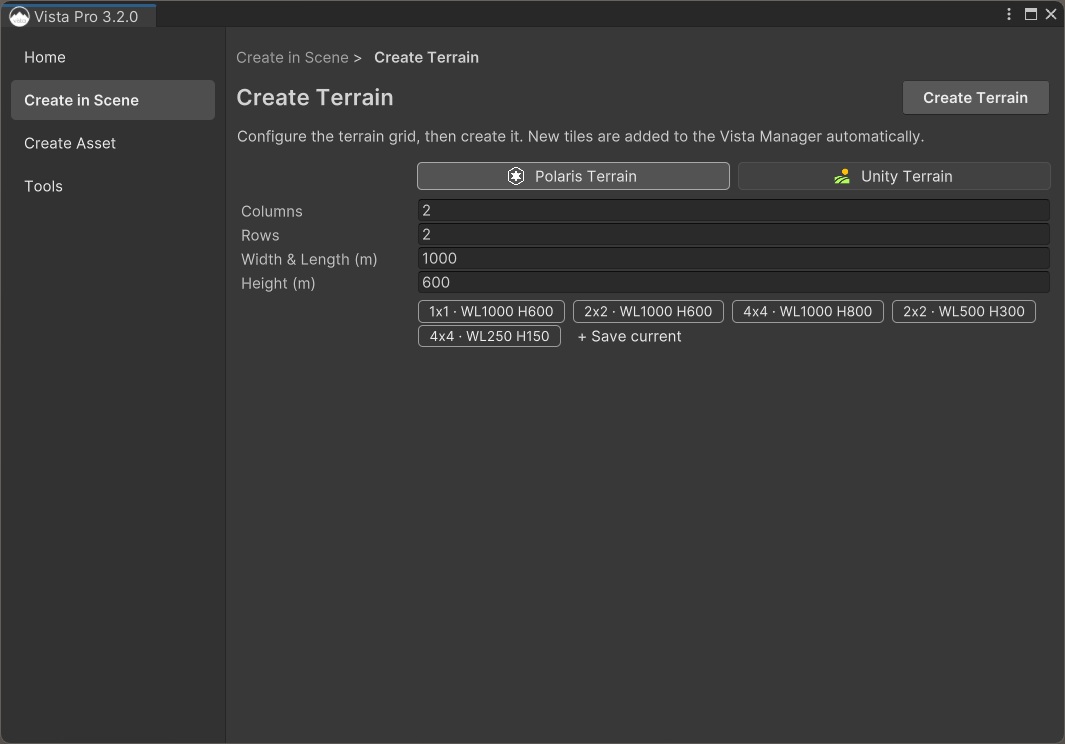
The Wizard creates the configured terrain grid and assigns its tiles to the selected Vista Manager.
See Create a terrain grid for the complete first-time workflow.
Add existing terrains
Existing Unity or Polaris terrains can also be assigned to a Vista Manager. In the Manager Inspector, drag terrain GameObjects into Add Tile, or use the bulk add action to collect supported terrains from the scene.
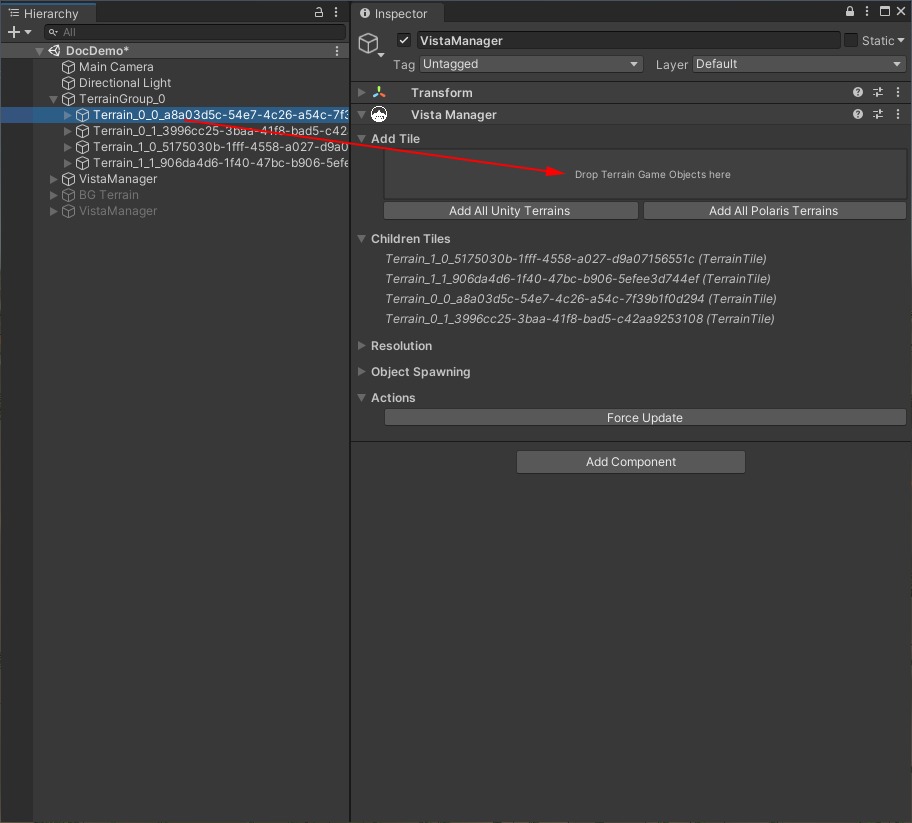
Terrain tiles don't need to be children of the Manager in the Hierarchy. Vista associates them with the Manager through its terrain-tile component.
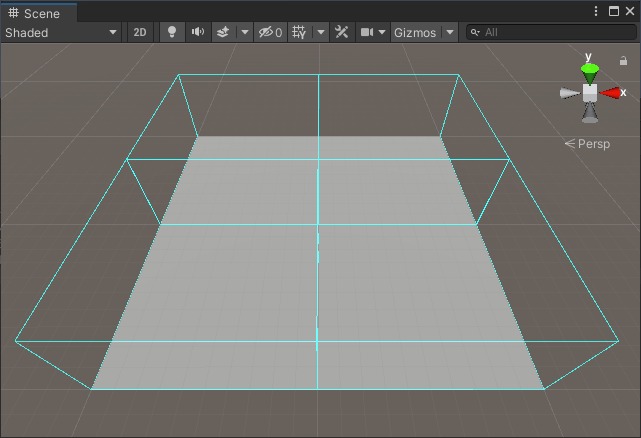
See Children tiles for details.
Shared generation settings
The Vista Manager applies these settings to its terrain tiles during generation:
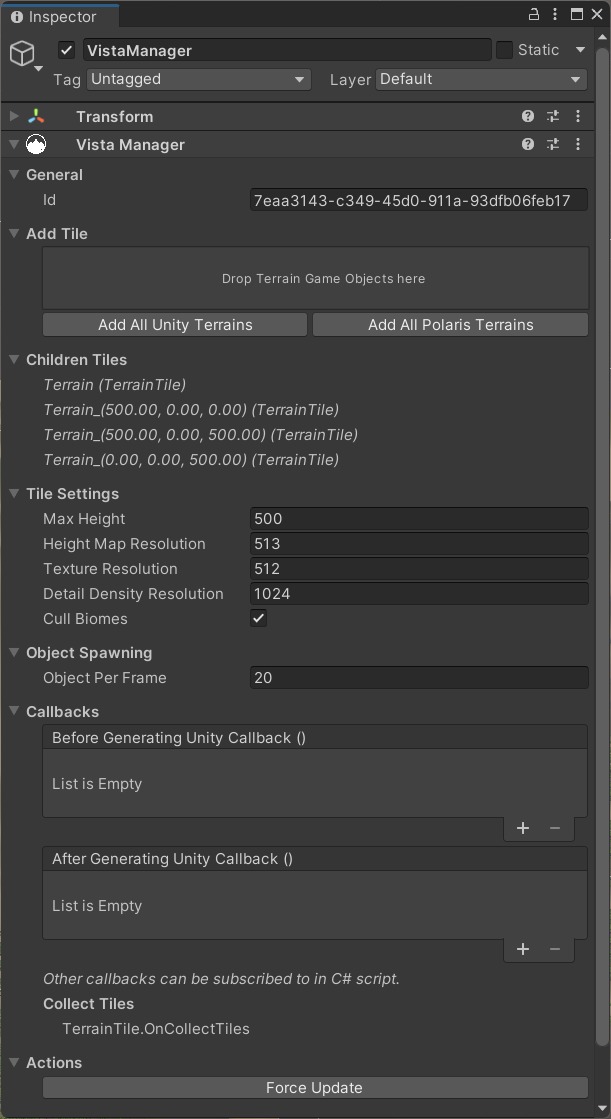
- Max Height — the maximum terrain elevation.
- Height Map Resolution — the resolution of generated elevation data.
- Texture Resolution — the resolution of generated surface data, such as control, albedo, or metallic maps.
- Detail Density Resolution — the resolution of generated detail-density data when supported by the terrain backend.
- Cull Biomes — limits each tile to overlapping biomes. Keep this enabled for normal use; an integration may instruct you to disable it.
Changing these settings does not update the terrain immediately. Generate the biomes again or select Force Update on the Vista Manager to apply them.
Manage multiple terrains
For backend-specific operations across several terrains, open the Vista Wizard and select Tools > Multi-Terrain Management.
- For Unity Terrain, Vista opens Terrain Toolbox > Terrain Settings. If Terrain Tools is not installed, the Wizard provides an action to open it in Package Manager.
- For Polaris Terrain, Vista provides access to the Polaris Group Tool.
These tools complement Vista's generation workflow. Use the Vista Manager for generation settings and biome processing, and use the terrain backend's tool for its own terrain-specific settings and operations.