Offset Node
- Category: General
- Edition: All editions
- Output type: Position buffer
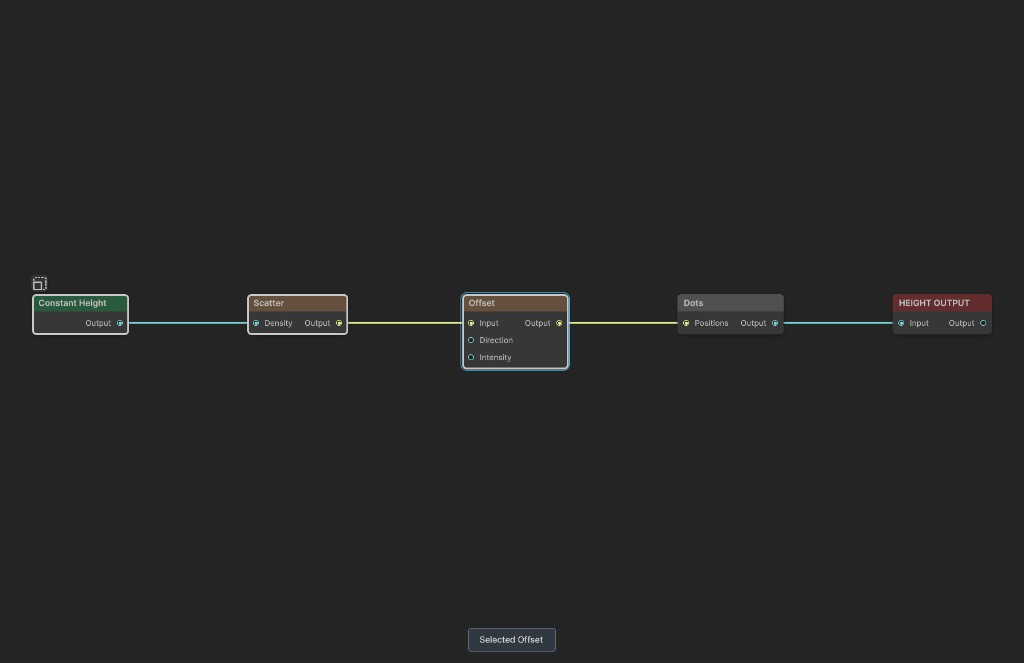
- Typical place in a graph: after Scatter or another position generator and before Dots or an instance output
Offset moves position samples horizontally across the biome. Direction and Intensity maps can vary the angle and distance separately at every point.
When to use it
- Shift scattered positions in one fixed direction.
- Push points different ways with a Direction map.
- Vary movement distance with an Intensity map.
- Create displaced copies of a placement pattern.
- Not for moving pixels in a height or mask texture. Offset operates on position buffers.
Inputs
| Slot | Type | Required | What to connect |
|---|---|---|---|
| Input | Position buffer | Yes | Position samples to move. Without Input, no Output buffer is created. |
| Direction | Mask | No | Map sampled at each position to vary its direction between Min Angle and Max Angle. |
| Intensity | Mask | No | Map sampled at each position to scale movement distance. Black gives no movement and white uses Intensity Multiplier. |
Outputs
| Slot | Type | What it holds |
|---|---|---|
| Output | Position buffer | The same samples with shifted horizontal XZ coordinates. Validity and other stored position attributes are preserved. |
Properties
| Property | Default | Range | What it does |
|---|---|---|---|
| Min Angle | -360° | -360° to 360° | Direction used when the effective Direction value is 0. |
| Max Angle | 360° | -360° to 360° | Direction used when the effective Direction value is 1. It cannot be below Min Angle. |
| Angle Multiplier | 1 | 0 to 1 in the editor | Multiplies Direction before mapping it between the angle limits. Without a Direction input, this directly selects one angle in the range. |
| Intensity Multiplier | 0 | 0 to 1 in the editor | Maximum movement as a fraction of biome width. Without an Intensity input, every point uses this distance. |
Angles are measured on the biome XZ plane. At 0 degrees, points move along positive X. At 90 degrees, they move along positive Z.
Common properties
| Property | What it does |
|---|---|
| Id | The node's unique name in this graph. |
| Split Execution | Places the position buffer compute pass in a separate graph step. |
| Bypass | Skips movement and forwards Input unchanged. |
How movement is calculated
For every valid sample, Offset reads Direction and Intensity at the sample's original XZ position:
angle = blend(Min Angle, Max Angle, Angle Multiplier × Direction)
distance = Intensity Multiplier × Intensity
It converts the angle to a unit vector and adds that vector times distance to the sample's normalized XZ coordinates. An unconnected map contributes 1 rather than 0, so the matching multiplier acts as a constant control.
Example
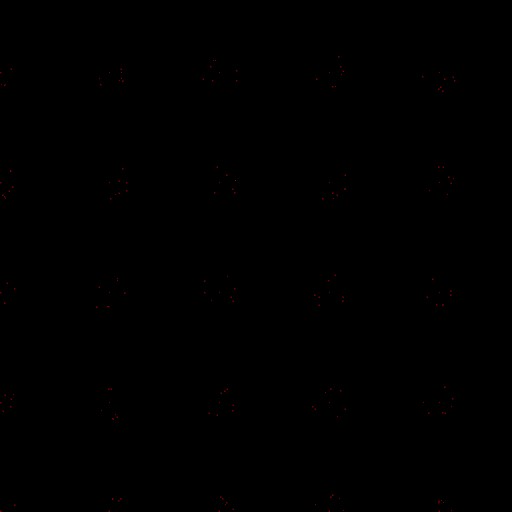
The sample creates clustered positions with Scatter and visualizes them through Dots.
Before Offset
After Offset
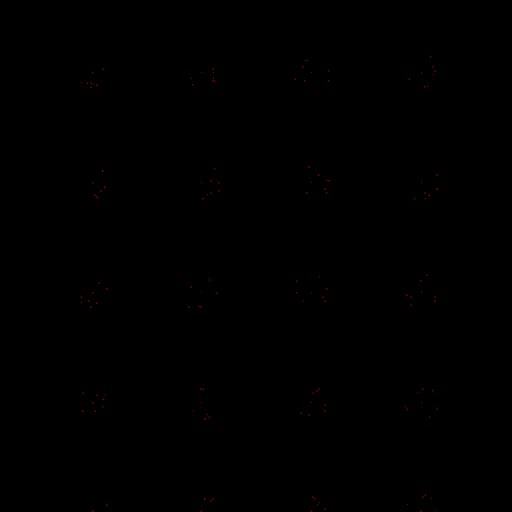
Min Angle and Max Angle are both 0 degrees, and Intensity Multiplier is 0.18. Every cluster moves right by 18 percent of the biome width without changing its internal pattern.
Recipes
- Constant shift: set Min Angle and Max Angle to the same direction, leave both maps empty, and raise Intensity Multiplier.
- Directional field: use a Noise or gradient as Direction and set a useful angle range such as -45 to 45 degrees.
- Variable distance: connect a mask to Intensity so selected points move farther while black areas remain in place.
- Aligned placement: feed Offset Output to the same downstream visualization or instance output that previously used the original positions.
Tip
Preview positions with Dots before and after Offset. Position buffers themselves are difficult to judge without rasterizing them.
Note
Movement is normalized to biome space. An Intensity Multiplier of 0.1 moves a point by one tenth of the biome width.
Warning
Offset does not clamp points to the biome boundary. Large distances can move valid samples outside the 0 to 1 biome area, where downstream nodes may no longer show or use them.
Performance
Offset runs one compute operation per position. Cost grows with position count; Direction and Intensity maps add texture samples but do not change buffer size.
Related nodes
- Scatter: creates procedural input positions.
- Dots: visualizes positions as a mask.
- Spread: creates additional positions around source samples.
- Transform Points: applies broader transformations to positions.
For AI agents
- Type name and graph command type:
Offset; runtime class:OffsetNode. - Input slot
0= Input, Buffer. - Input slot
1= Direction, Mask. - Input slot
2= Intensity, Mask. - Output slot
100= Output, Buffer. - Min and Max Angle are clamped to -360 through 360 and kept ordered.
- Effective angle factor is
angleMultiplier, multiplied by Direction when connected. - Effective distance is
intensityMultiplier, multiplied by Intensity when connected. - Empty Direction and Intensity maps make their multipliers constant controls.
- Empty Input creates no output. Bypass forwards Input.
- Sample graph:
Assets/_DocSamples/NodeGraphs/OffsetNode_Doc.asset.