Gradient Map Node
- Category: General
- Edition: All editions
- Output type: Color texture
- Typical place in a graph: after a height or mask and before Albedo Output or another color node
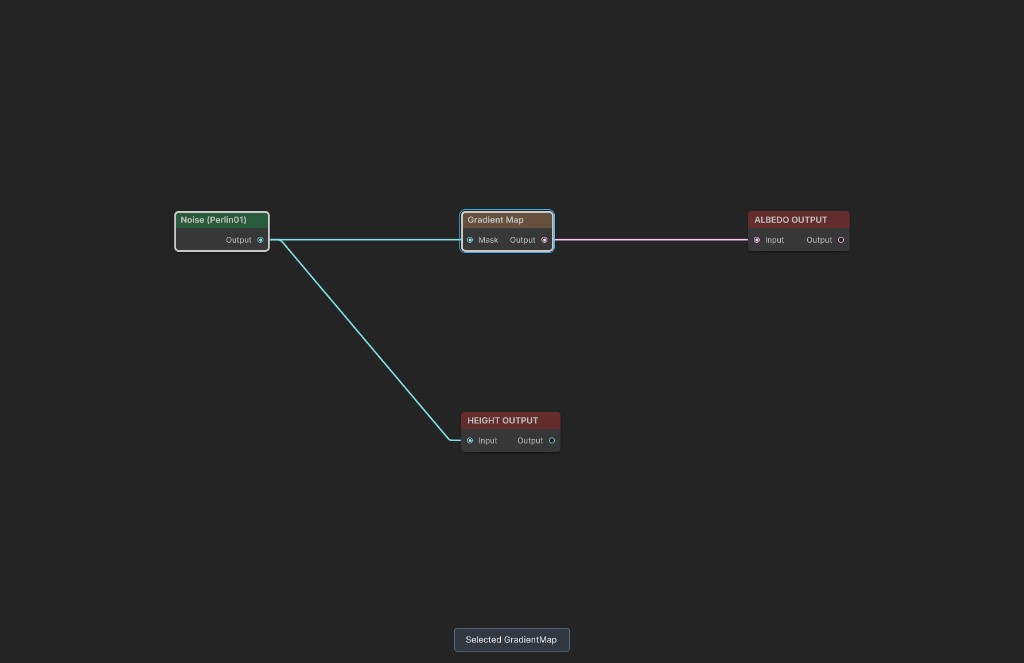
Gradient Map converts numeric mask values into colors. A value of 0 samples the left end of the gradient, 1 samples the right end, and intermediate values interpolate between the gradient keys.
When to use it
- Color terrain by height, slope, curvature, noise, or another mask.
- Turn one continuous mask into several smoothly transitioning color regions.
- Preview mask values as meaningful colors.
- Repeat a color sequence several times across the 0 to 1 input range.
- Not for combining several independent masks and solid colors. Use Color Blend for layered regions.
Inputs
| Slot | Type | Required | What to connect |
|---|---|---|---|
| Mask | Mask | No | Values used to sample the gradient. An empty input uses black, so the whole output uses the color at the left end of the gradient. |
Outputs
| Slot | Type | What it holds |
|---|---|---|
| Output | Color texture | The RGBA colors sampled from Gradient after Loop and Wrap Mode are applied. |
Properties
| Property | Default | What it does |
|---|---|---|
| Gradient | Black to white | Defines the colors and alpha returned across the sampling range. Color and alpha keys are both preserved. |
| Wrap Mode | Clamp | Controls coordinates outside 0 to 1 after Loop is applied. Clamp holds the nearest end, Repeat starts the gradient again, and Mirror reverses every other cycle. Other Unity texture wrap modes may also appear depending on the Unity version. |
| Loop | 1 | Multiplies Mask before sampling Gradient. It is clamped to a minimum of 0.01. Values above 1 expose Wrap Mode behavior. |
Common properties
| Property | What it does |
|---|---|
| Id | The node's unique name in this graph, shown for reference. You cannot edit it. |
| Resolution | Sets the output size. Relative To Main Input follows Mask when connected; otherwise it uses the graph's Canvas Resolution. Absolute is limited to 32 to 512 in Personal and 32 to 4096 in Indie and Pro. |
| Split Execution | Places this single color conversion pass in a separate graph step when split execution is enabled. |
| Bypass | Skips the node. Because a Mask cannot pass directly into a Color Texture output, Output becomes empty transparent black. |
How values become colors
For each texel, the node calculates:
gradient coordinate = Mask × Loop
It then samples Gradient at that coordinate using Wrap Mode. With Loop 1 and Clamp, ordinary 0 to 1 masks map directly from left to right. With Loop 3 and Repeat, the full gradient appears three times across the same mask range.
Examples
The sample maps 420 meter Perlin Noise through a blue, green, ochre, and pale gradient.
Source mask
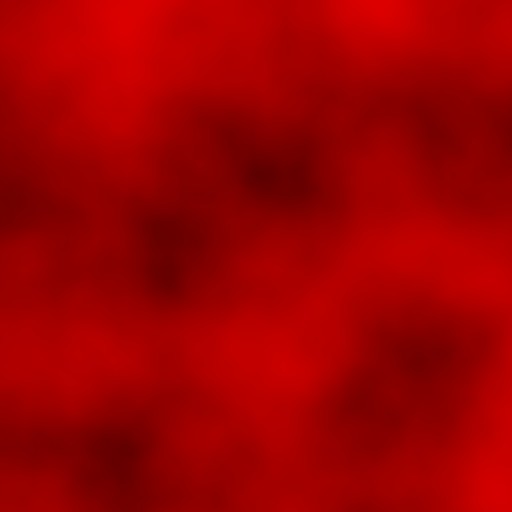
Dark values sit toward the gradient's left side; bright values sit toward its right side.
Loop 1
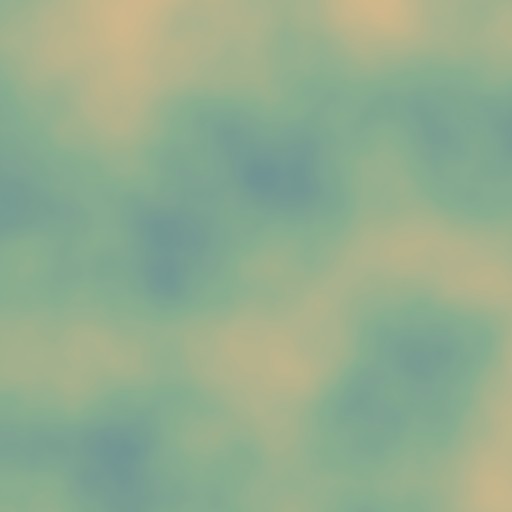
The Noise in this sample occupies mostly middle values, so green and ochre dominate while the extreme endpoint colors appear less often.
Loop 3 with Repeat
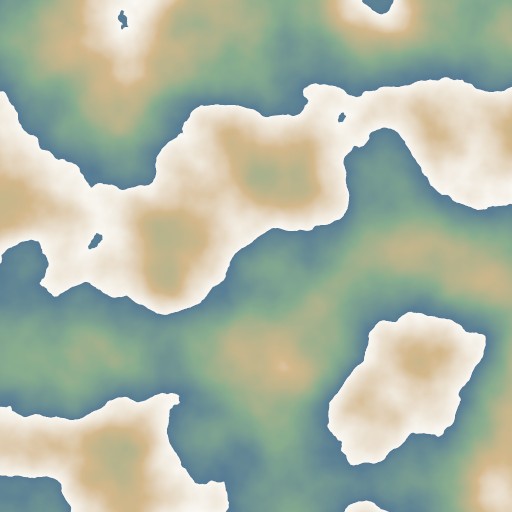
Multiplying the coordinate creates several color bands. Repeat restarts at the blue end whenever the coordinate crosses a whole number.
Recipes
- Color by elevation: connect the terrain height to Mask and arrange Gradient keys from lowland colors on the left to snow or rock on the right.
- Discrete regions: set the Gradient mode to Fixed to create hard color steps instead of smooth transitions.
- Repeated strata: raise Loop and use Repeat to create recurring bands through height values.
- Transparent diagnostic: edit the Gradient alpha keys when Output must fade with the mapped value.
Tip
Place gradient keys near the values your mask actually contains. Check the mask preview statistics when important colors barely appear.
Note
Loop does not change the Mask. It only changes the coordinate used to sample the Gradient.
Warning
Repeating a gradient introduces seams where the right end jumps back to the left end. Use matching endpoint colors or Mirror when the transition must remain continuous.
Performance
Gradient Map creates a small gradient lookup texture and performs one full output pass. Cost is primarily determined by output resolution; additional gradient keys and Loop values have little effect.
Related nodes
- Color Blend: paints several solid colors from independent masks.
- RGBA Merge: packs masks into separate color channels.
- Noise: supplies continuous natural values to color.
- Albedo Output: sends the finished color texture to terrain.
For AI agents
- Type name and graph command type:
GradientMap; runtime class:GradientMapNode. - Input slot
0= Mask, Mask. - Output slot
100= Output, ColorTexture. gradientaccepts color keys, alpha keys, and Blend or Fixed mode.wrapModeis a UnityTextureWrapMode; default = Clamp.loopis clamped to 0.01 or greater; default = 1.- Shader coordinate:
Mask.r * loop. - Empty Mask uses black and returns the color at the left end of the gradient.
- Bypass produces empty color output because the input and output types differ.
- Sample graph:
Assets/_DocSamples/NodeGraphs/GradientMapNode_Doc.asset.