Get Started with Vista
This guide takes you from an empty scene to a generated terrain using the Vista Wizard. You will create a terrain grid, create one complete biome from a bundled template, and make your first customization.
You don't need to build a terrain graph from scratch to get a useful result. Vista 3.2 can create terrain grids for the terrain backends supported by your project, and its biome templates provide a finished starting point for terrain shape, texturing, and population.
What you will create
By the end of this guide, your scene will contain:
- a Vista Manager
- a terrain grid created through Vista
- one Mountain biome created from a bundled template
- generated terrain shape and textures
- trees and details where they are supported by the selected terrain backend
- an editable copy of the biome's terrain graph
Open the Vista Wizard
Open Window > Vista > Wizard, or right click on the Hierarchy and select 3D Object > Vista > Wizard.
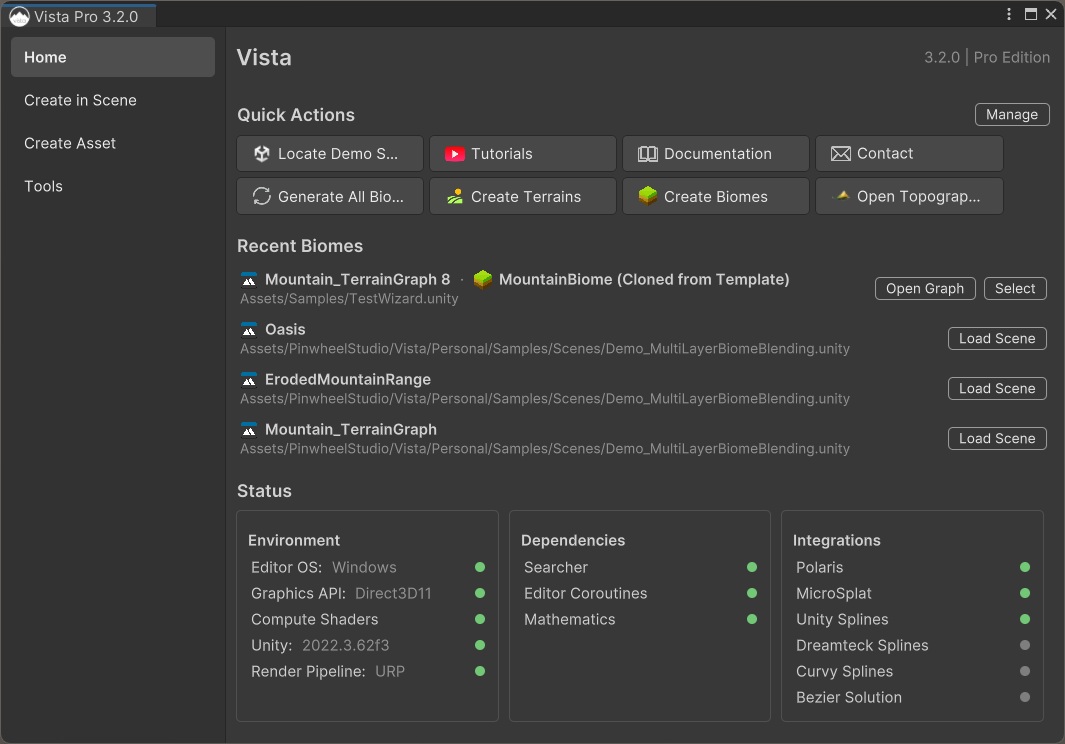
Continue with Create the Vista Manager.