Customize the Biome
The biome created from the Mountain template is fully editable. Start with a small change so you can see how the scene, biome, and graph work together.
Change the biome result
- Select the created Mountain biome in the Hierarchy.
- In its Inspector, change Seed under Generation Configs.
- Regenerate the Vista Manager.
Changing the seed produces another variation while keeping the same graph structure and output setup.
You can also use Edit Anchors to change the biome's covered area. The Mountain template uses its biome mask mainly for fading and blending, while its internal noise determines the detailed mountain placement.
Open the terrain graph
Select Edit/Sync beside the biome's Terrain Graph in the Local Procedural Biome component inspector.
The graph contains the complete generation setup used by this biome. Select a node to inspect its parameters, make one change, then select Save Asset to regenerate the result.
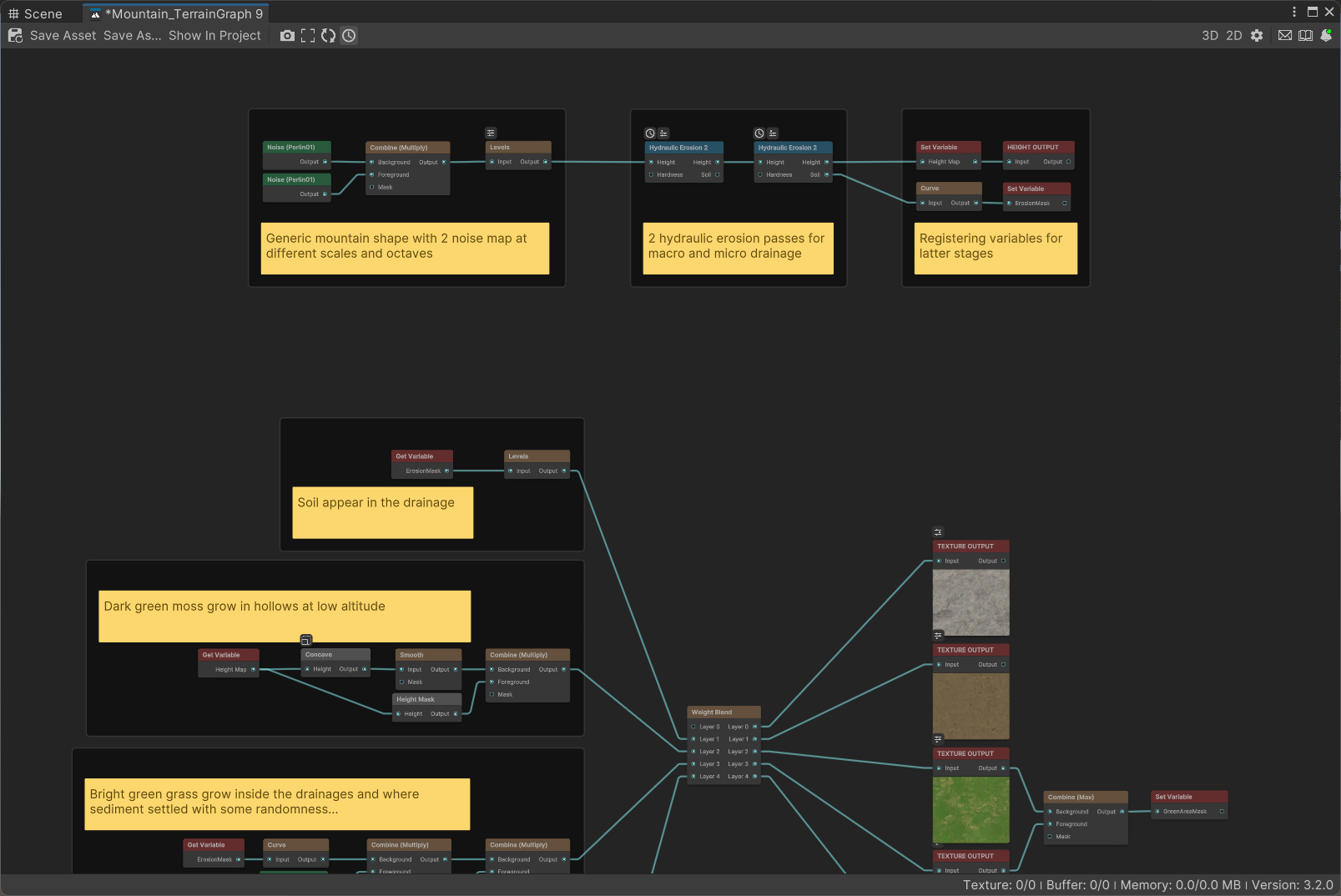
The template's usage guide is the best starting point for deciding which controls to adjust. For a deeper explanation of the editor, continue to Graph Editor.
Continue with Next steps.