Anchors editing
To edit the boundaries of a LPB instance, click on the Edit Anchor button in the Inspector.
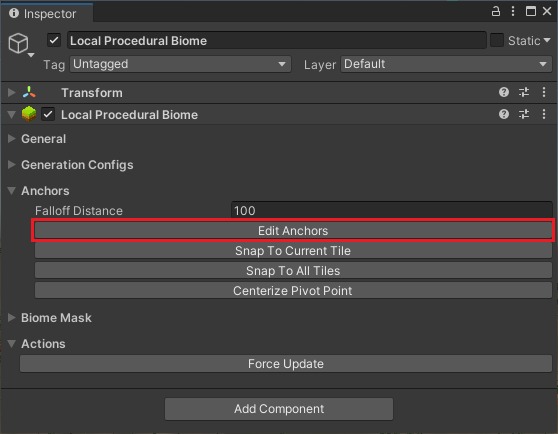
Figure: Vista for Unity anchors editing showing editing the boundaries of a lpb instance in the Unity Editor.
In the Scene View, you will see some Gizmos appear:
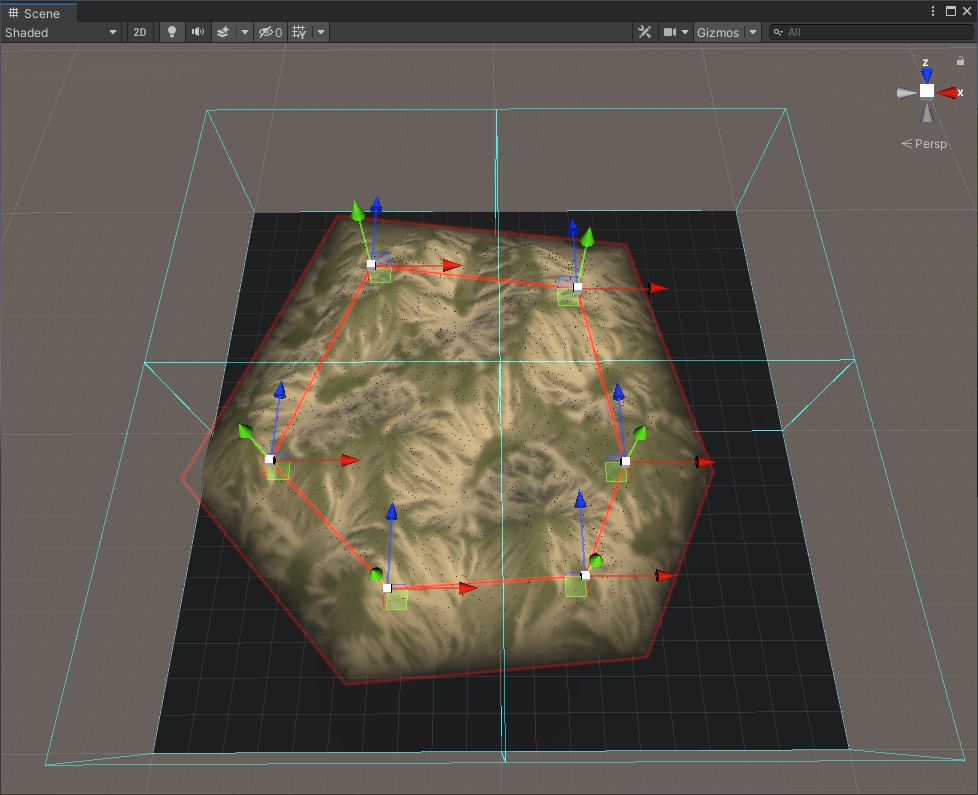
Figure: Vista for Unity anchors editing showing in the scene view in the Unity Editor.
Drag the arrows to move an anchor around.
Shift Click to add a new anchor in between of the 2 nearest ones.
Ctrl Click on an anchor (the white cube) to remove it.
A biome will affect all tiles whose polygon overlaps, these tiles are highlighted with cyan boxes.
When you are happy with the shape, hit End Editing Anchors in the Inspector.