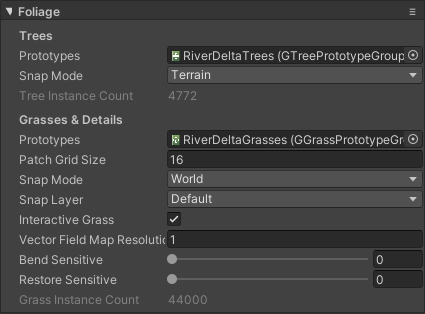
Create tree prototypes group
To spawn and render trees on the terrain, you have to create a Tree Prototypes Group asset and assign it to the terrain. Go to Assets>Create>Polaris>Tree Prototypes Group and give the asset an appropriate name. Select the asset, in the Inspector, try dropping a prefab into the selector box, a prototype should appear:
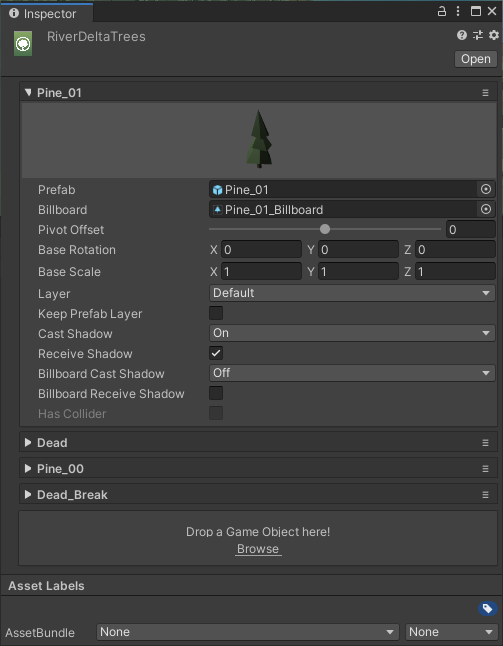
Each prototype has several settings:
- Prefab: the source prefab to copy data from.
- Billboard: the billboard asset used to render the tree as billboard. See Create Billboard Asset for more detail.
- Pivot Offset: Offset the tree position on Y-axis
- Base Rotation: rotation offset to fix mis-align issues from tree models.
- Base Scale: initial size of the tree.
- Layer: determine which camera layer to render the tree.
- Keep Prefab Layer: if check on, the tree will be rendered in the same layer as the source prefab.
- Cast Shadow/Receive Shadow: should it cast/receive shadow?
- Billboard Cast/Receive Shadow: should its billboard cast/receive shadow?
Assign this to your terrain under the Foliage section: