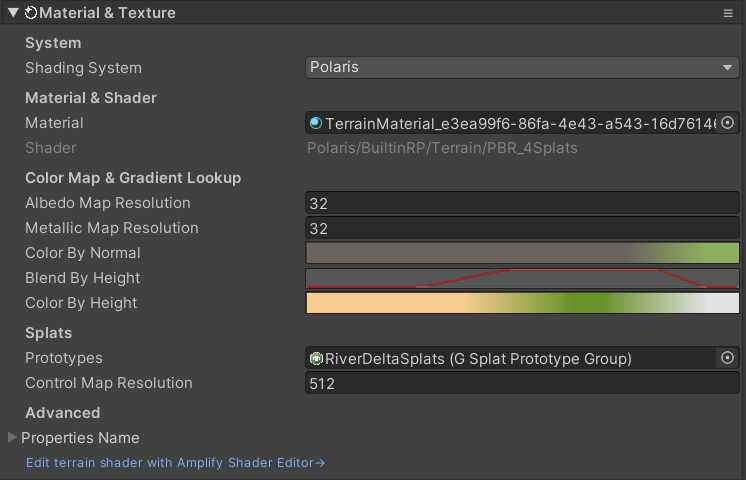
Create splat prototypes group
To apply splat textures to the terrain, you have to create a Splat Prototypes Group asset and assign it to the terrain. Go to Assets>Create>Polaris>Splat Prototypes Group and give the asset an appropriate name. Select the asset, in the Inspector, try drop a texture into the selector box, you should see the prototype appear:
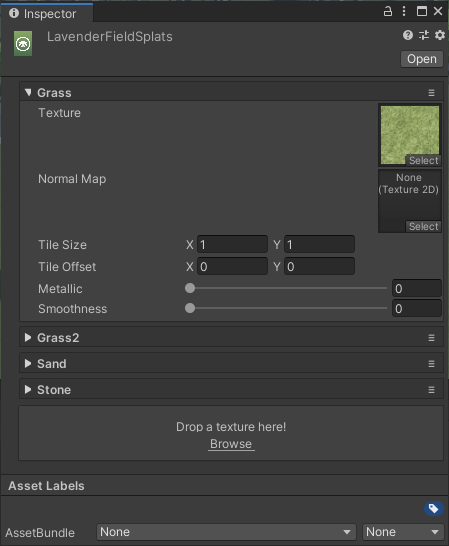
For each prototype, there are several settings:
- Texture: the main texture of the prototype.
- Normal Map: a normal map for fine detail.
- Tile Size: size of the repetition pattern.
- Tile Offset: offset of the repetition pattern.
- Metallic/Smoothness: physical properties of the prototype, only used in PBR shader.
Assign this to your terrain under the Material & Textures section: