Create grass prototypes group
To spawn and render grasses/details on the terrain, you have to create a Grass Prototypes Group asset and assign it to the terrain. Go to Assets>Create>Polaris>Grass Prototypes Group and give the asset an appropriate name. Select the asset, in the Inspector, try dropping a texture/prefab into the selector box, a prototype should appear:
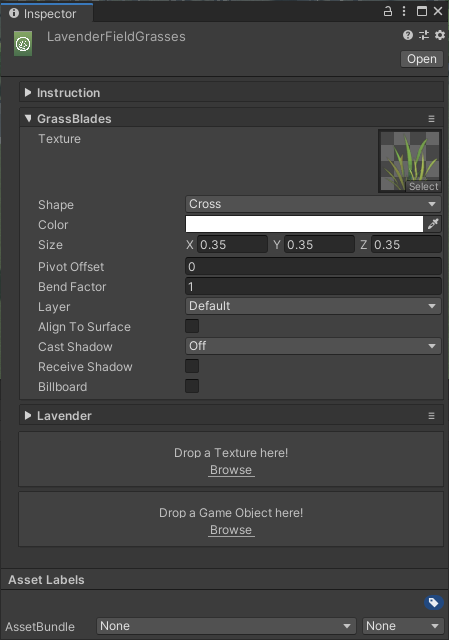
Each prototype has several settings:
- Texture: main texture represents the grass.
- Shape: determine the mesh used to draw each instance, including Quad, Cross, TriCross, Custom Mesh and Detail Object.
- Prefab: prefab game object for details.
- Mesh: mesh used in Custom Mesh shape.
- Color: Tint color for this prototype.
- Size: physical size of grass instances.
- Pivot Offset: A small position offset to move the instance up/down when batching.
- Bend Factor: how much it reacts to wind and other bending effects.
- Layer: determine which camera layer to render grass instances.
- Align To Surface: make the grass/detail instance up vector to snap with surface normal vector (need re-update to take effect).
- Cast/Receive Shadow: should it cast/receive shadow?
- Billboard: should it be rendered as a billboard? Note that Interactive Grass won’t work when Billboard is enabled.
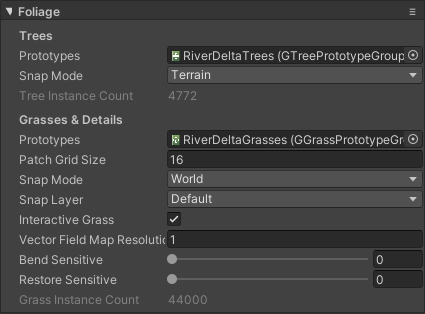
Assign this to your terrain under the Foliage section: